Fov_Fix_Value
⚪ Last updated 2015Preview
🔍 Analysis
- 👍 5.9% endorsement rate — high engagement, a strong quality signal
- 🏆 #37 of 115 Gameplay mods in this game by downloads
📋 About This Mod
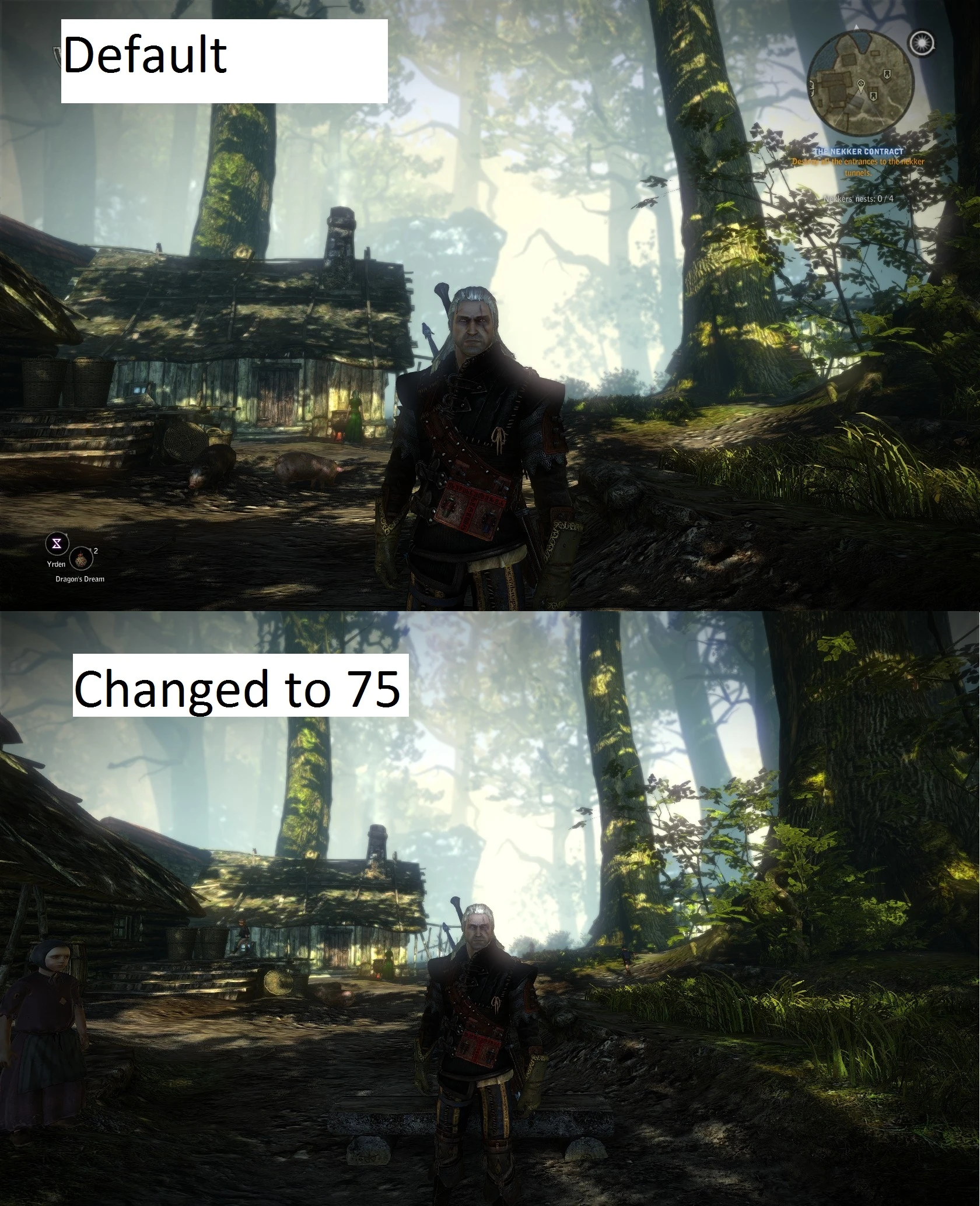
Fov Fix value changer base on Fov_1_1 by Puruko Fix value and package by Vingt-2
Installation:
//!\\ If starting a new game, start a game without the mod, save, and then start using the mod. A known bug creates bug when mods are enabled upon creation of a new game //!\\
- Everything that you need to do will be done in your \Documents\Witcher 2\UserContent folder (not CookedPC, not anywhere in your game
- installation folder).
- 1. After you uncompress the files just take the folder called Fov_1_1 and put it in:
- "\Documents\Witcher 2\UserContent" folder
- 2. Use the UserContentManager (Launch Witcher 2 and select mod), then check Fov_1_1 in the UserContentManager)
- Save and exit or Save and run if you want to run the game right away.
- 3. The default FOV used by the mod is 75, however if you desire to change this value, simply replace the file "scripts.dzip" by the corresponding file in "Scripts_fov_files". Don't forget to rename your "Scripts_fov_XX.dzip" to "Scripts.dzip".
Now everytime you load a game, the fov should automatically set to your prefered setting.
Automatically sets a fixed field-of-view value on game load, based on the existing Fov_1_1 mod. For players who want consistent FOV without manually editing config files. Stands out for its zero-configuration approach — the fix applies itself without user input.
✨ Key Features
📊 Pros & Cons
✅ Pros
- Community vetted: 411 endorsements from players who wanted a no-fuss FOV fix.
- 6,988 downloads, so plenty of people have run it without issues.
- Set-and-forget: the FOV applies automatically every game launch.
⚠️ Cons
- Last updated in 2015 — almost certainly incompatible with current game versions or mod setups.
- Only provides a single fixed FOV value; no in-game slider or customization.
- Doesn't state whether Fov_1_1 is required as a separate download — setup could be confusing.
For players tired of their FOV resetting or being inconsistent, who just want a fixed value applied every time. For those who don't want to mess with ini tweaks or console commands each session. Skip if you prefer adjustable FOV or want an actively maintained mod.
💡 Beginner Tips
- Drop the mod file into your game's data folder (like any other plugin) and launch — no console commands or ini edits needed.
- If the game has its own FOV slider in settings, leave it at default to avoid conflicting with this mod's automatic value.
- The FOV applies on every game load, so restart the game after installing to see the change take effect.
📊 Mod Details
- Game
- Witcher2 Mods
- Author
- Puruko and Vingt2
- Version
- N/A
- Downloads
- 6,988
- Endorsements
- 411
- Category
- Gameplay
- Created
- 6/7/2015
- Updated
- 6/7/2015
🔧 How to Install Witcher2 Mods
Download from Nexus Mods.
📖 Full step-by-step install guide for Witcher2 →
Visit the official mod page for specific installation instructions for this mod.
🎮 Need cheat codes or console commands? Check ur gaming wiki for Witcher2 commands, item IDs, and more.
Keep browsing — more Witcher2 mods await