Enhanced Witcher Graphics Tweaks - Reshade and Sweetfx Tweaks - UBERSAMPLING-LIKE AA AND MORE
⚪ Last updated 2015Preview
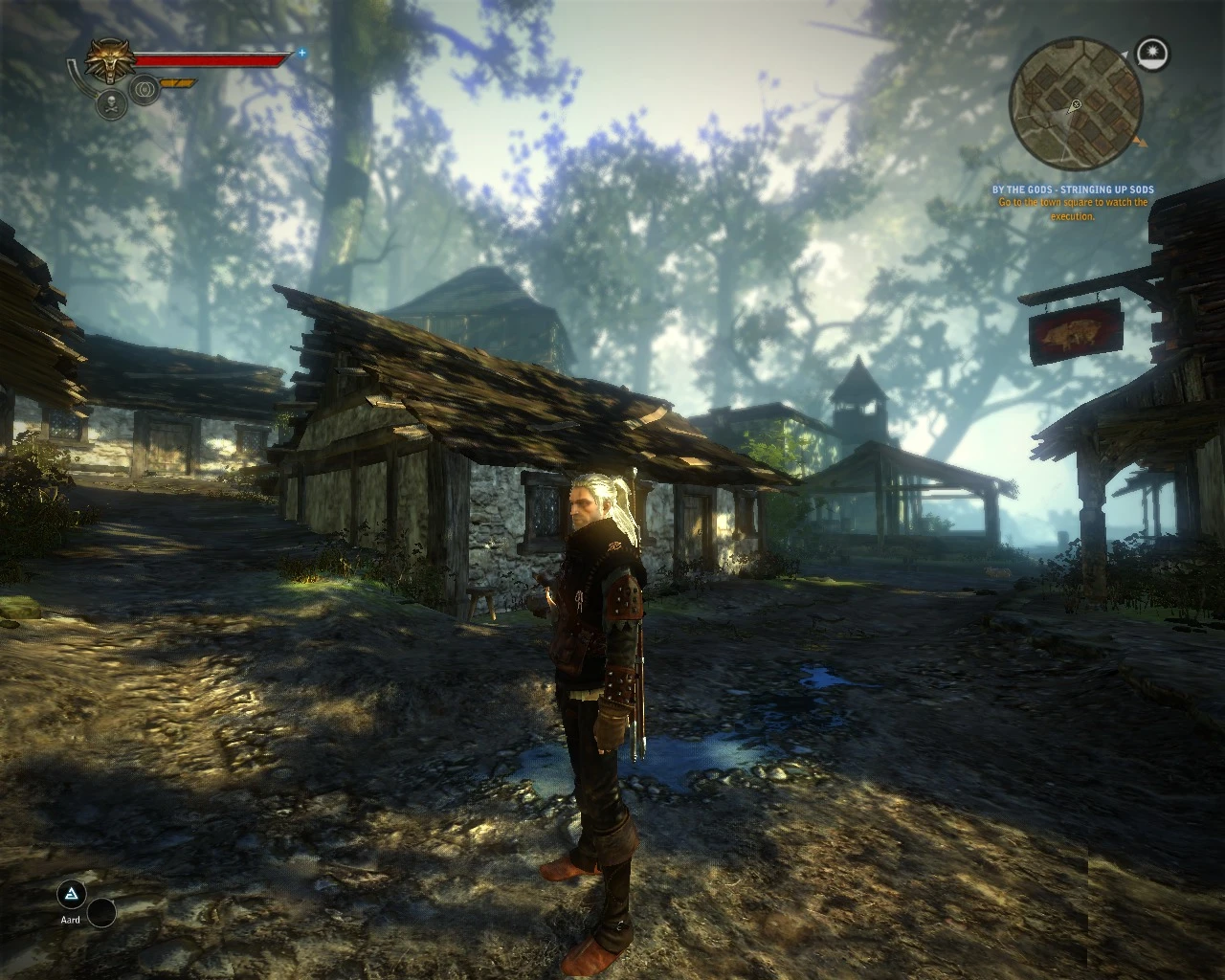
🔍 Analysis
- 👍 5.2% endorsement rate — high engagement, a strong quality signal
- 🏆 #11 of 38 Visuals and Graphics mods in this game by downloads
📋 About This Mod
Enhanced Witcher Graphics Tweaks - Updated Dec 2015
SMAA - FXAA - COLOR CORRECTION - LIGHTING TWEAKS - GAMMA TWEAKS...
... And more! Hey, whats'up?
I'm excited to share with you my SweetFX preset, that I carefully tweaked over several days of play time. This config achieves several things; among others, this ReShade post-processing engine can create an Uber Sampling-like effect with much lower performance cost than the vanilla engine's one. Kind of like the new Witcher 3 technology.
The latest updated SweetFX suite is being used here (as of 29/12/15 - DD/MM/YY), that is SweetFX 2. 0 Preview 8. This means new and better effects than vanilla, with better performance! (Keep in mind that this is a preview and it MAY be prone to bugs; however it is pretty stable ;D )
Everything has been tweaked with attention and care in order to preserve the best possible game experience. Through a delicate approach I aimed at avoiding extreme, unreal tweakings and eye-gouging effects that inevitably break game immersion and just look stupid.
In my opinion these settings work best than most other alternatives because they are easy on the eye and they don't break game immersion. Every single effect is tweaked just right: no extremely dark or ultra white stuff going on here.
Instructions: Drop in /bin (located on The Witcher 2 main installation path)
Remember to de-activate Uber Sampling and AntiAliasing from the game's configuration utility (or from the witcher 2 tweaker)
To uninstall just remove the same files you extracted.
Features:° SMAA and FXAA refine the image like the Uber Sampling vanilla setting, with better performance
° The simulated HDR tweaks bring to life the game's lighting. Experience cozy indoors and vivid outdoors
° Subtle color saturation. Everything is just better and happier than vanilla! :D
° Subtle Gamma regulation. Corrects the "too-much-white / washed-out" feel: better blacks, better general contrast
° Subtle Sharpening. The icing on the cake that avoids AA blur
A graphics preset for The Witcher that uses ReShade 1.1.0 and SweetFX 2.0 Preview 8 to deliver uber-sampling-like anti-aliasing, FXAA/SMAA, color correction, and sharpening at low performance cost. For players wanting noticeable visual improvement without a heavy FPS hit. Stands out for bundling multiple post-processing tweaks in one package.
✨ Key Features
📊 Pros & Cons
✅ Pros
- Strong community backing with 369 endorsements and 7,051 downloads
- Combines FXAA and SMAA plus sharpening/color correction for a well-rounded visual upgrade
- Built on proven SweetFX 2.0 Preview 8 and ReShade 1.1.0 tools
⚠️ Cons
- Last updated December 2015 — no support for current game patches or modern GPU drivers
- Requires manual installation of ReShade 1.1.0 and SweetFX files; no installer or guide included
- Uses outdated ReShade 1.1.0, which lacks features from newer builds and can be finicky on Windows 10/11
For Witcher players who want sharper visuals and better anti-aliasing without buying new hardware. For those comfortable manually placing ReShade/SweetFX files and tweaking configs. Skip if you want a plug-and-play graphics mod or play on a current game version without community-tested compatibility.
💡 Beginner Tips
- Disable the game's built-in anti-aliasing to avoid conflicts with SweetFX's FXAA/SMAA.
- Place the ReShade files in the same directory as the game's .exe and press Scroll Lock in-game to toggle effects.
- If the overlay doesn't appear on Windows 10/11, run the game as administrator or set compatibility mode to Windows 7.
📊 Mod Details
- Game
- Witcher2 Mods
- Author
- Nolf
- Version
- 1.5
- Downloads
- 7,051
- Endorsements
- 369
- Category
- Visuals and Graphics
- Created
- 3/1/2015
- Updated
- 12/29/2015
🔧 How to Install Witcher2 Mods
Download from Nexus Mods.
📖 Full step-by-step install guide for Witcher2 →
Visit the official mod page for specific installation instructions for this mod.
🎮 Need cheat codes or console commands? Check ur gaming wiki for Witcher2 commands, item IDs, and more.
Keep browsing — more Witcher2 mods await