WitcherScript Notepadplusplus Styles
⚪ Last updated 2015⚠️ Install Order · 2 steps
Install in this order, then this mod last — most mods fail to load without their framework and dependencies in place.
Preview
🔍 Analysis
- 👍 8.8% endorsement rate — high engagement, a strong quality signal
- 🏆 #9 of 29 Modders Resources and Tutorials mods in this game by downloads
📋 About This Mod
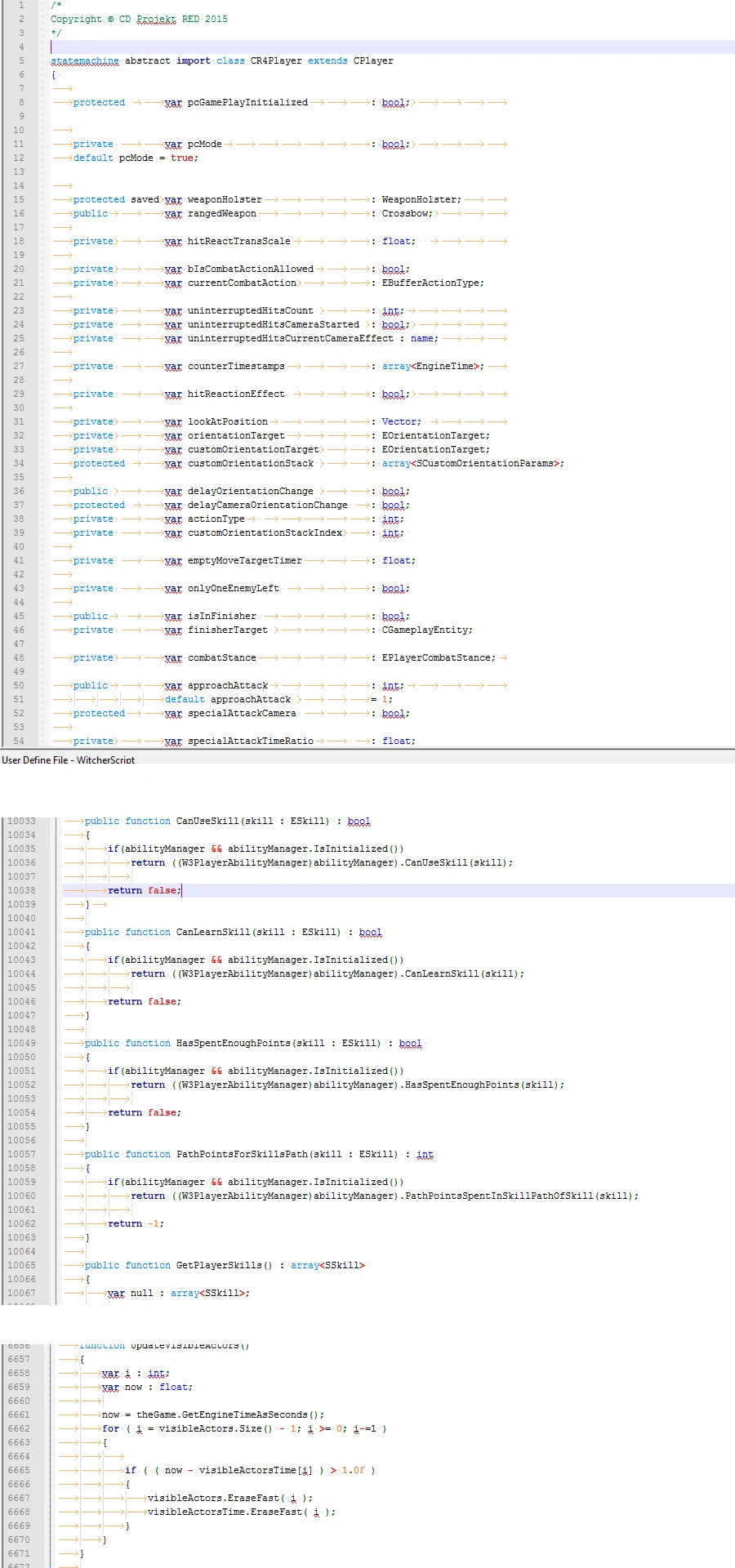
WitcherScript Notepad++ Styles for syntax highlighting to make modding the witcher scripts easier
WitcherScript Notepad++ Styles
Description A simple notepad++ style for editing WitcherScript (.ws) files. You can hack onto it more of course. I might improve it by adding more of the major class types to it, such as CPlayer, CActor, and such. Or maybe not.
Right now it supports syntax highlighting for keywords (event, function, import, var, stuff like that), operators, and primitive types (int, bool, float, etc).
Recently updated as of 8/18/2015 to support some new keywords and also folding based on the { } (curly bracket) characters.
PLEASE NOTE That the orange whitespace characters is because I have them turned on. The WitcherScript.xml styles does NOT show these whitespace characters (eg the tab characters that look like --> )
Requirements Notepad++, version 6. 7. 8+ or so. Probably can use older versions of Notepad++
Installation instructions 1. Download the WitcherScript styles file from the downloads tab. Unarchive it anywhere. It should be just a file named WitcherScript.xml 2. Open Notepad++ 3. Select Language from the menu bar 4. At the bottom, select Define your Language 5. Click the Import button 6. Browse to where you saved the WitcherScript.xml file, select it, and click Okay 7. You should get a "Import Successful" pop-up 8. Now, whenever you open a .ws (a WitcherScript file or a file with the .ws extension) you should see some syntax highlighting to make your modding easier! 9. Enjoy! You might need to restart Notepad++ to see the changes, or the WitcherScript in the Language dropdown menu!
Here is an example: AGAIN PLEASE NOTE That the orange whitespace characters is because I have them turned on. The WitcherScript.xml styles does NOT show these whitespace characters (eg the tab characters that look like --> )
Enjoy! Hopefully this helps others out :)
📊 Mod Details
- Game
- Witcher 3 Mods
- Author
- insane0hflex
- Version
- 1
- Downloads
- 2,314
- Endorsements
- 203
- Category
- Modders Resources and Tutorials
- Created
- 8/16/2015
- Updated
- 8/19/2015
🔧 How to Install Witcher 3 Mods
Download from Nexus.
📖 Full step-by-step install guide for Witcher 3 →
Visit the official mod page for specific installation instructions for this mod.
🎮 Need cheat codes or console commands? Check ur gaming wiki for Witcher 3 commands, item IDs, and more.
Keep browsing — more Witcher 3 mods await