Medieval Font
⚪ Last updated 2019⚠️ Install Order · 2 steps
Install in this order, then this mod last — most mods fail to load without their framework and dependencies in place.
Preview
🔍 Analysis
- 👍 6.4% endorsement rate — high engagement, a strong quality signal
- 🏆 #82 of 188 User Interface mods in this game by downloads
📋 About This Mod
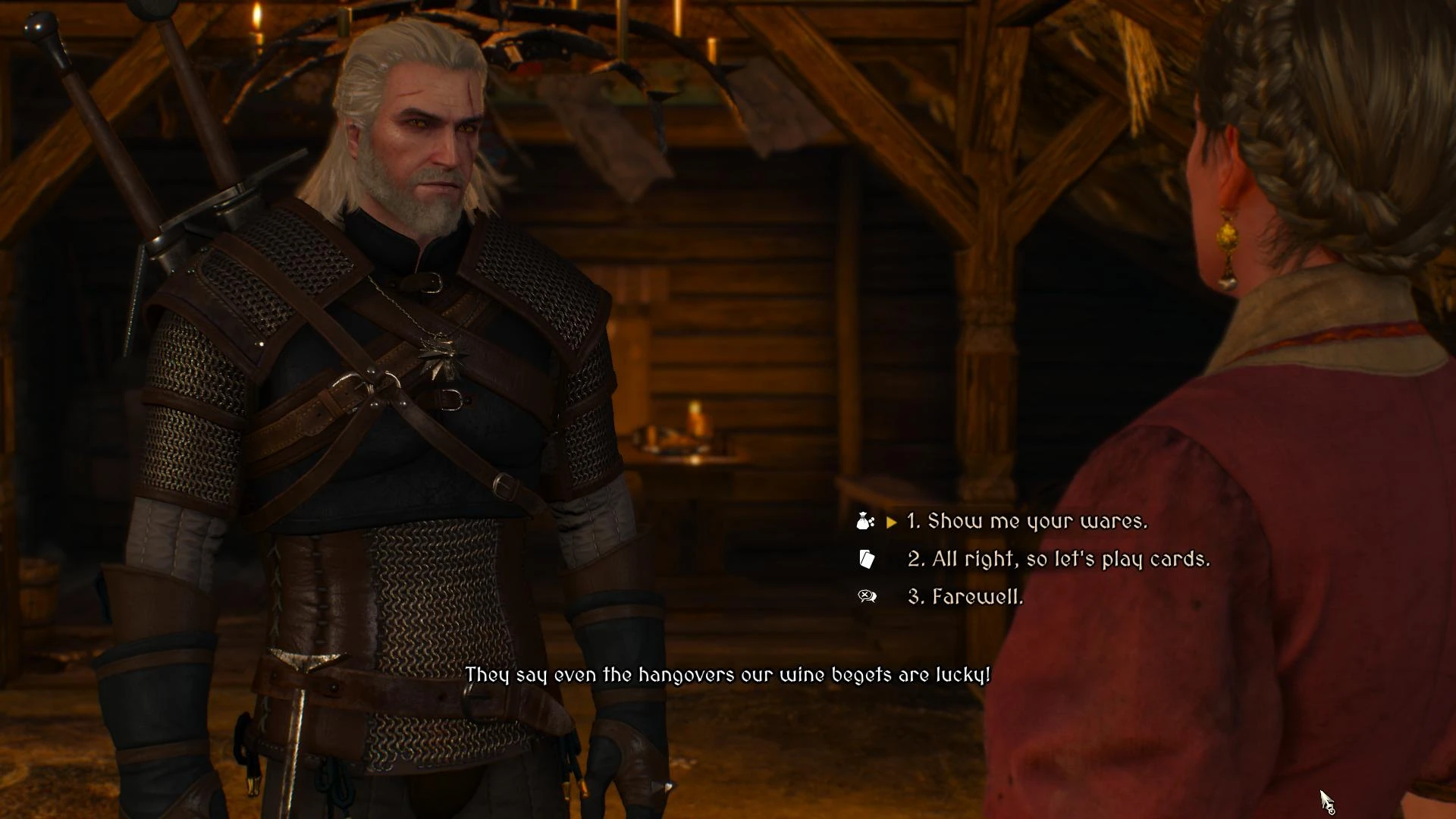
A simple mod that replaces vanilla font to the Medieval style font for Witcher 3 , easy to read , good uppercase letters.
The name of the font is Medieval Sharp a free font that you can get on Google Fonts.
Install:
Extract the Mods folder into your Witcher 3 Main directory
Uninstall:
Delete the modMedievalFont folder inside your Mods folder.
Compatibility:
Not compatible with any other font mods.
E3 HUD and UI:
If you are using E3 HUD&UI , just simply give modMedievalFont a higher priority.
📊 Mod Details
- Game
- Witcher 3 Mods
- Author
- Senf0
- Version
- 1.0
- Downloads
- 1,840
- Endorsements
- 118
- Category
- User Interface
- Created
- 8/8/2019
- Updated
- 8/8/2019
🔧 How to Install Witcher 3 Mods
Download from Nexus.
📖 Full step-by-step install guide for Witcher 3 →
Visit the official mod page for specific installation instructions for this mod.
🎮 Need cheat codes or console commands? Check ur gaming wiki for Witcher 3 commands, item IDs, and more.
Keep browsing — more Witcher 3 mods await