GOG Patches Inconsistency Fix
⚪ Last updated 2016⚠️ Install Order · 2 steps
Install in this order, then this mod last — most mods fail to load without their framework and dependencies in place.
Preview
🔍 Analysis
- 👍 5.7% endorsement rate — high engagement, a strong quality signal
- 🏆 #20 of 34 Utilities mods in this game by downloads
📋 About This Mod
This small application fixes the annoying bug caused by using GOG installers to install patches for The Witcher 3: Wild Hunt
THIS IS ONLY FOR PATCH 1. 22 AND ABOVE, USING THIS IN CONJUNCTION WITH ANY PATCH BELOW 1. 22 MAY CAUSE DAMAGE TO THE GAME FOR WHICH I'M NOT RESPONSIBLE. YOU SHOULD USE 'Unification patch for 1. 31 - 1. 31GOTY - 1. 31A game versions (UPatch)' AFTER USING THIS APP TO AVOID COMPATIBILITY ISSUES
Who is this for ?
This application is intended to be used by users that were updating the game and installing all DLCs using the GOG installers, and encounter the bugs listed below.
What does this application do ?
- It fixes the broken skills descriptions introduced after installing the Blood & Wine DLC along with the patch 1. 20.
- Changes the Mutagen icons to the ones that were introduced in the Blood & Wine DLC
How to use this application ?
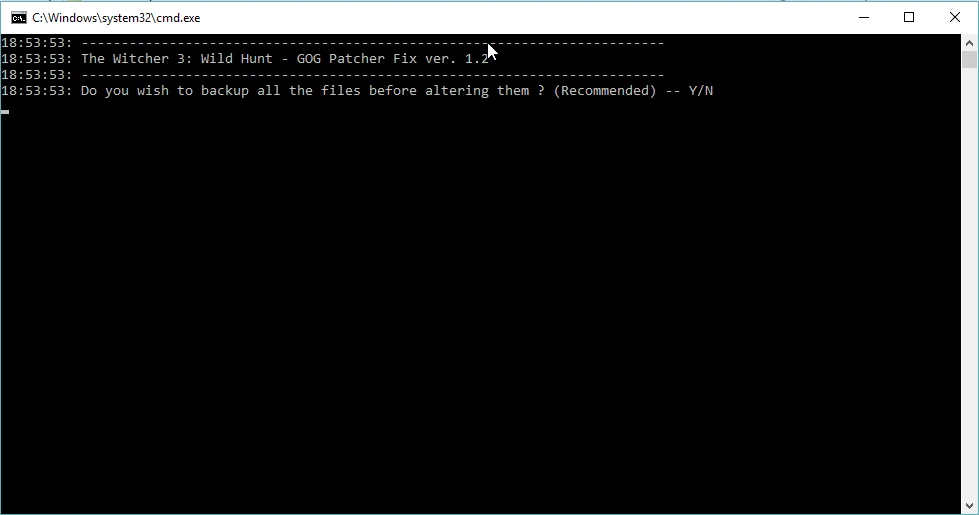
After downloading, unzip the .rar file to your The Witcher 3: Wild Hunt root directory and start RUN_PATCHER.cmd and follow the installation process.
There's no risk of any data loss as the application backups all the files before altering them.
📊 Mod Details
- Game
- Witcher 3 Mods
- Author
- theBliss
- Version
- 1.3
- Downloads
- 1,662
- Endorsements
- 94
- Category
- Utilities
- Created
- 7/1/2016
- Updated
- 9/9/2016
🔧 How to Install Witcher 3 Mods
Download from Nexus.
📖 Full step-by-step install guide for Witcher 3 →
Visit the official mod page for specific installation instructions for this mod.
🎮 Need cheat codes or console commands? Check ur gaming wiki for Witcher 3 commands, item IDs, and more.
Keep browsing — more Witcher 3 mods await