Crafting Buddy (formerly Alchemy Buddy)
⚪ Last updated 2016⚠️ Install Order · 2 steps
Install in this order, then this mod last — most mods fail to load without their framework and dependencies in place.
Preview
🔍 Analysis
- 👍 5.7% endorsement rate — high engagement, a strong quality signal
- 🏆 #81 of 171 User Interface mods in this game by downloads
📋 About This Mod
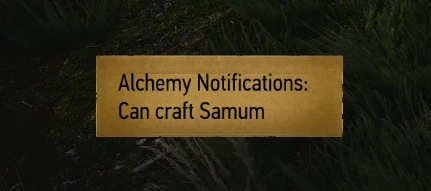
Makes a notification pop up after looting something if you have a pinned item available to craft, or a more PC intensive scan of all possible recipes for craftable items. Also includes some tweaks to the shop to make buying ingredient for
Features
- []A notification will appear to tell you when your pinned recipe can be crafted after looting/buying items. This can be changed to scan for all recipes that you can craft (THIS MODE WILL CAUSE LAG) []There is an option to auto-craft pinned alchemy items when you have the required ingredients which is enabled by default. []Mod can be customised to only scan alchemy recipes or crafting recipes as you prefer []If you try to buy an item that is required for your pinned recipe, the amount to buy will automatically be set to give you enough to craft the recipe.
- []Either download and extract using NMM. []Or download the mod and extract it to your Witcher 3 install location in the mods directory (create it if it doesn't exist).
Configuring the mod To configure the mod, open your in-game menu, then Options -> Mods -> Crafting Buddy
The first option is to set the mod's scan mode. The default is to scan only your pinned recipe but you can scan all recipes. Again this is very resource intensive and WILL cause lag when you loot containers. You have been warned.
Next there is the option to enable auto-crafting of your pinned alchemy recipe when you have enough resources. Enabled by default
You can also change how long the notification is displayed for using the slider in this menu.
The last option only has an affect when using the full-scan mode. It lets you set the mod to only scan alchemy recipes or crafting recipes, which will make the mod more efficient.
Compatibility with other mods If you are having problems running this mod alongside other mods, first try using the Script Merger tool by AnotherSymbiote which can be found on the Nexus. Honestly I recommend running this tool anytime you install a new mod as it can fix most compatibility issues you might come across. If that doesn'
📊 Mod Details
- Game
- Witcher 3 Mods
- Author
- SheepDarklord
- Version
- 1.31.1
- Downloads
- 1,795
- Endorsements
- 102
- Category
- User Interface
- Created
- 1/20/2016
- Updated
- 9/13/2016
🔧 How to Install Witcher 3 Mods
Download from Nexus.
📖 Full step-by-step install guide for Witcher 3 →
Visit the official mod page for specific installation instructions for this mod.
🎮 Need cheat codes or console commands? Check ur gaming wiki for Witcher 3 commands, item IDs, and more.
Keep browsing — more Witcher 3 mods await