Comfortable Controls (No More Cramps)
⚪ Last updated 2018⚠️ Install Order · 2 steps
Install in this order, then this mod last — most mods fail to load without their framework and dependencies in place.
Preview
🔍 Analysis
- 👍 4.4% endorsement rate — high engagement, a strong quality signal
- 🏆 #22 of 34 Controller Button Layout mods in this game by downloads
📋 About This Mod
Sail, dive and ride your horse with less cramps in your hands.
I first started editing the input.settings file to simply change the attack buttons to be more like Dark Souls but later added more changes that make the controls much more comfortable to use. After playing with this for over 40 hours I decided that I liked the setup so much that I share it here on the Nexus; no third party software needed.
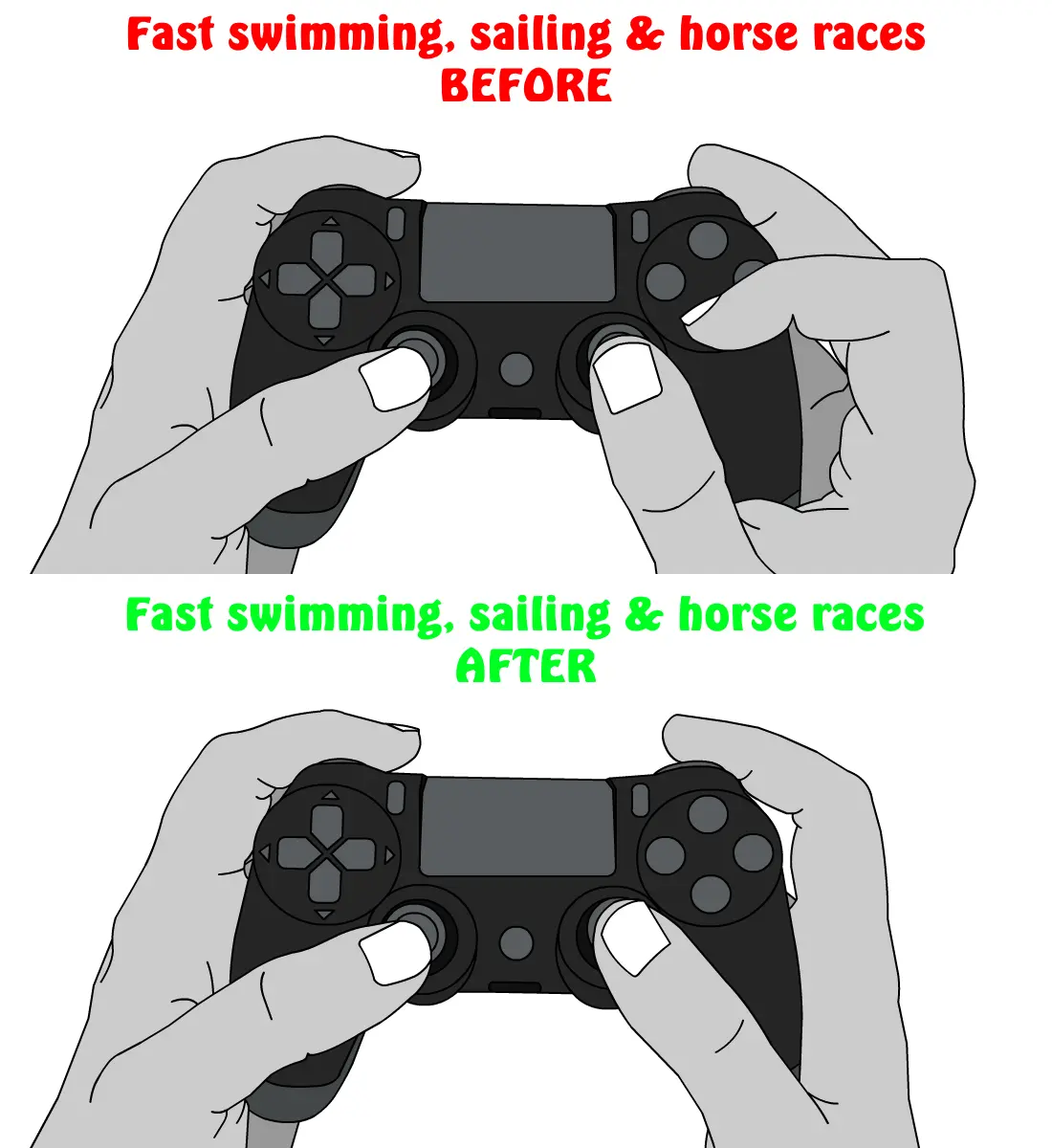
Next to changing the fast and strong attacks during combat to use the RB (R1) button and RT (R2) trigger like it is in Dark Souls this mod lets you also accelerate your boat, swim/dive fast and gallop with your horse by using the RB (R1) button. This makes horse races, diving and sailing much more fun as you don't need to hold the A (X) button with your index finger (or your foot idk) while steering with the right thumb stick, getting a cramp in the process.
General controls:
- Fast and strong attacks are now used with RB (R1) and RT (R2) respectively
- Radial Menu is now accessed via X (SQUARE)
- Quick Access Items are used with LB (L1)
- Signs are cast with Y (TRIANGLE)
Swimming and Diving:
- You dive with B (CIRCLE)
- You surface with Y (TRIANGLE)
- You swim fast with RB (R1); this allows you to use the right thumbstick to steer Geralt and makes diving much less frustrating
Horse Riding:
- You attack with RT (R2); only one button to do that now as there's only one attack style used while riding anyway
- You can canter and gallop with RB (R1); this allows you to move the camera and steer Roach with the right thumbstick
Sailing:
- You stop with Y (TRIANGLE)
- You accelerate with RB (R1); this makes it easy to control the camera with the right thumbstick and look around while sailing fast
Installation:
Paste the "input.settings" file into C:\Users\USERNAME\Documents\The Witcher 3
Backup or rename your original input.settings file just in case.
If you've had added any custom keybinds
📊 Mod Details
- Game
- Witcher 3 Mods
- Author
- Terg500
- Version
- 1.1
- Downloads
- 1,326
- Endorsements
- 59
- Category
- Controller Button Layout
- Created
- 12/6/2018
- Updated
- 12/7/2018
🔧 How to Install Witcher 3 Mods
Download from Nexus.
📖 Full step-by-step install guide for Witcher 3 →
Visit the official mod page for specific installation instructions for this mod.
🎮 Need cheat codes or console commands? Check ur gaming wiki for Witcher 3 commands, item IDs, and more.
Keep browsing — more Witcher 3 mods await