BetterGrapchicFor_W3_1.05 (HDR)
⚪ Last updated 2015⚠️ Install Order · 2 steps
Install in this order, then this mod last — most mods fail to load without their framework and dependencies in place.
Preview
🔍 Analysis
- 👍 4.3% endorsement rate — high engagement, a strong quality signal
- 🏆 #40 of 57 Weapons and Armour mods in this game by downloads
📋 About This Mod
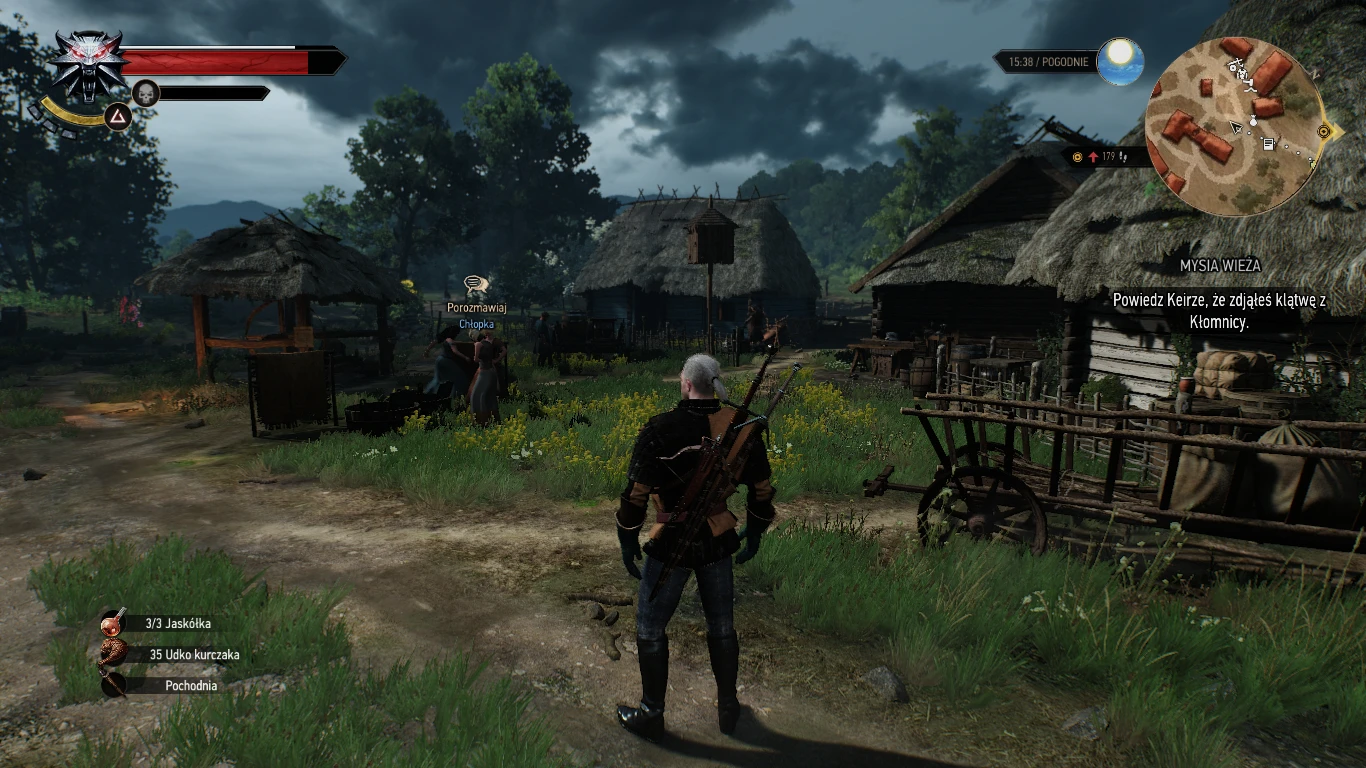
Improving the visual game The Witcher 3 with option HDR !!!
Modifying the version of the game The Witcher 3 - 1. 05 PC (In the game version 1. 05 patches applied CDP in rendering the environment and in compound with this it was necessary to adjust the graphics settings SweetFx again -- And I decided to share these settings.) ------------------------------------ The modification improves the appearance of the game The Witcher 3 The settings are adjusted to obtain a better visual experience. ------------------------------------ MAIN FEATURES OF MODIFICATION
- Balanced colors (reduced color saturation) -------------------
- Improved clarity of shading environment ---------------------------------------
- Improved balance between shaded and lighted places -
- Balanced effects of very bright surface. (less glare) --------------------------------
- -----------------------------------------------------
- USED EFFECTS
1. HDR !!! 2. TONEMAP (Bleach, for HDR) 3. VIBRANCE 4. CURVES 5. DITHER ---------------- The result of work can be seen on the screen-(quality screens in low quality) --------------------------- The recommended settings postprocesings all blur - OFF sharpening - LOW !!! bloom - ON !!! antialiasing - ON the rest as one who likes it. -------------------------------------- ver 2. 0 new dlls,and setting -"Scroll Lock" now work. --------- INSTALLATION.
1. Extract then, files in folder "STEP1..." 2. RUN "Reshad Setup.exe" and search for the .exe file of the game "Witcher3.exe" select and start the program after installation, turn off applications. 3. You're done! --------------------------------- Custom Saturation if you need less saturation go to "SweetFX_settings.txt" and... /-----------------------------------------------------------. / Vibrance settings / '-----------------------------------------------------------/ #define Vibrance -0. 2 <-- and change to -0. 25 or -more + save, and done :) recomended to -0. 2 / -0. 27 (no need restart game)
📊 Mod Details
- Game
- Witcher 3 Mods
- Author
- vito740
- Version
- 2v0
- Downloads
- 1,722
- Endorsements
- 74
- Category
- Weapons and Armour
- Created
- 6/6/2015
- Updated
- 6/7/2015
🔧 How to Install Witcher 3 Mods
Download from Nexus.
📖 Full step-by-step install guide for Witcher 3 →
Visit the official mod page for specific installation instructions for this mod.
🎮 Need cheat codes or console commands? Check ur gaming wiki for Witcher 3 commands, item IDs, and more.
Keep browsing — more Witcher 3 mods await