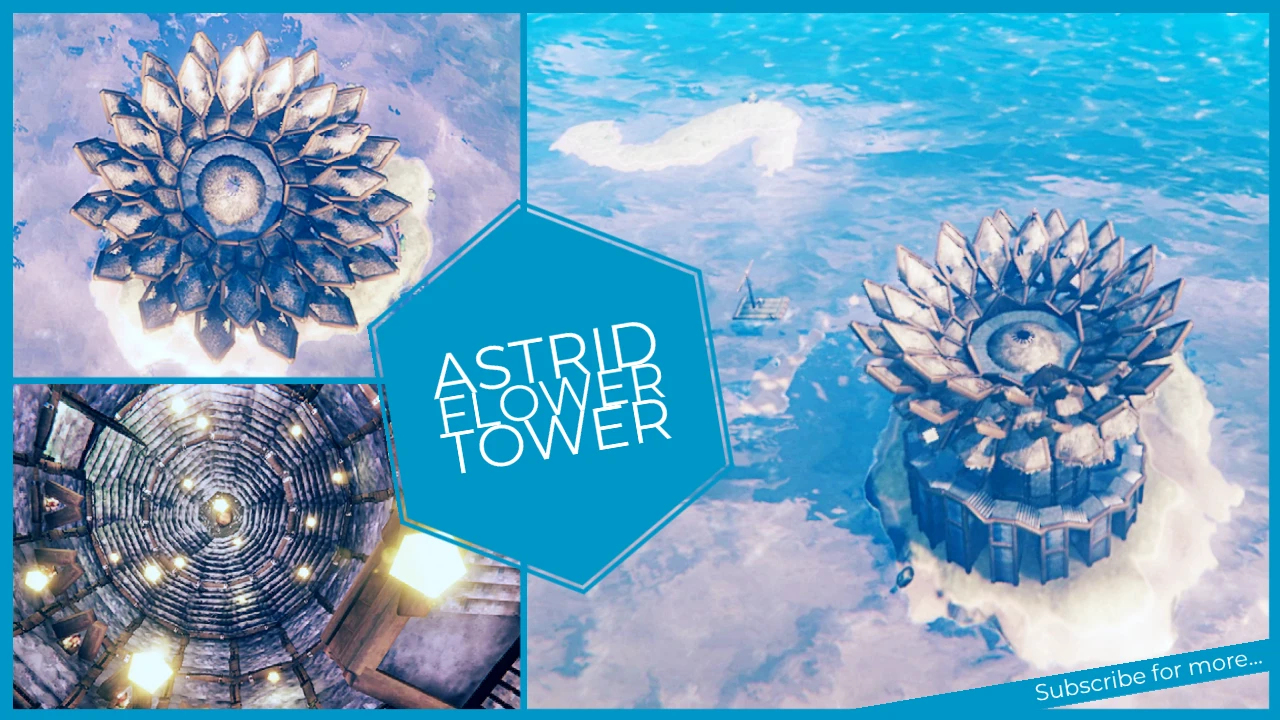
The most beautiful flower in Valheim
⚪ Last updated 2021⚠️ Install Order · 1 step
Install in this order, then this mod last — most mods fail to load without their framework and dependencies in place.
Preview
🔍 Analysis
- 🏆 #395 of 464 Construction mods in this game by downloads
📋 About This Mod
Instructions
The written instructions might be outdated,
So use the INSTRUCTION VIDEO
ygMVcXaIz-c
The written instructions might be outdated,
So use the INSTRUCTION VIDEO
Step 1
Download the .vbuild (Butterfly-Temple) in the FILES tab.
Step 2
To place this construction, you will need to download:
-
[]the BuildShare mod which can be found here (https://www.nexusmods.com/valheim/mods/5?tab=files); and
[
]the InSlimVML mod which can be found here (https://www.nexusmods.com/valheim/mods/21?tab=files).Step 3
After cutting+pasting the mods into your Valheim game directory you can either...
Step 3. 1
cut+paste the .vbuild (Butterfly-Temple) into this directory after the download:
- []C:\Program Files (x86)\Steam\steamapps\common\Valheim\BuildShare\Builds
Step 3. 2
or you can simply:
- []start the game
-
[]load a server
[
]press ESC[]press the BuildShare button with the appropriate version (left side of your screen), and
[]choose MY-DIRECTORY
-
[]immediately a folder will pop-up where you can (copy)cut+paste the downloaded .vbuild file.
NOTE, nothing will pop up if you have installed it for the first time.
From here you just find a good spot to place the construction.
-
[]press ESC
[
]press the BuildShare button with the appropriate version (left side of your screen), and[]choose the BUILD button
[]check the Build Name, it should say (Butterfly-Temple.vbuild)
[]if it doesn't say that, then simply click and choose the name
[]if you cannot find it, then you simply did not place it in the right folder (check the steps above)
[]optionally you can fiddle with the X, Y, Z axes to place the construction in a perfect spot (by raising it or lowering it)
[]before you press Build, choose the TOGGLE button, to actually preview your placement
- afterwards if you are satisfied you can press BUILD
If you made a wrong placement, or you simply want to relocate:
-
[]press ESC
A decorative tower structure for Valheim, placed in the ocean, described as a fountain of eternal life. Purely cosmetic build piece with 10 endorsements, last updated in June 2021. For players seeking unique architectural flair.
✨ Key Features
📊 Pros & Cons
✅ Pros
- Unique ocean tower concept stands out from typical builds
- Lightweight cosmetic addition that doesn't alter gameplay
- Community has shown some interest (10 endorsements, 288 downloads)
⚠️ Cons
- Very low endorsement count suggests limited testing or niche appeal
- Last updated in 2021 – may not be compatible with current Valheim versions
For Valheim builders who want a distinctive ocean landmark to admire. Perfect for players who enjoy creating scenic vistas and thematic structures. Skip if you're looking for functional gameplay additions – this is purely aesthetic.
💡 Beginner Tips
- Place the tower in deep water to get the full 'solitary ocean' effect
- Use a hoe to level the ocean floor if you need a stable foundation
- Combine with lighting mods to make the tower glow at night
📊 Mod Details
- Game
- Valheim Mods
- Author
- Create and Inspire
- Version
- 1.0
- Downloads
- 288
- Endorsements
- 10
- Category
- Construction
- Created
- 6/15/2021
- Updated
- 6/15/2021
🔧 How to Install Valheim Mods
Download from Nexus.
📖 Full step-by-step install guide for Valheim →
Visit the official mod page for specific installation instructions for this mod.
🎮 Need cheat codes or console commands? Check ur gaming wiki for Valheim commands, item IDs, and more.
Keep browsing — more Valheim mods await