My Favorite Valheim
⚪ Last updated 2021⚠️ Install Order · 1 step
Install in this order, then this mod last — most mods fail to load without their framework and dependencies in place.
Preview
🔍 Analysis
- 👍 4.3% endorsement rate — high engagement, a strong quality signal
- 🏆 #62 of 176 User Interface mods in this game by downloads
📋 About This Mod
Latest changes
Current Version 0. 5. 0
-
[]Much better alignment of UI Elements.
[
]Add Join IPs to list of Favorites.[]Add 'Save to favorites' on Join IP box.
[]Connect to Direct IPs from Favorites list.
Features
-
[]You can save a server to a favorites list for each character.
[
]Join IPs are now added to the favorites list.[]You can now add multiple Join IPs to the favorites list.
Use
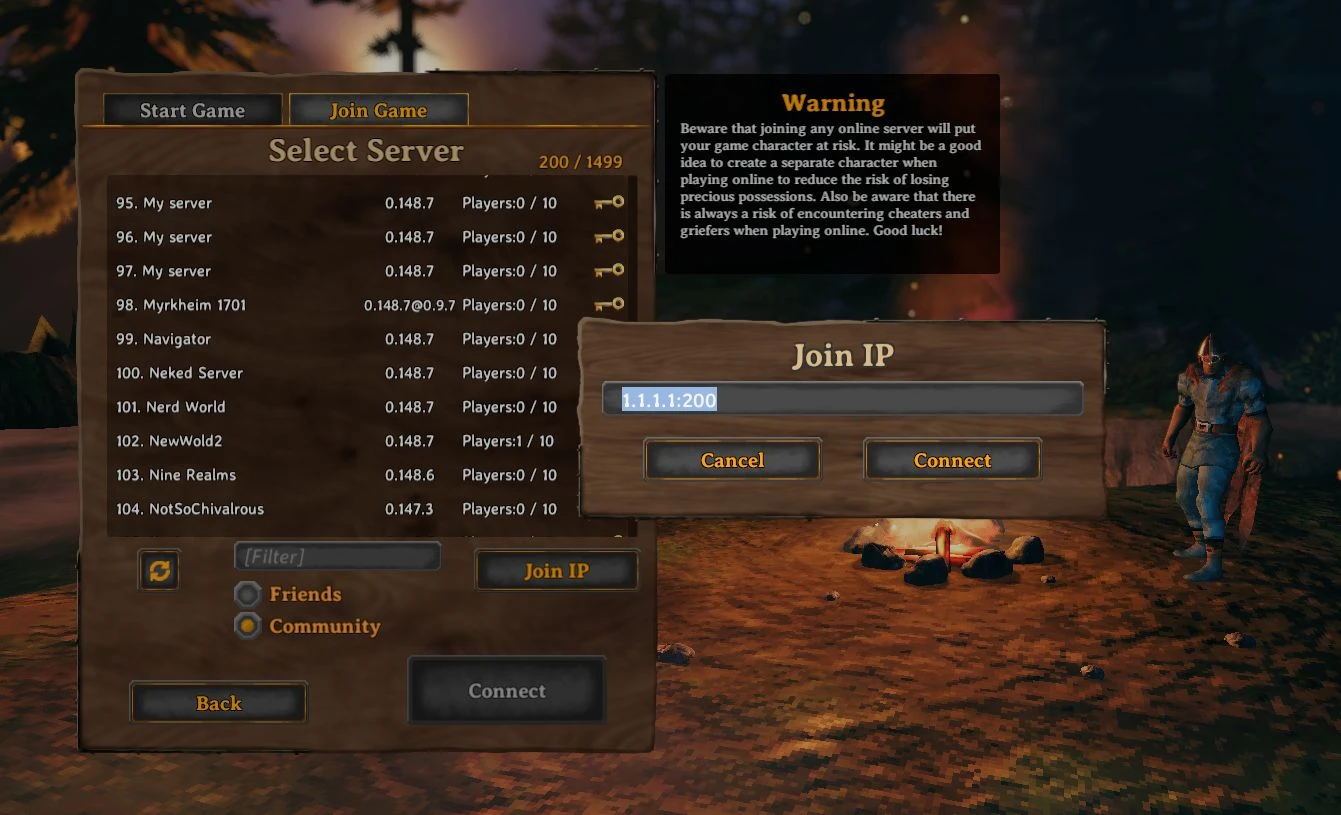
Once installed, you will need to use the manual refresh button (to the left of the filter field) to get a list of servers.
Once you select a server, you can choose 'Save to favorites' to add it to your own list of favorites for the current Character.
When directly joining an IP, you can also select 'Save to favorites' on the pop-up box to save that IP to the favorites list.
Each character has their own Favorites list.
To see a character's Favorites, click the Favorites tab. It uses the Join Server page to list favorites.
You can remove a favorite from the list by selecting it and pressing the 'Remove favorite' button.
Known issues
-
[]Manual server list : To get the list of active servers, you will need to manually press the refresh button on the server list page.
[]Server status : The status of the servers in favorites are currently unknown. This will be resolved as the code that loads servers is optimized.
Planned enhancements
-
[]Options flags : I am planning to add a flag for saving Join IP passwords.
Installation
You need either BepinEx or Vortex for this mod.
Extract the SGGValheimMods.dll from the zip file and copy it into your BepInEx/plugins directory.
Git
SGG Valheim Mods
-
[]Manual server list : To get the list of active servers, you will need to manually press the refresh button on the server list page.
-
[]You can save a server to a favorites list for each character.
My Favorite Valheim is a small UI mod that lets you save servers to a favorites list and remembers your last join IP. With 114 endorsements and 2,649 downloads, it's a handy tool for players who frequently switch between servers. Last updated in May 2021, it may not be compatible with the latest Valheim patches.
✨ Key Features
📊 Pros & Cons
✅ Pros
- Solves a real pain point for multiplayer fans—no more retyping IPs.
- Lightweight and focused, does exactly what it says.
- Decent community trust with 114 endorsements.
⚠️ Cons
- Last updated in May 2021—likely broken with current Valheim versions.
- Only two features, so it's pretty barebones.
For Valheim players who regularly join community servers and want a quick way to hop back in. Skip if you're on the latest patch—this mod is probably outdated.
💡 Beginner Tips
- Check if the mod works with your Valheim version before installing—it's from 2021.
- If you use a mod manager, try that first for easy uninstall if it breaks.
- Keep the mod folder handy so you can remove it if the game crashes.
📊 Mod Details
- Game
- Valheim Mods
- Author
- SodaCityGM
- Version
- 0.5.0
- Downloads
- 2,649
- Endorsements
- 114
- Category
- User Interface
- Created
- 4/6/2021
- Updated
- 5/6/2021
🧩 Commonly Used Together
Users add these mods to the same collections — a real compatibility signal, not an AI guess.
🔧 How to Install Valheim Mods
Download from Nexus.
📖 Full step-by-step install guide for Valheim →
Visit the official mod page for specific installation instructions for this mod.
🎮 Need cheat codes or console commands? Check ur gaming wiki for Valheim commands, item IDs, and more.
Keep browsing — more Valheim mods await