Lights Camera Action
⚪ Last updated 2024⚠️ Install Order · 1 step
Install in this order, then this mod last — most mods fail to load without their framework and dependencies in place.
Preview
🔍 Analysis
- 👍 3.9% endorsement rate — high engagement, a strong quality signal
- 🏆 #369 of 867 Gameplay mods in this game by downloads
📋 About This Mod
v0. 0. 3 - Updated for Ashlands. Added depth controls to move the light forward/backward along player's sightline.
Description:
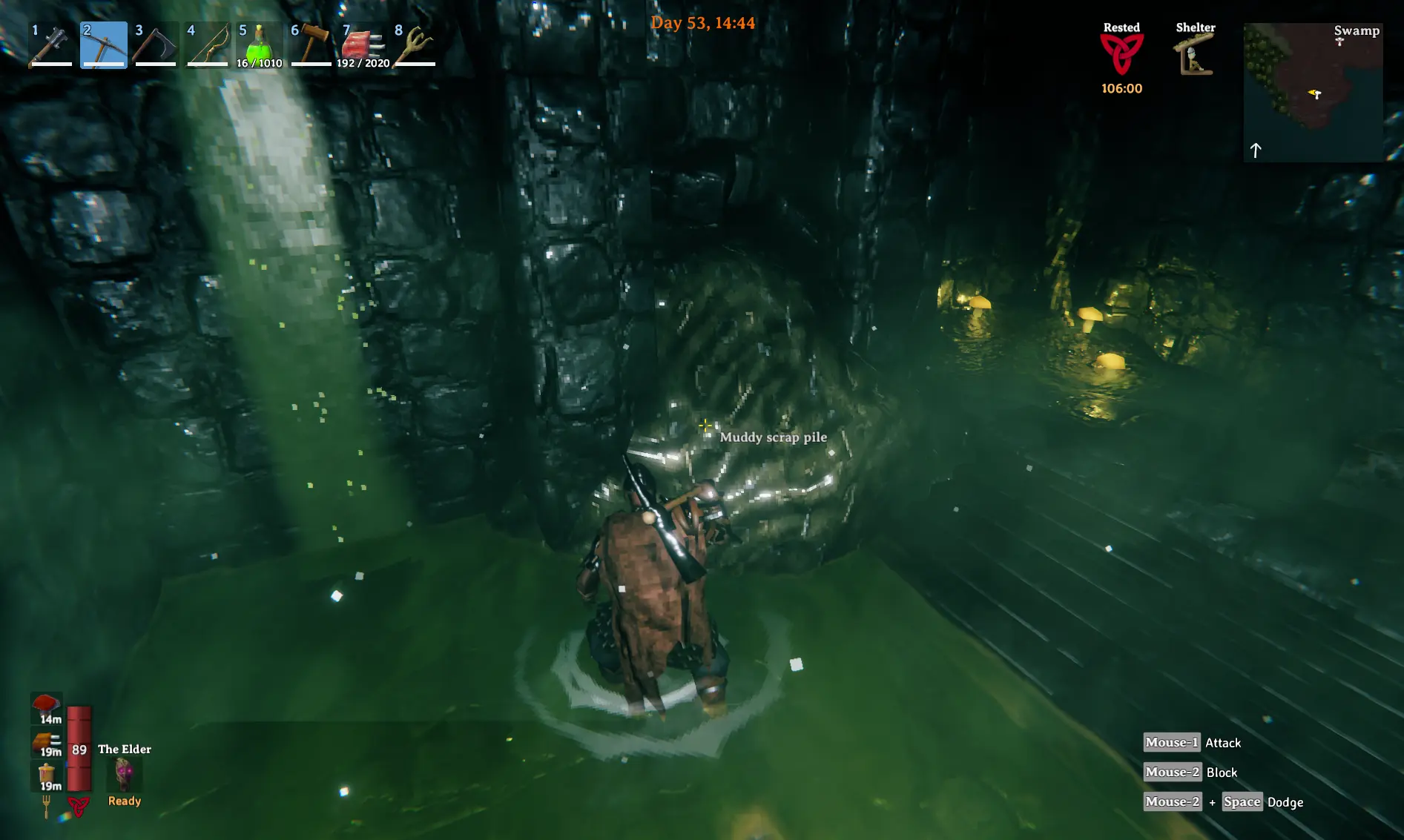
Adds a customizable light source to the camera to add just enough light to those annoyingly dark tombs... without having to switch out your helm for the flashlight one. Hit Ctrl+0 to toggle on/off the light. Hit Ctrl [+] in-game to increase brightness and Ctrl [-] to decrease. Hit Ctrl+PgUp to move the light up and Ctrl+PgDown to move it down, Ctrl+Home and Ctrl+End to move it back/forward. All initial settings and hotkeys are configurable in the config file.
Config Options:
Enabled - bool, set to false to disable the mod.
Hotkeys (all) - Each hotkey accepts a comma-separated list of Unity "KeyCode" values (see this page for options: Unity KeyCodes). Note that setting hotkeys to a value not on that page or spelled incorrectly will crash this mod until it is set correctly--the only notification of failure will be in the BepInEx log console (and the fact that the light is off =)
Height - float, initial light height (in meters) above the player's head.
Depth - float, light position relative to player head along sightline vector.
Intensity - float, initial light intensity (brightness). Unity defines light intensity as a value from 0f to 8f.
Value - float, value from 0-1f representing color hue in light.
In-game Controls
Ctrl - Toggle on/off light
Ctrl [+] - Increase brightness
Ctrl [-] - Decrease brightness
Ctrl - Move light up
Ctrl - Move light down
Ctrl - Move light forward
Ctrl - Move light back
None that I'm aware of; let me know if so.
Installation:
1. As for all mods, ensure BepInEx is installed correctly - BepInEx installation guide
2. Download and extract this mod.
3. Copy the extracted file(s) to your <valheim-install>/BepInEx/plugins directory.
4. Run the game. Enjoy!
Source Code and Issues:
All my valheim mods are on GitHub here: https://github.com/devopsdinosaur/valheim-mods. I try to keep them as specific and simple as possible. Any issues or requests, just PM me here, on github, or email devopsdinosaur __a_t__ gmail.com.
Lights Camera Action is a gameplay mod that attaches a customizable light above the player's head, eliminating the need for a mining helmet. It offers in-game hotkeys to adjust height, depth, and brightness. With 83 endorsements and 2,118 downloads, it's a niche utility for players who want hands-free lighting.
✨ Key Features
📊 Pros & Cons
✅ Pros
- Handy for spelunkers who hate the mining helmet's look (83 endorsements)
- Hotkey controls mean no menu diving mid-cave
- Lightweight utility with a clear purpose
⚠️ Cons
- Last updated June 2024 — may not work with newer game patches
- Only 83 endorsements — small user base, so bugs might go unnoticed
For players who spend a lot of time underground and want a customizable light source without wearing a helmet. Also for those who prefer hotkey controls over fiddling with menus. Skip if you're happy with the mining helmet or want a more immersive lighting mod.
💡 Beginner Tips
- Bind the hotkeys to easily reachable keys like L or F to adjust light on the fly.
- Test the light settings in a dark cave to find the right brightness before venturing deep.
- If the mod doesn't work, check if your game version matches the mod's last update date.
📊 Mod Details
- Game
- Valheim Mods
- Author
- devopsdinosaur
- Version
- 0.0.3
- Downloads
- 2,118
- Endorsements
- 83
- Category
- Gameplay
- Created
- 12/16/2022
- Updated
- 6/9/2024
🔧 How to Install Valheim Mods
Download from Nexus.
📖 Full step-by-step install guide for Valheim →
Visit the official mod page for specific installation instructions for this mod.
🎮 Need cheat codes or console commands? Check ur gaming wiki for Valheim commands, item IDs, and more.
Keep browsing — more Valheim mods await