Ivy's Texture Pack
⚪ Last updated 2021⚠️ Install Order · 1 step
Install in this order, then this mod last — most mods fail to load without their framework and dependencies in place.
Preview
🔍 Analysis
- 👍 4.3% endorsement rate — high engagement, a strong quality signal
- 🏆 #6 of 98 Models and Textures mods in this game by downloads
📋 About This Mod
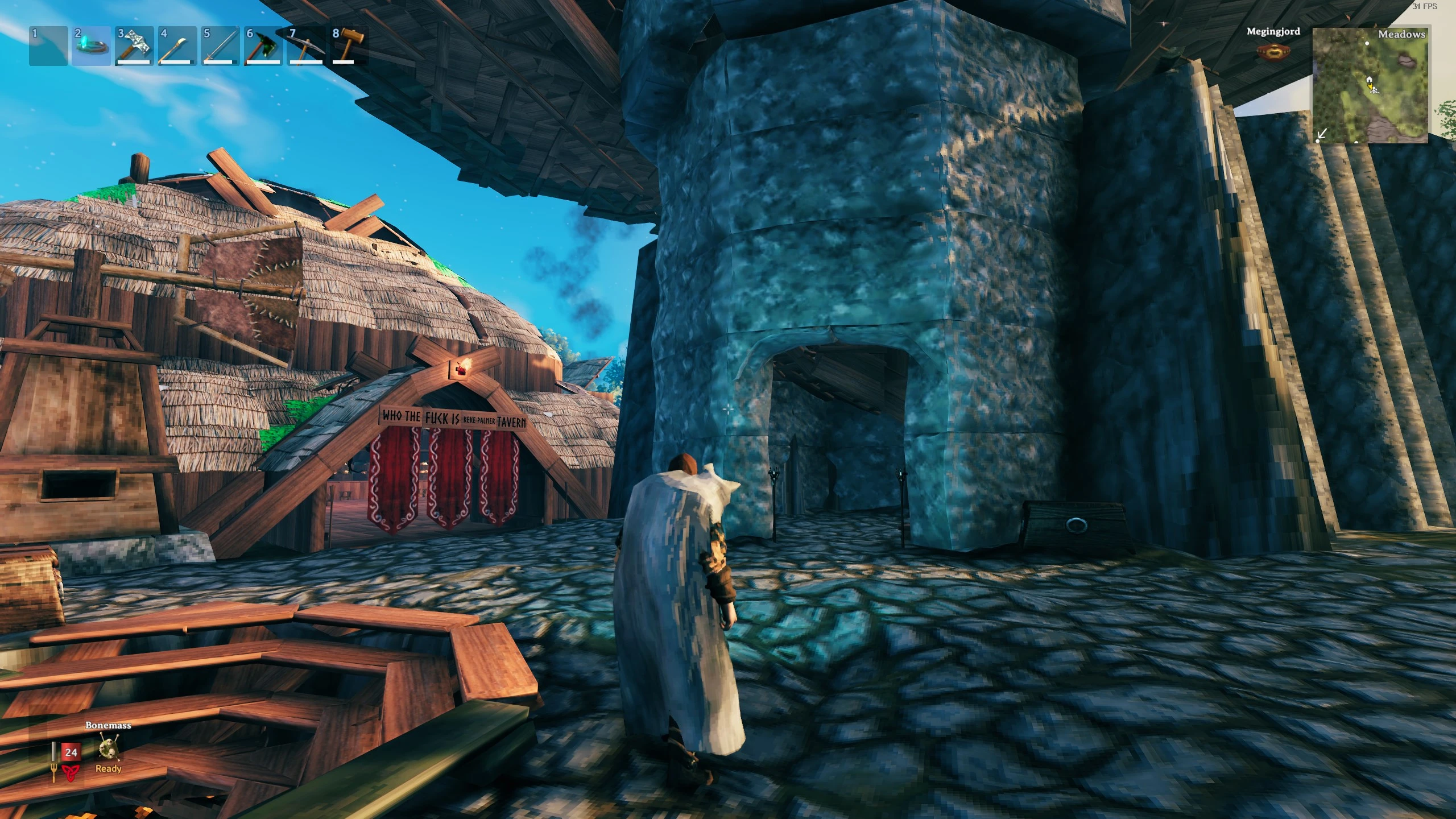
This is a work in progress and more textures will be added over time, with options for different color schemes available. Please comment what you would like to see next.
Each texture used is originally sourced from a stock image site and are free to use or created from scratch by myself. They are edited as needed to fit the shape of the components they're being added to. If you don't like one of the textures attached simply delete it from your file (prior to opening the game). If you're already opened the game you'll need to replace the texture file with the original. Please see images for before and afters of each retexture.
To use these textures, you need:
1. BepInExPack
2. Custom Textures
3. Ivy's Texture Pack
4. Create a new folder, rename to CustomTextures in Valheim\BepInEx\plugins\ (as seen in the screenshot below)
5. Download Ivy's Texture Pack and move all the textures in CustomTextures folder
Ivy's Texture Pack is a Valheim texture overhaul that enhances visual quality and immersion while preserving the game's original feel. With 1,501 endorsements and 34,679 downloads, it's a popular choice for players seeking subtle graphical improvements. Last updated in March 2021.
✨ Key Features
📊 Pros & Cons
✅ Pros
- Community-approved with 1,501 endorsements and over 34k downloads
- Subtle enhancements that keep the vanilla vibe intact
- Simple texture pack—no gameplay changes, just visual polish
⚠️ Cons
- Last updated in 2021—may not be compatible with newer Valheim versions
- No explicit list of which textures are changed—you'll need to check images
- Texture packs can be performance-heavy on lower-end rigs
For Valheim players who want crisper textures without overhauling the game's look. If you're a purist who loves the original art style but wishes it were sharper, this is for you. Skip if you're after gameplay changes or a complete visual revamp.
💡 Beginner Tips
- Back up your original textures folder before overwriting, so you can revert if needed.
- Check the mod's images to see which textures are affected—this helps set expectations.
- If you experience performance issues, try lowering texture quality settings in-game.
📊 Mod Details
- Game
- Valheim Mods
- Author
- PoisonIvy
- Version
- 0.1.3
- Downloads
- 34,679
- Endorsements
- 1,501
- Category
- Models and Textures
- Created
- 2/24/2021
- Updated
- 3/3/2021
🔧 How to Install Valheim Mods
Download from Nexus.
📖 Full step-by-step install guide for Valheim →
Visit the official mod page for specific installation instructions for this mod.
🎮 Need cheat codes or console commands? Check ur gaming wiki for Valheim commands, item IDs, and more.
Keep browsing — more Valheim mods await