Floki's Modern Home
⚪ Last updated 2021⚠️ Install Order · 1 step
Install in this order, then this mod last — most mods fail to load without their framework and dependencies in place.
Preview
🔍 Analysis
- 👍 4.3% endorsement rate — high engagement, a strong quality signal
- 🏆 #62 of 464 Construction mods in this game by downloads
📋 About This Mod
Now works with BepinEx!
To use this build:
1. Download and install BuildShare (AdvancedBuilding) - Valheim by CRDev and the supporting modloader InSlimVML found on the same page.
2. Open Valheim and verify AdvancedBuilding is installed correctly by verifying the BuildShare v1. 4 button is in the upper right corner.
3. If the button is there, you're ready to start building!
To start building:
1. Press Escape and click the BuildShare v1. 4 button.
2. Select the "Build-List" button to see your available vbuilds.
3. Select the "Build" button.
4. Fill in the "Build Name" field.
5. Click "~Build~" to build!
6. Don't like the Result? Click "Undo".
7. Click "Toggle" to see a preview of the build.
8. Click "Update POS" to update the preview position.
For more advanced building using xyz axis modifiers and rotation:
1. From the "Build" menu, enter your desired XYZ offsets into the "Build X/Y/Z Offset" fields.
2. Enter the desired rotation in degrees into the "Build Y Orbit" field.
3. Fill in the "Build Name" field.
4. Click "Toggle" to preview or "~Build~" to build!
For easier terrain flattening
Check out TerrainMaster by CRDev as wellto auto flatten an area for building!
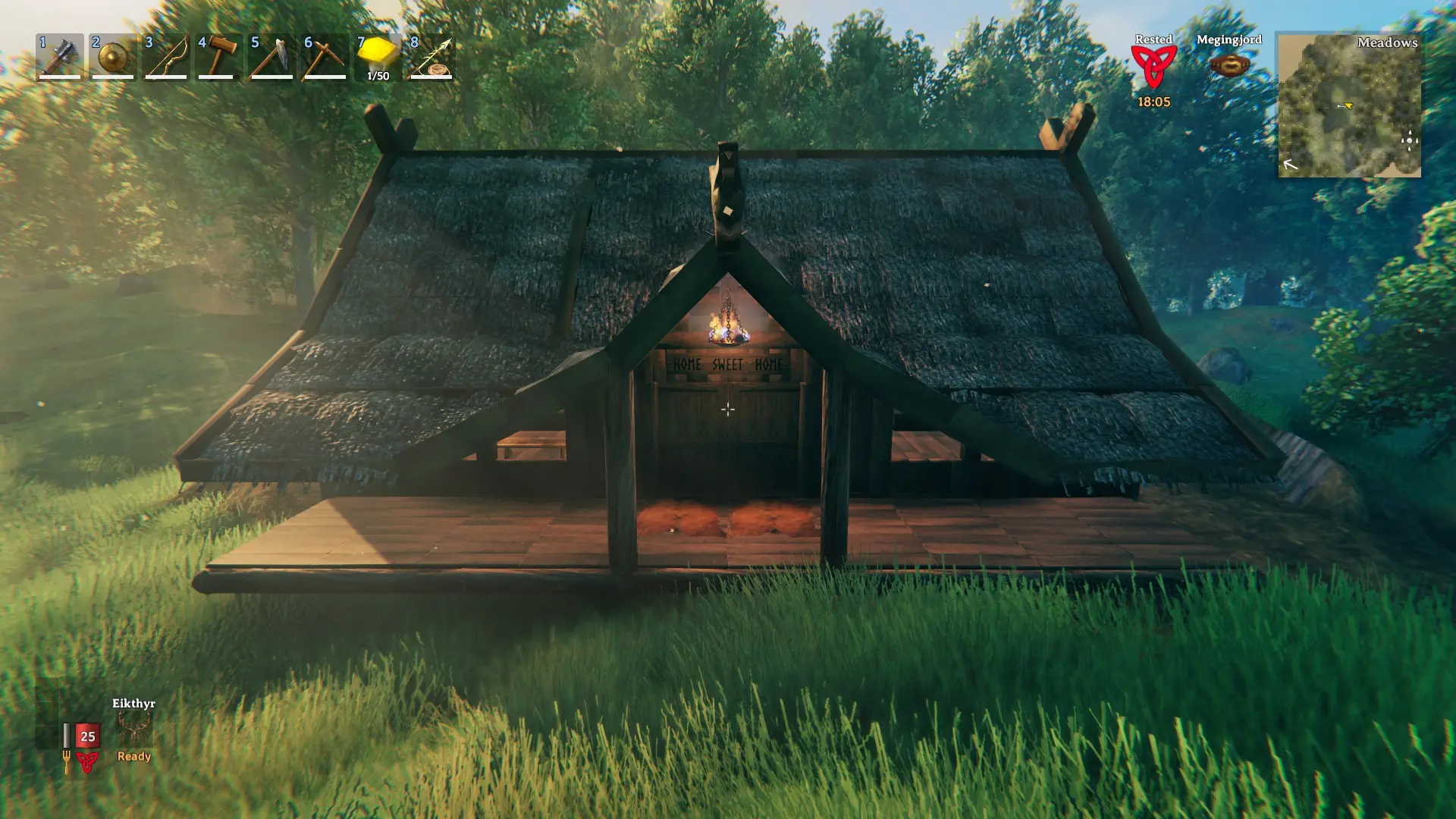
Floki's Modern Home adds a contemporary house to Valheim, featuring a covered porch, fireplace, sitting area, under-stairs closet, upstairs loft with bunkbeds, and a master bedroom. This construction mod is for players who want a stylish, functional base without building from scratch. With 209 endorsements and 4,850 downloads, it's a modestly popular choice.
✨ Key Features
📊 Pros & Cons
✅ Pros
- Community-approved with 209 endorsements and 4,850 downloads.
- Offers a complete home with multiple rooms, perfect for a cozy base.
- Modern design stands out from typical Viking builds.
⚠️ Cons
- No outhouse included, so you'll need to build your own sanitation.
- Last updated in February 2021, may not be compatible with the latest Valheim patches.
- Limited to a single house design; no variations or customization options mentioned.
For Valheim builders who want a ready-made modern home without the hassle of designing from scratch. Ideal for players who appreciate a clean, contemporary aesthetic in their Viking settlement. Skip if you prefer traditional Viking architecture or want more customization options.
💡 Beginner Tips
- Place the mod files in the Valheim 'BepInEx/plugins' folder if you're using BepInEx, or follow the mod's install instructions.
- Check for updates or compatibility patches if you're playing on a newer Valheim version, as the mod hasn't been updated since 2021.
- Use a hammer to build the house in creative mode to see the layout before committing resources in survival.
📊 Mod Details
- Game
- Valheim Mods
- Author
- Floki
- Version
- 1.3
- Downloads
- 4,850
- Endorsements
- 209
- Category
- Construction
- Created
- 2/24/2021
- Updated
- 2/24/2021
🔧 How to Install Valheim Mods
Download from Nexus.
📖 Full step-by-step install guide for Valheim →
Visit the official mod page for specific installation instructions for this mod.
🎮 Need cheat codes or console commands? Check ur gaming wiki for Valheim commands, item IDs, and more.
Keep browsing — more Valheim mods await