Editable Card
⚪ Last updated 2021Preview
🔍 Analysis
- 👍 0.0% endorsement rate
📋 About This Mod
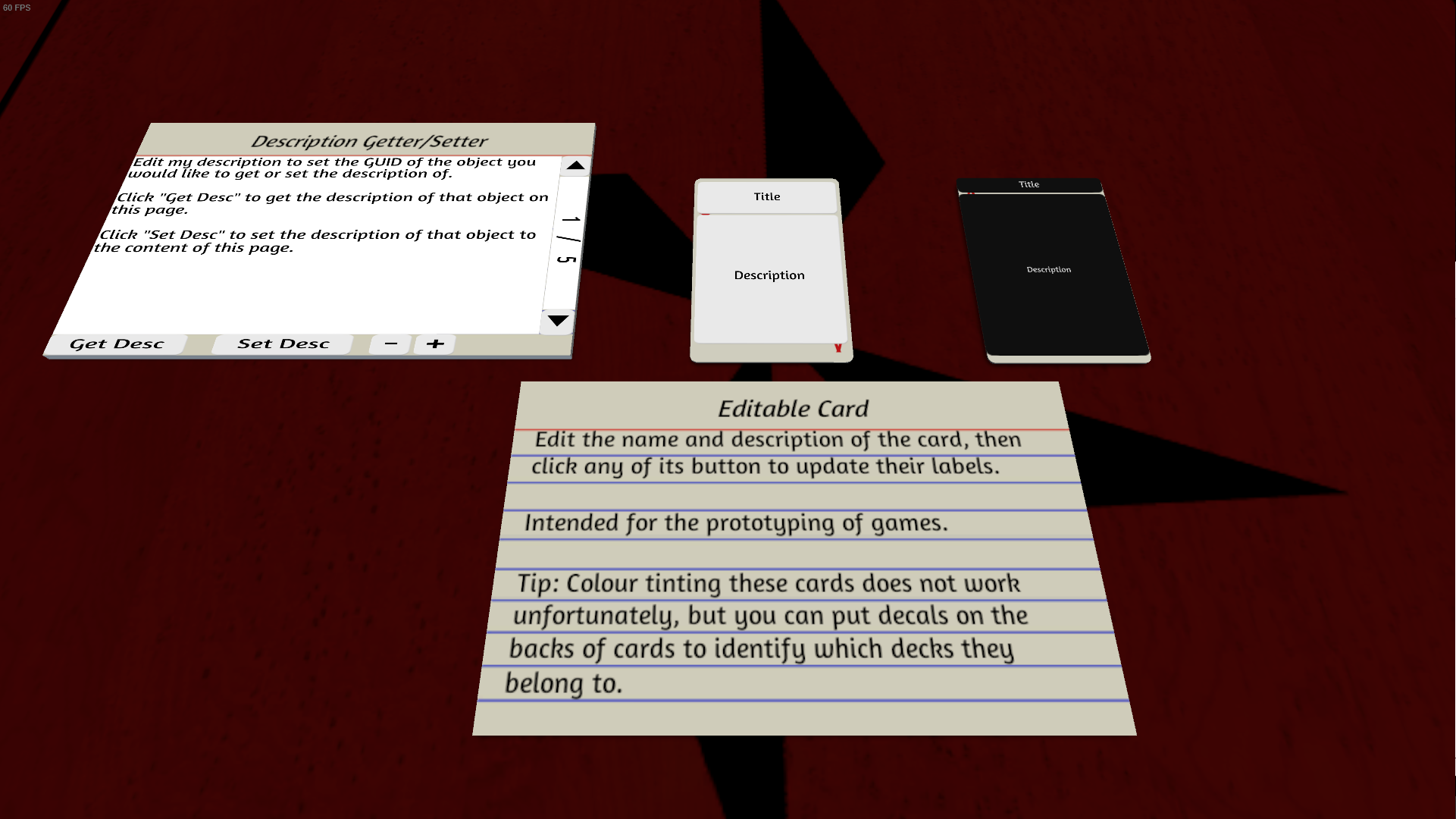
A card whose text you can edit on the fly, so you can make prototype cards and decks without going through the hassle of editing graphic files and uploading them. Intended as a tool for prototyping games. How to use: - Each object in TTS has a name field and a description field. These can be accessed by right-clicking on the object (you will see these two fields at the bottom of the contextual menu) - The quick way to edit these editable cards is to set their title and description to what you want them to display, then click one of the two buttons on the card to have it update itself. - Now the description field can actually holds more text than what the contextual menu allows you to type. That's where the notecard on the left (the "Description Getter/Setter") enters the equation: it allows you to set the description field of an object to whatever you want without the size limitation the contextual menu has. - To use it, get the GUID of the editable card you want to modify (right-click on the card, hover over the "Scripting" option of the contextual menu and click the "GUID: XXXXXX" button that will appear to copy the GUID to your clipboard). Edit the description of the Description Getter/Setter to have it be that GUID. Write something in the textbox. Click the "Set Desc" buttont to have the description of the editable card whose GIUD you provided be changed to the content of the textbox of the Getter/Setter. And don't forget to click on one of the buttons of the editable card to have it update itself. - The "Get Desc" button gets the current description of the editable card whose GUID you provided and puts it in the textbox so hat you can edit it. - Note: Each object in TTS has a "GUID", which is a unique identifier. Tips: - Stacking these cards to make decks works - You can manipulate the card by grabbing it by the small empty band at the bottom - The text of the card does not show up when it is in your hand, however you can hover over the card and press a
📊 Mod Details
- Game
- Tabletop Simulator Mods
- Author
- 76561198035407238
- Version
- N/A
- Downloads
- 1,924
- Endorsements
- 0
- Category
- Scripting
- Created
- 3/25/2018
- Updated
- 4/12/2021
🔧 How to Install Tabletop Simulator Mods
Subscribe on Steam Workshop. Mods auto-download and install. Launch the game to activate.
📖 Full step-by-step install guide for Tabletop Simulator →
Visit the official mod page for specific installation instructions for this mod.
🎮 Need cheat codes or console commands? Check ur gaming wiki for Tabletop Simulator commands, item IDs, and more.
Keep browsing — more Tabletop Simulator mods await