In-Game Data Bank Displays
⚪ Last updated 2019Preview
🔍 Analysis
- 👍 3.7% endorsement rate — high engagement, a strong quality signal
- 🏆 #8 of 79 Miscellaneous mods in this game by downloads
📋 About This Mod
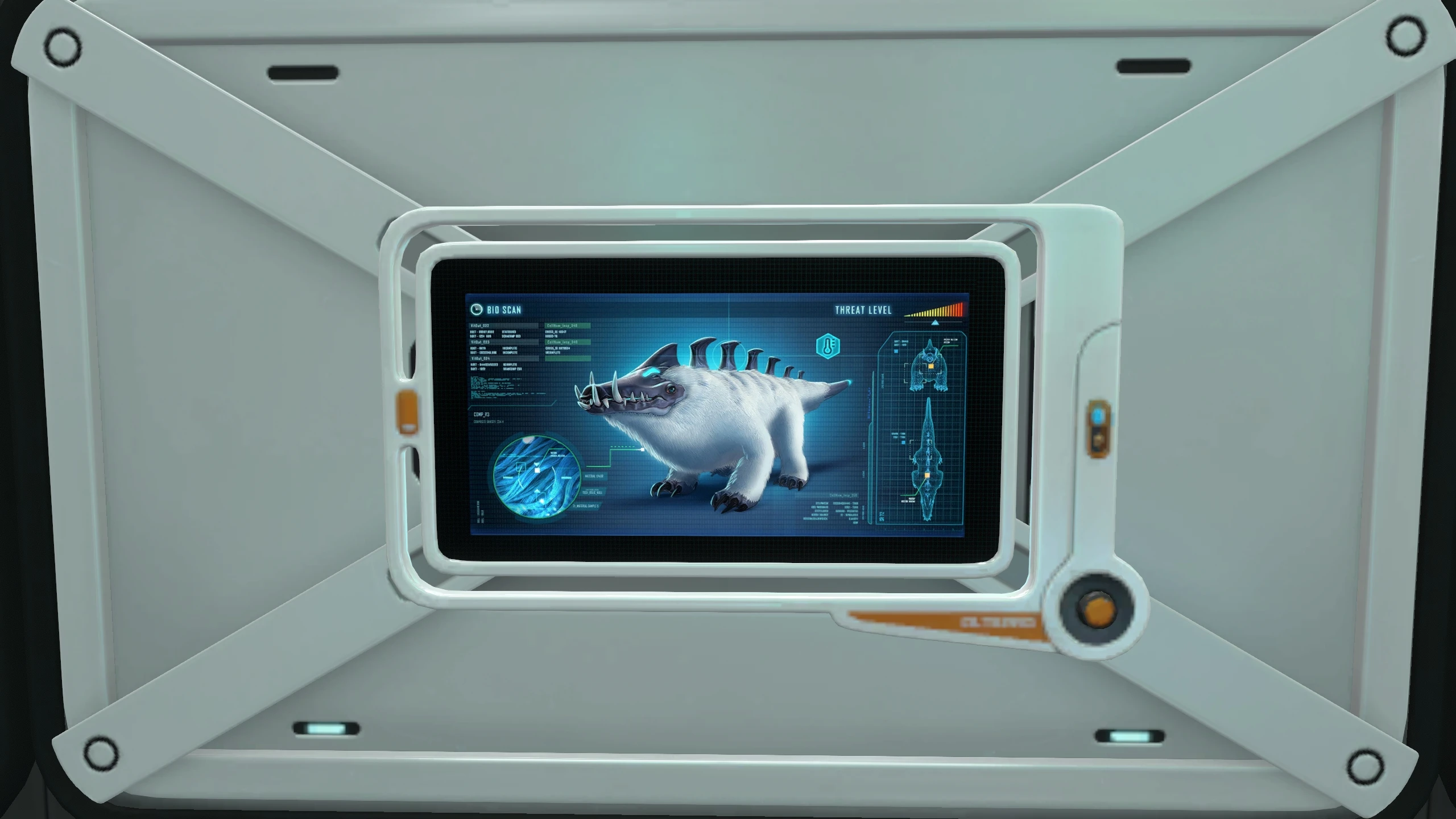
Shows data bank readouts in your picture frames.
This is a set of pictures I made with the help of my good friend DHJ, of the data bank entries for each creature, usable in the picture frame in-game. Once installed, you can just go to any picture frame and select them like you would a screenshot taken with F11. We tried to keep a balance between image quality/size, so they are very slightly blurry as we had to upsize them to fit the frame, but it's really only noticeable if you're standing right on top of them.
In the event you don't have the picture frame unlocked open up the console via hitting F3 & F8. Once this is done, hit disable console and hit the tilde ` button. Type in unlock pictureframe. You are now ready to go.
Installation instructions:
Because of the way the game's files are set up, this has to be manually installed. This was the easiest way I could find to locate the correct save as you're not able to name your game and they don't seem to be in any kind of order. If somebody else knows an easier way, please let me know and I'll update this.
1) Open your preferred saved game and take a screenshot. Doesn't matter of what, just make sure you remember what it looks like (if you've already got a couple, you can use those instead). This will just be to help locate the correct save file.
2) Open your main Subnautica Below Zero folder (usually C:\Program Files\Steam\steamapps\common\SubnauticaZero)
3) Open the 'SNAppData' folder and then 'SavedGames'
4) You will see a list of folders called 'slot(xxx)'. Open each one and open the 'Screenshots' folder inside. Once you find the picture you took earlier, extract all of the mod's files into that same folder. If you have multiple games you'd like to stick the pictures in, you can do this again for each one.
We have added in all the data entries from both Subnautica and Below Zero. Since it's a manual install, it's also pretty easy to just delete any creatures you don't want.
Herbivores:
Arctic Peeper
Bladderfish
Lily Paddler
Spinner Fish
Titan Holefish
Carnivores:
Brute Shark
Rock Puncher
Snowstalker
Misc (scavengers/parasites/constructs):
Fauna (Non-Returning):
Crimson Ray
Cute Fish
Eyeye
Garryfish
📊 Mod Details
- Game
- Subnauticabelowzero Mods
- Author
- Eaglescout93
- Version
- 1.0
- Downloads
- 14,919
- Endorsements
- 545
- Category
- Miscellaneous
- Created
- 3/28/2019
- Updated
- 3/28/2019
🔧 How to Install Subnautica: Below Zero Mods
Download from Nexus Mods.
📖 Full step-by-step install guide for Subnautica: Below Zero →
Visit the official mod page for specific installation instructions for this mod.
🎮 Need cheat codes or console commands? Check ur gaming wiki for Subnautica: Below Zero commands, item IDs, and more.
Keep browsing — more Subnautica: Below Zero mods await