BetterScannerBlipsBZ
⚪ Last updated 2022Preview
🔍 Analysis
- 👍 2.8% endorsement rate — high engagement, a strong quality signal
- 🏆 #5 of 23 User Interface mods in this game by downloads
📋 About This Mod
Revision History
v1. 1. 2 (2022-12-18)
❇️ ToggleKey configuration setting now works with keys other than alpha-only. Tilde is a good choice!
v1. 1. 1 (2022-12-17)
❇️ Avert possible NullReferenceException
❇️ Performance improvements
v1. 1. 0 (2021-12-15)
❇️ The toggle blips keyboard shortcut has been changed from "L" to "toggleblips" in order to prevent accidentally disabling blips. This longer keyphrase can be customized in the mod.json file (see the "ToggleKey" setting). You can even switch it back to "L" if you prefer the single keystroke toggle.
❇️ Toggling blips on or off now reloads the configuration from mod.json. This allows you to modify the configuration for the mod without restarting the game.
❇️ The distance scaling of blips has been fixed to work with a scanner room camera drone. Previously it only worked from the player's perspective.
v1. 0. 0 (2021-10-22)
❇️ Original release.
Configuration:
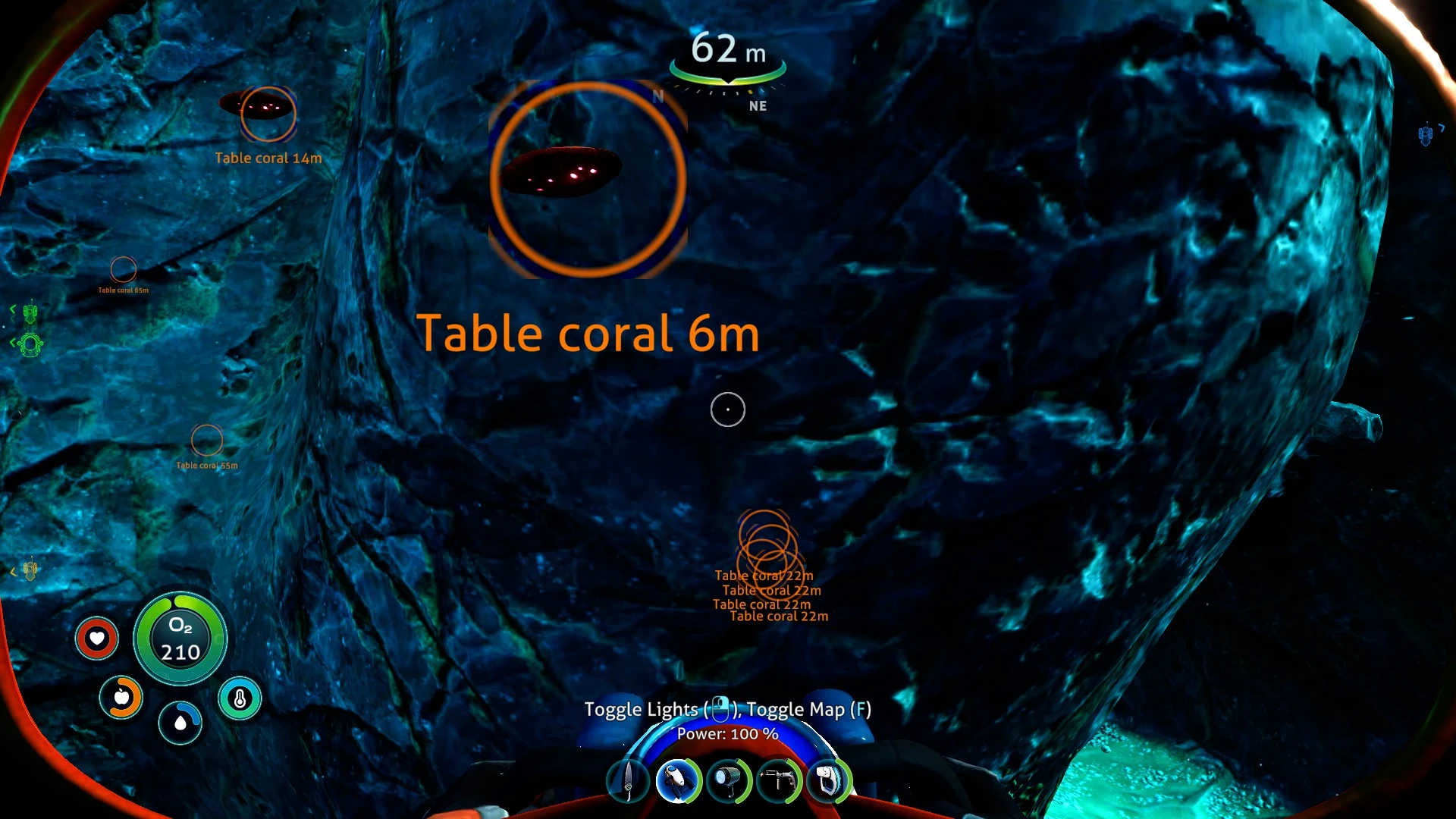
MaxRange (float, default=200. 0)
Blips beyond this distance will be scaled by MaxRangeScale
MaxRangeScale (float, default=0. 2)
Blips beyond MaxRange will be scaled by this value
CloseRange (float, default=12. 0)
Blips between this distance and MaxRange will be scaled between CloseRangeScale and MaxRangeScale
CloseRangeScale (float, default=1. 0)
Blips between CloseRange and MaxRange will be scaled between this value and MaxRangeScale
MinRange (float, default=0)
Blips between this distance and CloseRange will be scaled between MinRangeScale and CloseRangeScale
MinRangeScale (float, default=6. 0)
Blips between MinRange and CloseRange will be scaled between this value and CloseRangeScale
TextRange (float, default=100. 0)
Blips beyond this distance will have the text field hidden
AlphaOutRange (float, default=150. 0)
Blips between this distance and MaxRange will have their alpha faded between MaxAlpha and MinAlpha
MaxAlpha (float, default=1)
Blips between this distance and MaxRange will have their alpha faded between MaxAlpha and MinAlpha
MinAlpha (float, default=0. 4)
Blips between this distance and MaxRange will have their alpha faded between MaxAlpha and MinAlpha
CustomColors (bool, default=false)
Set this to true to use CircleColor and TextColor
CircleColor (string, default="#00FF00FF")
If CustomColors is true, this color is applied to the circle (note, the circle image is not white and will look a little weird)
TextColor [
BetterScannerBlipsBZ is a Subnautica: Below Zero UI mod that lets you resize and recolor Scanner Room HUD blips, auto-scale them by distance, and toggle them with a key-phrase. With 430 endorsements and 15,111 downloads, it's a popular customization tool for players who want a cleaner scanner interface. Last updated December 2022.
✨ Key Features
📊 Pros & Cons
✅ Pros
- Lets you fine-tune blip size and color exactly how you want.
- Auto-scaling by distance makes blips readable without cluttering the screen.
- Strong community backing with 430 endorsements and over 15,000 downloads.
⚠️ Cons
- Last updated December 2022 — may need testing on current game patches.
- No mention of compatibility with other Scanner Room or HUD mods.
For Subnautica: Below Zero players who rely on the Scanner Room and find the default HUD blips too large, too small, or hard to see. If you want to customize the interface without editing files, this gives you in-game options. Skip if you're looking for gameplay changes — this is purely cosmetic UI.
💡 Beginner Tips
- Use the key-phrase toggle when the Scanner Room HUD gets cluttered in resource-dense areas.
- Experiment with recolor settings to make blips stand out against dark or bright biomes.
- Set a base blip size that doesn't block your view at close range, since auto-scaling makes them larger as you approach.
📊 Mod Details
- Game
- Subnauticabelowzero Mods
- Author
- AxeOfMen
- Version
- 1.1.2
- Downloads
- 15,111
- Endorsements
- 430
- Category
- User Interface
- Created
- 10/22/2021
- Updated
- 12/19/2022
🧩 Commonly Used Together
Users add these mods to the same collections — a real compatibility signal, not an AI guess.
🔧 How to Install Subnautica: Below Zero Mods
Download from Nexus Mods.
📖 Full step-by-step install guide for Subnautica: Below Zero →
Visit the official mod page for specific installation instructions for this mod.
🎮 Need cheat codes or console commands? Check ur gaming wiki for Subnautica: Below Zero commands, item IDs, and more.
Keep browsing — more Subnautica: Below Zero mods await