CustomFood 2
⚪ Last updated 2018⚠️ Install Order · 2 steps
Install in this order, then this mod last — most mods fail to load without their framework and dependencies in place.
Preview
🔍 Analysis
- 👍 3.8% endorsement rate — high engagement, a strong quality signal
- 🏆 #21 of 207 Crafting mods in this game by downloads
📋 About This Mod
THIS IS THE 2ND VERSION OF CUSTOMFOOD MADE WITH, AND FOR SMLHELPER 2 (MODDING HELPER 2).
YOU CAN NOW USE CUSTOM ICONS!
PLEASE READ THE INSTRUCTIONS BELOW!
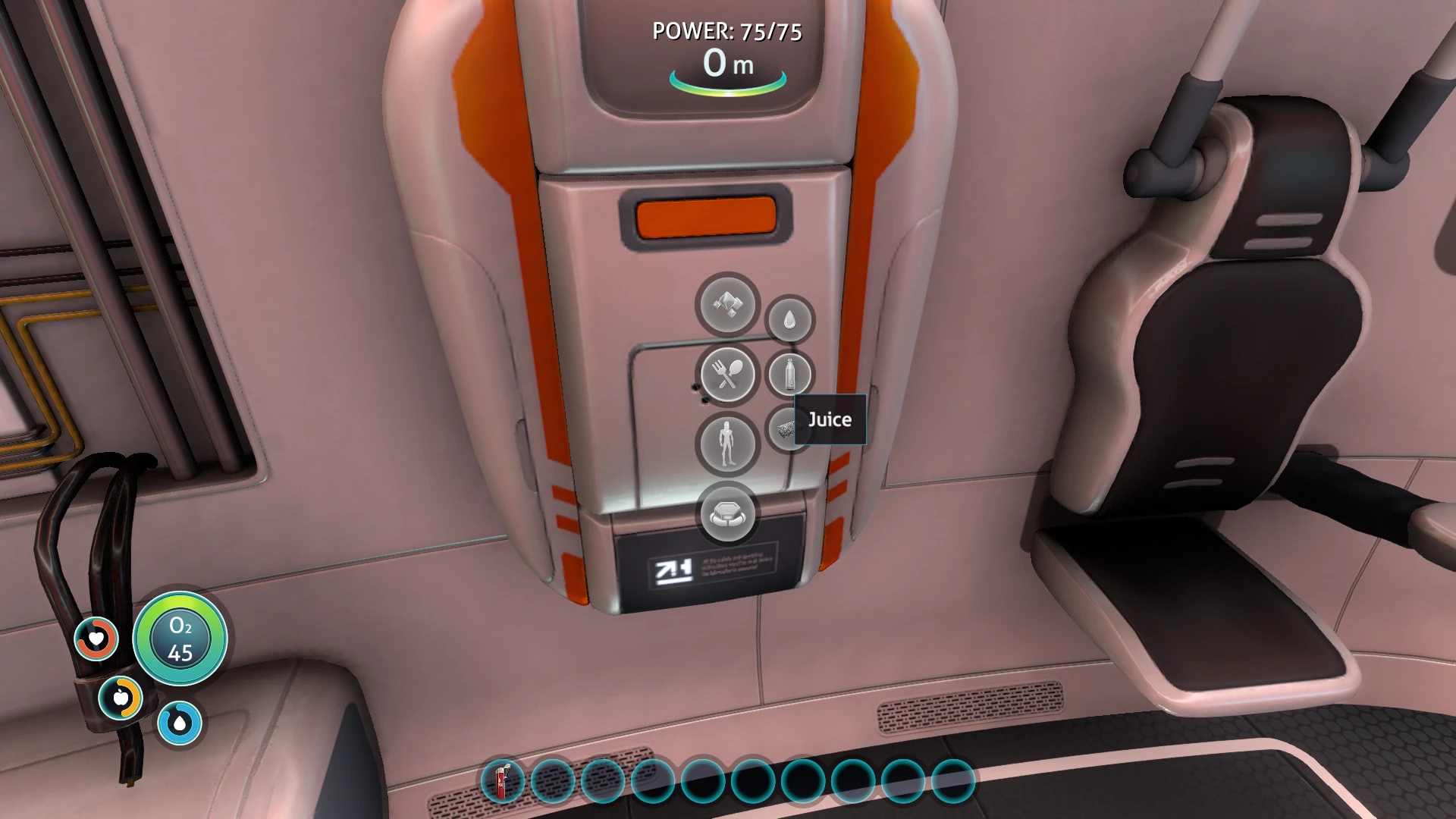
This mod adds 16 Customizable Consumables, 8 juices and 8 cakes.
Names, ICONS, Water, Food, Tooltips,
and their ingredients are now FULLY! Customizable in an easy to configure config file!
1. 0. 0: Initial Upload
1. 1. 0: Re-added the other 8 consumables.
Installation
1. Install last version of QModManager.
2. Install last version of Modding Helper 2.
3. Install last version of Utilites for QModManager
4. Extract the CustomFood2 folder from the archive to folder \Subnautica\QMods\.
Should be like this: \Steam\steamapps\common\Subnautica\QMods\CustomFood2\
How to disable or add a ingredient!
1. To disable a ingredient enter "none" as ingredient or "0" as the ingredient amount.
2. To add a ingredient (max 5), Make sure the ingredient is set to a valid item name, And the amount is set to atleast "1"
Customizing The Mod
1. Open the Config.json in the \QMods\CustomFood\
2. Change the values to your liking, But do remember these rules:
3. Change the values behind: "Ingredient 1,2,3,4 or 5" to a valid item name, For all item names, Look for "Item ID" On the Subnautica Wiki!
4. Change the Icon in the Assets folder to one you like, but remember to use the EXACT same name as the default one.
5. When done, save the file and run the game!
CustomFood 2 adds 16 customizable consumables—8 juices and 8 cakes—to 7 Days to Die. Players can fully customize names, icons, water, food, tooltips, and ingredients via an easy config file. A community favorite with 513 endorsements, last updated in 2018.
✨ Key Features
📊 Pros & Cons
✅ Pros
- Community-approved with 513 endorsements and 13k downloads.
- Deep customization lets you tailor every aspect of the consumables.
- Config file approach means no coding needed—just edit and play.
⚠️ Cons
- Last updated in 2018—may not work with the latest game version.
- Only adds consumables; no new gameplay mechanics or recipes beyond the 16 items.
- Customization requires manual config editing, which might be intimidating for some.
For 7 Days to Die players who want to add custom food and drink items with full control over stats and visuals. Great for modpack creators or survivalists who want more variety in their meals. Skip if you're looking for gameplay overhauls—this is purely additive content.
💡 Beginner Tips
- Make sure to back up your save before installing, as mods can affect world generation.
- Use a mod manager like 7D2D Mod Launcher to keep track of your mods and avoid conflicts.
- Check the config file after installing to see how to customize the items—it's straightforward.
📊 Mod Details
- Game
- Subnautica Mods
- Author
- YenzGaming
- Version
- 1.1.0
- Downloads
- 13,493
- Endorsements
- 513
- Category
- Crafting
- Created
- 8/1/2018
- Updated
- 8/10/2018
🔧 How to Install Subnautica Mods
Download from Nexus.
📖 Full step-by-step install guide for Subnautica →
Visit the official mod page for specific installation instructions for this mod.
🎮 Need cheat codes or console commands? Check ur gaming wiki for Subnautica commands, item IDs, and more.
Keep browsing — more Subnautica mods await