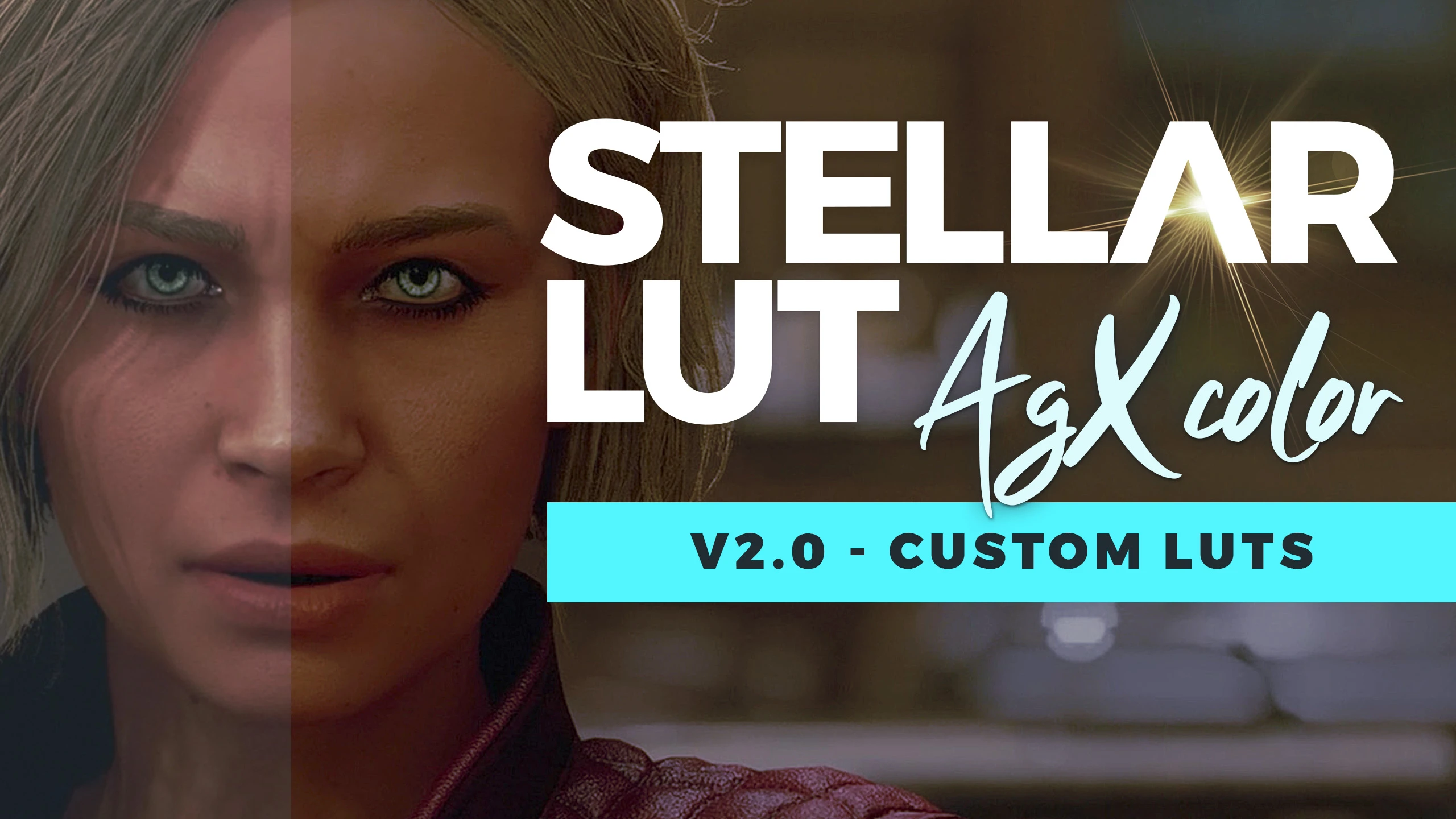
Stellar LUT (Custom LUTs - AgX Color)
🟠 Updated over a year ago⚠️ Install Order · 2 steps
Install in this order, then this mod last — most mods fail to load without their framework and dependencies in place.
Preview
🔍 Analysis
- 👍 3.6% endorsement rate — high engagement, a strong quality signal
- 🏆 #120 of 297 Visuals mods in this game by downloads
📋 About This Mod
Stellar LUT includes an AgX transform with saturation compression to provide crisp, accurate color and gamut this custom designed LUT.
These include hand-crafted, location-specific LUTs to accurately match the lighting of each environment with high contrast but effective dynamic range.
Manual Installation:
1. Download and Extract Files to the following locations:
-
[]Steam Users: Extract files to %userprofile%\Documents\My Games\Starfield
[
]GamePass Users: Extract files to C:\Xbox Games\Starfield\Content2. Configure INI to Load Loose Files
In the same directory you extracted files to in the previous step, you may find a file named StarfieldCustom.ini.
If the file doessn't exist, you must create it using a text editor. Add the following lines to this file:
bInvalidateOlderFiles=1
sResourceDataDirsFinal=
Mod Manager (Vortex) Installation:
1. Disable the message of the day by adding bEnableMessageOfTheDay=0 to your StarfieldCustom.ini in the section.
SIntroSequence=0
uMainMenuDelayBeforeAllowSkip=0
bEnableMessageOfTheDay=0
The MoTD is saved in the Documents\My Games\Starfield\Data folder so we need to turn it off since we will remove that folder.
2. Move the contents of your ...Documents\My Games\Starfield\Data folder to the Steam install at ...Steam\steamapps\common\Starfield\Data folder.
3. Delete the Data folder in Documents\My Games\Starfield.
4. Add sPhotoModeFolder=Photos to your Starfield.ini in the section. (This needs to go in your game install directory, not in your documents!)
sPhotoModeFolder=Photos
That should do it. If you launch the game and the Data folder reappears in your documents folder, you've done something wrong. Make sure the bEnableMessageOfTheDay=0 is UNDER in your StarfieldCustom.ini located in your Documents folder. Then delete the data folder from your documents folder and run game again.
Check out my other mods!
Stellar LUT is a visual mod for Starfield that replaces the game's color grading with custom LUTs based on ARRI Log 3 and AgX color management, offering hand-crafted per-location color profiles for accurate and balanced visuals. With over 1,100 endorsements and 32k downloads, it's a popular choice for players seeking a cinematic color overhaul.
✨ Key Features
📊 Pros & Cons
✅ Pros
- Community favorite with 1,173 endorsements and over 32k downloads—clearly a hit.
- Uses professional ARRI Log 3 and AgX color science for top-tier color accuracy.
- Per-location LUTs mean you get tailored color grading for each area, not a one-size-fits-all filter.
⚠️ Cons
- Last updated in January 2025—might not be compatible with the latest Starfield patches.
- Purely cosmetic; if you're after gameplay changes, this isn't for you.
For Starfield players who want a cinematic, color-accurate visual overhaul without messing with ENB or Reshade presets. If you're a screenshot enthusiast or just want your game to look more filmic, this is a solid pick. Skip if you prefer vanilla colors or want gameplay tweaks.
💡 Beginner Tips
- Make sure you have Starfield's mod support enabled (via the in-game mod menu or by placing files in the correct folder).
- Since the author didn't provide install instructions, check the mod's comments or forum posts for user guides.
- If you're using a mod manager like Vortex, try installing it through that for easier management.
📊 Mod Details
- Game
- Starfield Mods
- Author
- CyanideX
- Version
- 2.1.1
- Downloads
- 32,935
- Endorsements
- 1,173
- Category
- Visuals
- Created
- 9/6/2023
- Updated
- 1/24/2025
🔧 How to Install Starfield Mods
Download from Nexus.
📖 Full step-by-step install guide for Starfield →
Visit the official mod page for specific installation instructions for this mod.
🎮 Need cheat codes or console commands? Check ur gaming wiki for Starfield commands, item IDs, and more.
Keep browsing — more Starfield mods await