Quick and Clean Main Menu
⚪ Last updated 2023⚠️ Install Order · 2 steps
Install in this order, then this mod last — most mods fail to load without their framework and dependencies in place.
Preview
🔍 Analysis
- 👍 3.7% endorsement rate — high engagement, a strong quality signal
- 🏆 #120 of 192 User Interface mods in this game by downloads
📋 About This Mod
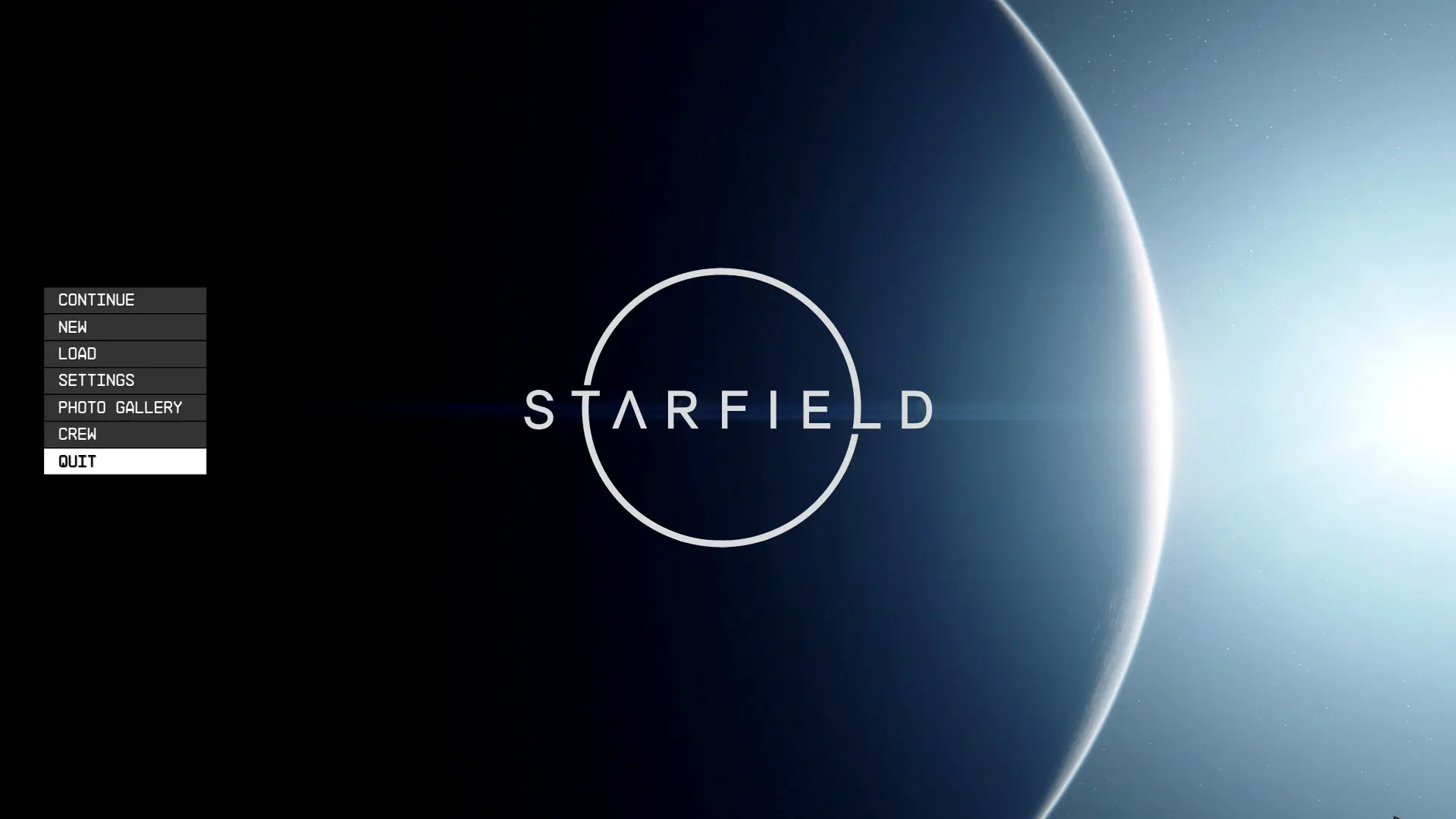
Quick and dirty hack of the game start by hacking the mainmenu.swf and replacing the Bethesda intro video with emptiness. It does the following things:
- main menu runs at 60fps
- Bethesda intro video replaced by a dummy file resulting in skipping that part
- no health information text after the Bethesda intro video
- instant cut to the main menu...well, as fast as "instant" can be minus the hardcoded pauses
- no Bethesda logo on the main menu
- no "Welcome dear 100€ paying PC player. I hope you enjoy our console port." text
- just a shiny star, a planet, a menu, and the game logo
How to install?
1. make a file named "StarfieldCustom.ini" and place it to your MyGames/Starfield folder, put this right in:
bInvalidateOlderFiles=1
sResourceDataDirsFinal=
2. unpack the . 7z and place the Data folder into your Starfield root folder allowing to override it all. The root folder is usually found in x:/xxx/Steam/steamapps/common. Apparently you want the Data folder inside the download, end up in the same place as the already existing Data folder in root folder. Alternatively you can just copy the "interface" and "video" to the Data folder.
Vortex users know more about installing with it than I do, so install according to Vortex instructions. Some users reported you can also use the "MyGames/Starfield" folder to copy the Data folder to. But I haven't verified that alternative. Let us know if that indeed works.
But backup and uninstall?
You can backup the video if you want. But you can also just verify game integrity on Steam to redownload the edited video file. For uninstalation additionally remove the .ini file, and the "interface" folder.
Does this disable Achievements?
I'm not sure. The internet says if you load your game in a modified state, it will fire a warning message "modding disables achievements bla bla bla" on loading the save. It doesn't do that for me, so interface hacks are maybe safe to use? Let me know of your experience in that regard.
Since I've got an achievement yesterday with the mod enabled, I guess achievements are not broken by loose interface files. However, opening the console does. You will even get said warning. If you accidentally open it make sure to exit the game, and reload, or achievements are gone.
I want to report a bug!
Use the comment section and add your exact system info. If none of the criteria's are met your comment will either be ignored or re
Quick and Clean Main Menu removes the Bethesda logo, health text, and welcome window, dropping you straight into a clean, minimal main menu. Ideal for players who want a faster, distraction-free start to the game. Simple UI tweak with solid community support (588 endorsements).
✨ Key Features
📊 Pros & Cons
✅ Pros
- Community favorite with 588 endorsements and over 16k downloads
- Saves time by skipping intro screens every launch
- Gives a sleek, uncluttered menu that feels modern
⚠️ Cons
- Purely cosmetic—no gameplay or UI functionality changes
- May conflict with other UI overhaul mods that alter the main menu
- Last updated in 2023, so potential compatibility issues with future game patches
For players who are tired of waiting through the Bethesda logo and welcome screens every time they boot up the game. If you want a faster, cleaner start without any extra clutter, this is for you. Skip if you're looking for functional UI changes—this is purely a cosmetic tweak.
💡 Beginner Tips
- If you use a mod manager, install this like any other mod and let it handle file placement.
- If you're on PC, make sure to place the files in the correct Data folder or use a mod manager to avoid issues.
- This mod only affects the main menu, so you can safely remove it if you ever want the original intro back.
📊 Mod Details
- Game
- Starfield Mods
- Author
- CrEaToXx
- Version
- 0.1
- Downloads
- 16,066
- Endorsements
- 588
- Category
- User Interface
- Created
- 9/2/2023
- Updated
- 9/21/2023
🔧 How to Install Starfield Mods
Download from Nexus.
📖 Full step-by-step install guide for Starfield →
Visit the official mod page for specific installation instructions for this mod.
🎮 Need cheat codes or console commands? Check ur gaming wiki for Starfield commands, item IDs, and more.
Keep browsing — more Starfield mods await