DualSense - PS5 Icons
⚪ Last updated 2023⚠️ Install Order · 2 steps
Install in this order, then this mod last — most mods fail to load without their framework and dependencies in place.
Preview
🔍 Analysis
- 👍 1.9% endorsement rate — high engagement, a strong quality signal
- 🏆 #50 of 192 User Interface mods in this game by downloads
📋 About This Mod
Brief:
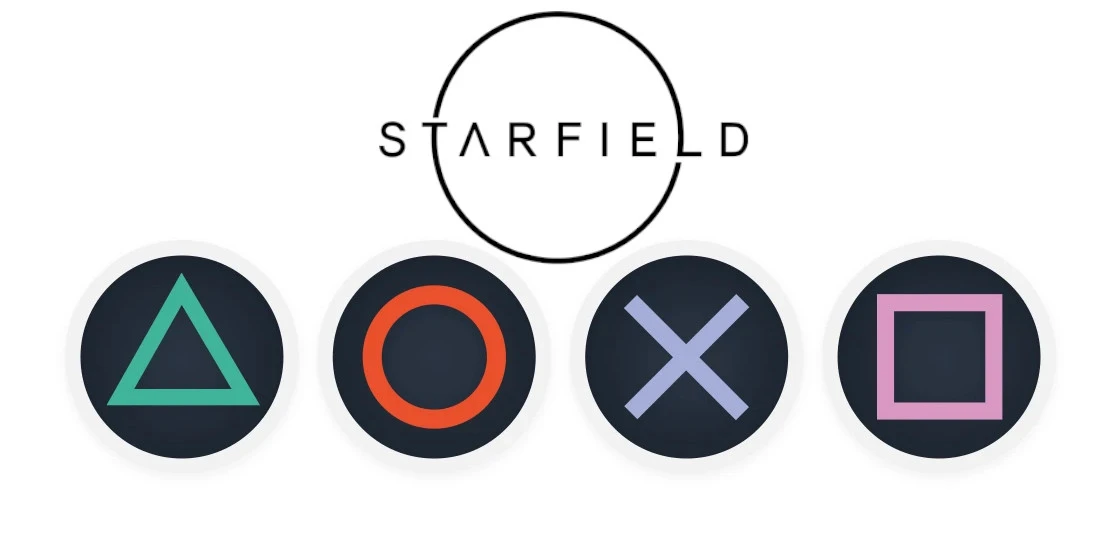
There isn't much to say besides this mod changes the Xbox icons to PlayStation icons.
Installation:
For the game to load loose files you need to go to C:/Documents/My Games/Starfield/ and create a file called StarfieldCustom.ini Inside that file you must paste these lines:bInvalidateOlderFiles=1
sResourceDataDirsFinal=
Afterwards extract my zip file into steam/steamapps/common/Starfield/Data/
So the file structure should look like "Starfield/Data/interface/fonts.gfx"
Bugs & Issues:
So far I haven't seen any but if you find any please let me know in the comments.If you enjoy this mod & enjoy using a PlayStation controller check out my other mods:
Nordic UI - Less Intrusive Hud II
NORDIC UI - PlayStation Icons Patch
Playstation 4 Button Icons for SkyUI - Special Edition
Playstation 4 Button Icons for SkyUI - Legendary Edition
Dear Diary - PlayStation Buttons Patch
SkyUI The Adventurer Theme Mod - PS4 Icons Patch
Fallout 3 - Playstation 4 Button Icons
Fallout New Vegas - Playstation 4 Button Icons
Sekiro - PlayStation Icons
DOOM ETERNAL - PlayStation Icons
The Elder Scrolls IV: Oblivion - Playstation Button Icons
Imperial UI for SkyUI
Bioshock Remastered Playstation Button Icons
Bioshock 2 Remastered - PlayStation Icons
Dark Souls 3 PS4 Controller Icons
Mafia: Definitive Edition - PlayStation Icons
Mafia 3 - PlayStation Icons
Mafia 2: Definitive Edition - PlayStation Icons
Mafia 2: Classic - PlayStation Icons
Witcher 3 - PlayStation 4 Icons
Mass Effect 2 PlayStation Icons
Far Cry 3 - PlayStation Buttons Mod
ESO Gamepad UI
Xbox One Buttons Icons for SkyUI
DualSense - PS5 Icons is a simple UI mod that replaces Xbox button prompts with PlayStation icons, ideal for players using a DualSense controller. With 1,760 endorsements and 90,512 downloads, it's a popular choice for those who prefer PlayStation-style prompts.
✨ Key Features
📊 Pros & Cons
✅ Pros
- Huge download count (90k+) shows it's a go-to for DualSense players.
- Simple and effective—does exactly what it says, no bloat.
- Active community trust (1,760 endorsements) means it works as advertised.
⚠️ Cons
- Last updated in September 2023—might not work with the latest game patches.
- Purely cosmetic—if you're on Xbox or keyboard, this mod is useless to you.
For PC gamers who use a DualSense controller and want the UI to match their input device. If you're tired of seeing Xbox buttons while playing with a PS5 pad, this is a must-have. Skip it if you're on keyboard/mouse or prefer Xbox prompts.
💡 Beginner Tips
- Make sure your game is fully updated before installing, as the mod may need a patch for newer versions.
- If you use a mod manager, install this mod through it to easily disable it if issues arise.
- Check the mod's comments section for any user-reported fixes if it doesn't work after a game update.
📊 Mod Details
- Game
- Starfield Mods
- Author
- EASKATER
- Version
- 1.0
- Downloads
- 90,512
- Endorsements
- 1,760
- Category
- User Interface
- Created
- 9/1/2023
- Updated
- 9/3/2023
🔧 How to Install Starfield Mods
Download from Nexus.
📖 Full step-by-step install guide for Starfield →
Visit the official mod page for specific installation instructions for this mod.
🎮 Need cheat codes or console commands? Check ur gaming wiki for Starfield commands, item IDs, and more.
Keep browsing — more Starfield mods await