Dark Mode for Terminals
⚪ Last updated 2023⚠️ Install Order · 2 steps
Install in this order, then this mod last — most mods fail to load without their framework and dependencies in place.
Preview
🔍 Analysis
- 👍 2.0% endorsement rate — high engagement, a strong quality signal
- 🏆 #24 of 192 User Interface mods in this game by downloads
📋 About This Mod
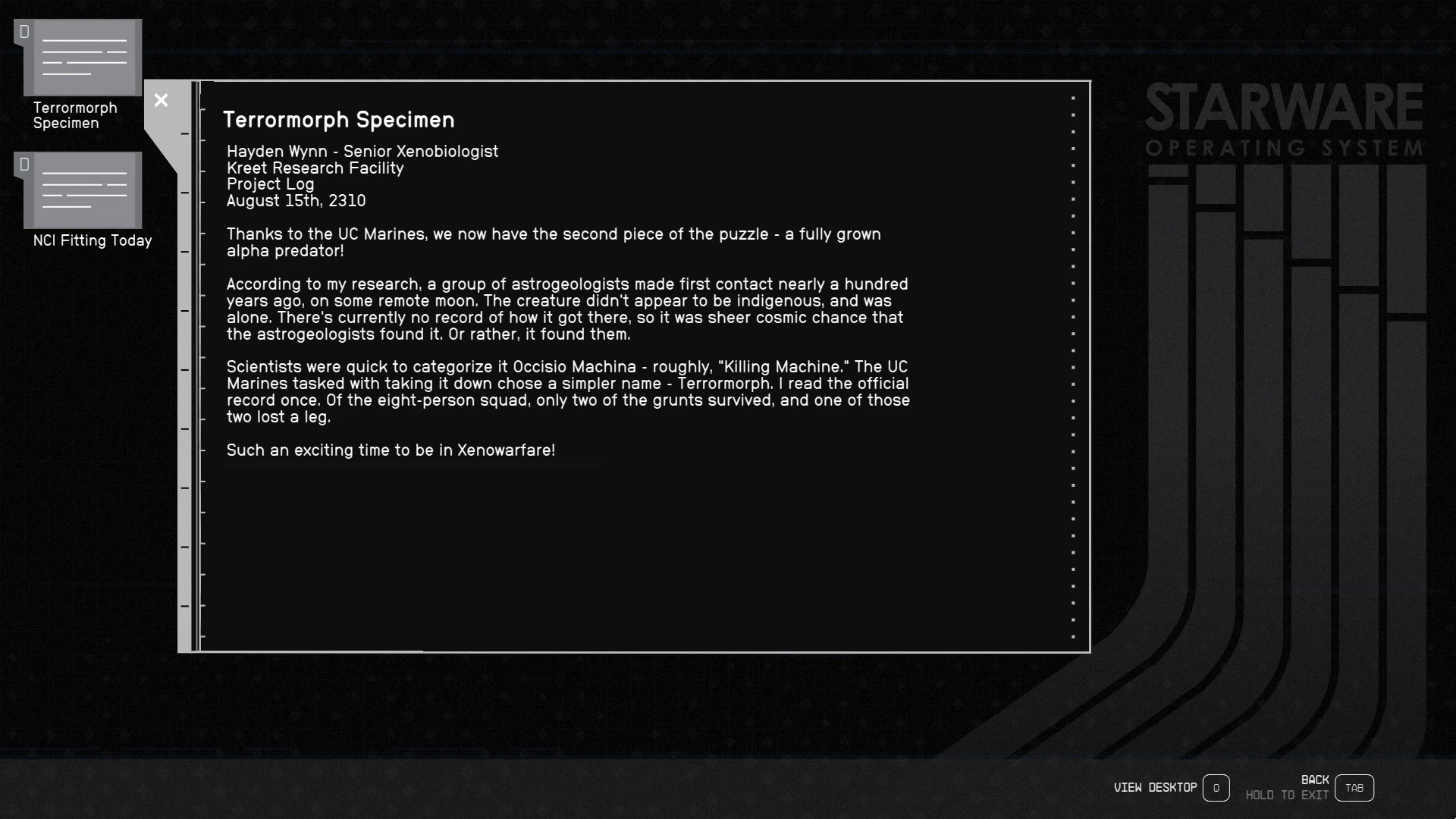
Protect your special eyes with a darker terminal theme, and makes the terminal startup less bright as well.
I've also included 60 and 120 FPS versions under the optional files section for those using relevant ui mods.
Update: Went through and made the text less bright (to make it more readable with hdr) while trying to keep the colors compliant with the Web Content Accessibility Guidelines. The remaining bright backgrounds (mainly the UC ones) should be fixed as well. Please let me know if there's some more tweaks needed.
-
[]Kiosks DONE
[
]Big Font support DONE[]Refine faction terminals Done (let me know if you come across any bright terminals)
[]Mission Boards DONE HERE
[]Better icon contrast Done
[]Different themes?
Installation
Please read this (https://modding.wiki/en/starfield/users/loose-file-modding) as there are a few quirks that have been coming up with installing mods for Starfield.
Manual:
Extract the contents into your Starfield directory. Depending on where you have the game installed, it should end up looking like
C:\Program Files (x86)\Steam\SteamApps\common\Starfield\Data\interface\genesisterminalmenu.swf
If you haven't already, you'll also need to create a StarfieldCustom.ini in your documents folder
C:\Users\YOURUSER\Documents\My Games\Starfield\StarfieldCustom.ini
with the contents listed below:
bInvalidateOlderFiles=1
sResourceDataDirsFinal=
My Other Mods:
Dark Mode for Mission Boards -- This but for mission boards (like the Constellation board)
Paper Books -- Makes books look like they're written on paper
Recommended Mods:
Easy Read - Crafting Stations -- Dark Mode for Crafting Stations
Dark Terminal Replacer -- Makes the in-world screen textures look more like my terminals.
Dark Mode for Terminals by animandan applies a darker theme to terminals and reduces startup brightness, now covering kiosks and supporting the Large Menu Fonts accessibility option. With 4,403 endorsements and 220,639 downloads, it's a popular UI tweak for players who find the default terminal screens too bright.
✨ Key Features
📊 Pros & Cons
✅ Pros
- Huge community trust with 4,403 endorsements and over 220k downloads.
- Covers both terminals and kiosks, so the whole interface matches.
- Works with the Large Menu Fonts option, so accessibility users aren't left out.
⚠️ Cons
- Last updated in September 2023 — might not be compatible with future game patches.
- Only affects terminals and kiosks, not other UI elements.
For players who find the default terminal screens too bright or want a consistent dark UI. Also great for accessibility users who use Large Menu Fonts and want a darker theme. Skip if you're looking for broader UI overhauls — this is strictly terminals and kiosks.
💡 Beginner Tips
- If you're using a mod manager, just download and enable; if manual, drop the files into the Data folder.
- Check your game version — if it's newer than September 2023, test the mod in a terminal to ensure it still works.
- Since it supports Large Menu Fonts, enable that option in settings to see the best effect.
📊 Mod Details
- Game
- Starfield Mods
- Author
- animandan
- Version
- 1.5.0
- Downloads
- 220,639
- Endorsements
- 4,403
- Category
- User Interface
- Created
- 9/5/2023
- Updated
- 9/23/2023
🧩 Commonly Used Together
Users add these mods to the same collections — a real compatibility signal, not an AI guess.
🔧 How to Install Starfield Mods
Download from Nexus.
📖 Full step-by-step install guide for Starfield →
Visit the official mod page for specific installation instructions for this mod.
🎮 Need cheat codes or console commands? Check ur gaming wiki for Starfield commands, item IDs, and more.
Keep browsing — more Starfield mods await