Beauty Sarah Face Texture and SaveGame
⚪ Last updated 2023⚠️ Install Order · 2 steps
Install in this order, then this mod last — most mods fail to load without their framework and dependencies in place.
Preview
🔍 Analysis
- 👍 1.9% endorsement rate — high engagement, a strong quality signal
- 🏆 #171 of 297 Visuals mods in this game by downloads
📋 About This Mod
Thanks for reading the Description!
recommended mods
The Eyes of Beauty
High-Res Hair and Beards
Beauty Andreja Face Texture and SaveGame
How to use
The texture mod must be enabled.
-ex: Place my "StarfieldCustom.ini" in the appropriate directory and move or rename the folder in .
There are two ways to reproduce my screenshot
Method 1: New game
-Simply start a game using my save game.
I have already ported Sarah's face data, so you can just start with it.
If you want to change your appearance, name, etc., enter the console command "slm 14" and select preset number 1.
(Press the @ key to open the console)
Method 2. Change Sarah's face in the middle of the game
-After shaping your character as shown in the slider image,
port it to Sarah with the console command "capp 14".
First, format the image as shown in the image using "slm 14" or plastic surgery.
Remember to set the "BIOMETRIC ID" to 1 first!
Next, with the console open, click on Sarah, turn the mouse wheel, and type "capp 14" with displayed.
If Sarah's display disappears for a moment, success.
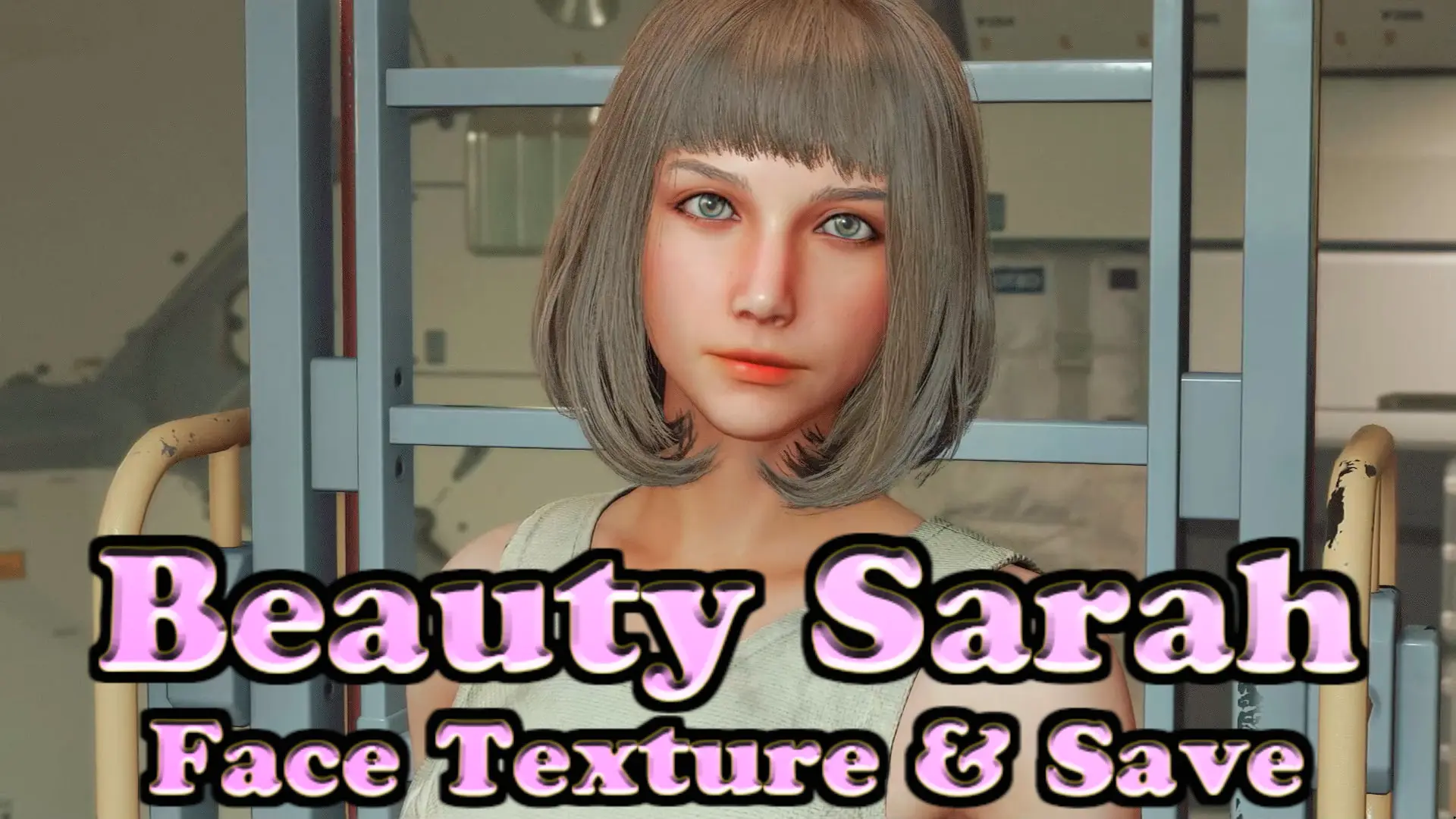
Reboot and you should see the same face as SS.(Also requires recommended mods)
The skintone must be as shown in the image (number 2) or there will be a border on the neck after the reboot.
If you don't mind forehead wrinkles, you can change your hair style.
推奨mod
The Eyes of Beauty
High-Res Hair and Beards
Beauty Andreja Face Texture and SaveGame
事前にテクスチャmodが反映される状態にしておく必要があります。
例:当modの「StarfieldCustom.ini」を適切なディレクトリに配置するか、自分のStarfieldCustom.iniを編集した上で、【My Games】内のDataフォルダを移動させるかリネームして下さい。
当modの画像を再現する方法は2通りあります
方法1.ニューゲームする場合
-当modのセーブデータを使ってゲームを始めるだけ
すでにサラの顔データは移植してあるので、そのまま進めればOK。
自分の容姿や名前などを変更したい場合はコンソールコマンド「slm 14」を入力し、プリセットの1番を選択して下さい。
(コンソールは@キーで開きます)
方法2.進行中のセーブデータに導入する場合
- 画像の通りに整形した後にコンソールコマンド「capp 14」でサラに移植する
This mod replaces Sarah's face textures to beautify her appearance after the face transplant with 'capp 14' in the game. It's a cosmetic enhancement for players who want a prettier Sarah. With 399 endorsements and 21,384 downloads, it has a solid following.
✨ Key Features
📊 Pros & Cons
✅ Pros
- Solid community support with 399 endorsements
- Over 21,000 downloads shows real demand
- Directly improves a specific character's look
⚠️ Cons
- Only affects Sarah's face, not other characters
- Requires the 'capp 14' face transplant to see the full effect
- Potential compatibility issues with other texture mods
For players who want a more attractive Sarah after the face transplant. If you're into character visual overhauls, this is a quick win. Skip if you're looking for gameplay changes or mods that affect multiple characters.
💡 Beginner Tips
- Make sure you've completed the 'capp 14' face transplant in-game before installing to see the effect.
- If you use other texture mods, load this one after them to avoid conflicts.
- Back up your original textures if you want to revert easily.
📊 Mod Details
- Game
- Starfield Mods
- Author
- Kumakichisun
- Version
- 2.0
- Downloads
- 21,384
- Endorsements
- 399
- Category
- Visuals
- Created
- 9/15/2023
- Updated
- 10/24/2023
🔧 How to Install Starfield Mods
Download from Nexus.
📖 Full step-by-step install guide for Starfield →
Visit the official mod page for specific installation instructions for this mod.
🎮 Need cheat codes or console commands? Check ur gaming wiki for Starfield commands, item IDs, and more.
Keep browsing — more Starfield mods await