XENB Lighting and Effects Overhaul
⚪ Last updated 2019⚠️ Install Order · 5 steps
Install in this order, then this mod last — most mods fail to load without their framework and dependencies in place.
Preview
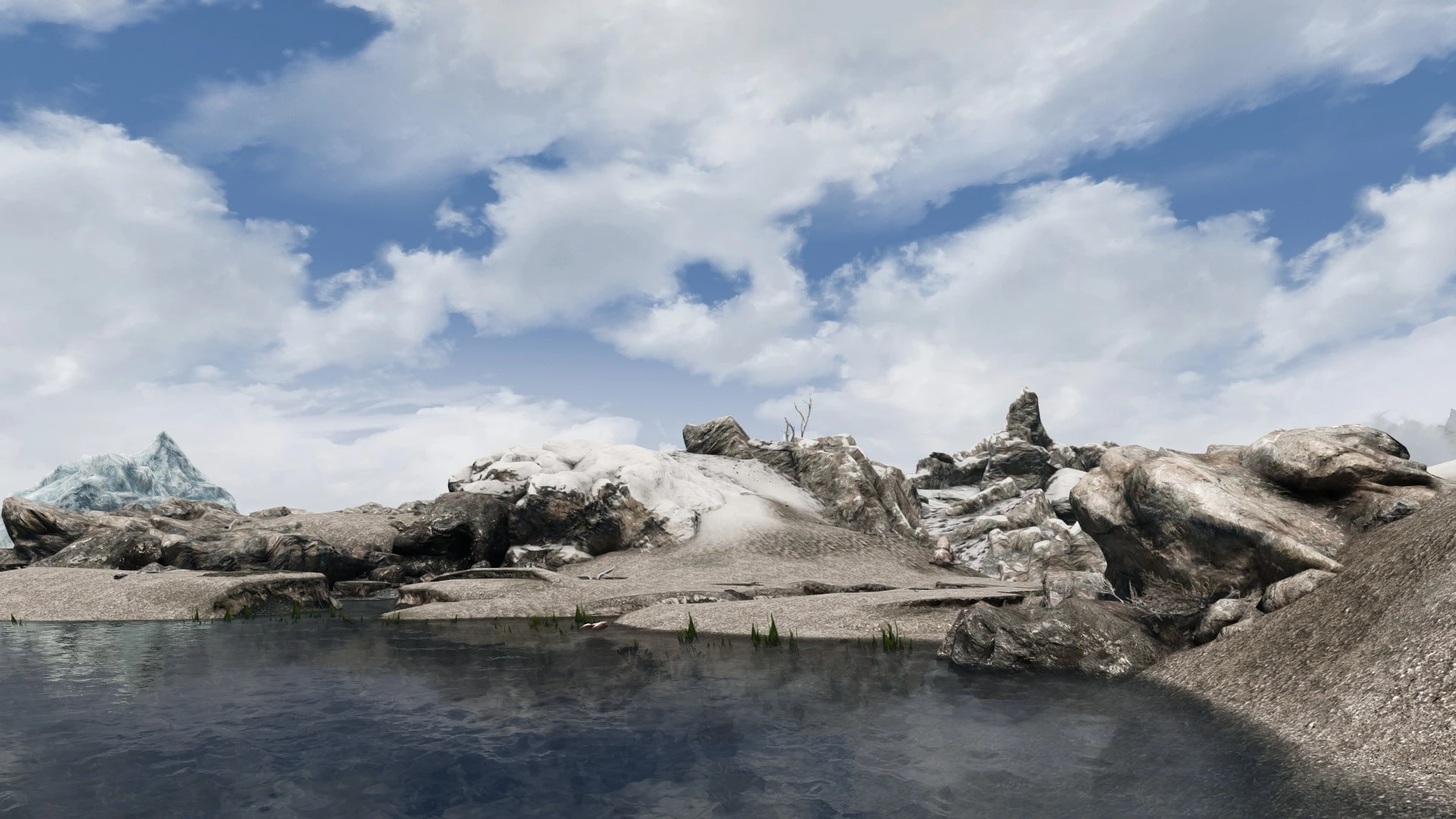
🔍 Analysis
- 👍 4.3% endorsement rate — high engagement, a strong quality signal
- 🏆 #10 of 20 Presets - ENB and ReShade mods in this game by downloads
📋 About This Mod
XENB LIGHTING AND EFFECTS OVERHAUL
Boris Vorontsov - ENBSeries
Marty McFly - DOF and Postpass
Adyss - Shader Addon (currently having issues with skin shader not working, will fix later)
BEFORE INSTALLATION
This mod comes with better VSync that will eliminate stuttering and give you better performance than the original that comes with the game.
Locate iVSyncPresentInterval=1 in your skyrimprefs.ini file, located under documents/my games/Skyrim Special Edition and change it to iVSyncPresentInterval=0 if it isn't already.
It is also recommended to turn off lens flare and snow shader.
COMPATIBILITY
This mod was designed around Obsidian, Cathedral, NAT, Vivid Weathers, Rustic Weathers, Aequinoctium, and Obscura Weathers
This mod is also compatible with all interior lighting mods as it doesn't make any drastic changes to interiors.
INSTALLATION
-
[]Head over to ENBDev and download the latest binaries
[
]Unpackage the binaries using a program such as Winrar or 7-Zip and place only thed3d11.dll and d3dcompiler_46e from the "wrapper version" into your Skyrim Special Edition directory.
[]Download your preferred version of XENB (Screenarchery, Gameplay, Performance, Low-End)
[]Unpackage the files and place the files in your Skyrim Special Edition directory
Screenarchery: Features included are, Depth of field, Godrays, Skinspecular, and ENB rain effects. Will take a considerable toll on your FPS.
Gameplay: Contains all effects to experience the full potential of XENB minus the added cinematic effects found in the screenarchery version. Expect decent performance on an average gaming rig in most scenarios.
Performance: A few stripped back features most notably replacing the ENB SSAO with the Skyrim default SSAO. Better performance.
Low-End: Only a few core features still included. Very minimal FPS drop
For optimal performance and best looks I would reccomend Ultimate Immersion's Micro Mod List until I can release my mod list
(Advanced users only) While in-game press shift+tab to open the ENB menu to toggle or tweak certain effect to your liking.
To toggle the effect, tick the option under GLOBAL that reads UseEffect
To uninstall use a program such as ENB and ReShade Manager to remove all traces of ENB.
XENB is a Skyrim Special Edition ENB preset with four performance tiers (Screenarchery, Gameplay, Performance, Low-End), designed for compatibility with major weather mods and interior lighting overhauls. It includes custom VSync for better performance and requires manual installation of ENB binaries.
✨ Key Features
📊 Pros & Cons
✅ Pros
- Solid community trust with 487 endorsements and over 11k downloads.
- Four performance presets let you pick your FPS vs. visual fidelity tradeoff.
- Plays nice with all the big weather mods and interior lighting overhauls.
⚠️ Cons
- Last updated in 2019, so it might not be fully compatible with the latest Skyrim SE patches or ENB binaries.
- The skin shader addon is currently broken, and the author notes it will be fixed later—but that was years ago.
- Manual installation of ENB binaries and INI tweaks means a higher risk of user error compared to mod manager installs.
For Skyrim SE players who want a customizable ENB with performance options and broad weather mod compatibility. If you're a screenshot enthusiast, the Screenarchery version delivers cinematic effects. Skip if you want a plug-and-play ENB without manual setup or if you're on the latest game version and worry about outdated mods.
💡 Beginner Tips
- Download the latest ENB binaries from ENBDev and only copy d3d11.dll and d3dcompiler_46e from the wrapper version into your Skyrim SE folder.
- Set iVSyncPresentInterval=0 in your skyrimprefs.ini to use the mod's custom VSync and avoid stuttering.
- Turn off lens flare and snow shader in-game as recommended for best results.
📊 Mod Details
- Game
- Skyrim Mods
- Author
- XenoX
- Version
- .390
- Downloads
- 11,291
- Endorsements
- 487
- Category
- Presets - ENB and ReShade
- Created
- 7/4/2019
- Updated
- 9/26/2019
🔧 How to Install Skyrim Mods
Download from Nexus.
📖 Full step-by-step install guide for Skyrim →
Visit the official mod page for specific installation instructions for this mod.
🎮 Need cheat codes or console commands? Check ur gaming wiki for Skyrim commands, item IDs, and more.
Keep browsing — more Skyrim mods await