50 Shades of Rudy - ReShaded Rudy ENB for CoT
⚪ Last updated 2017⚠️ Install Order · 9 steps
Install in this order, then this mod last — most mods fail to load without their framework and dependencies in place.
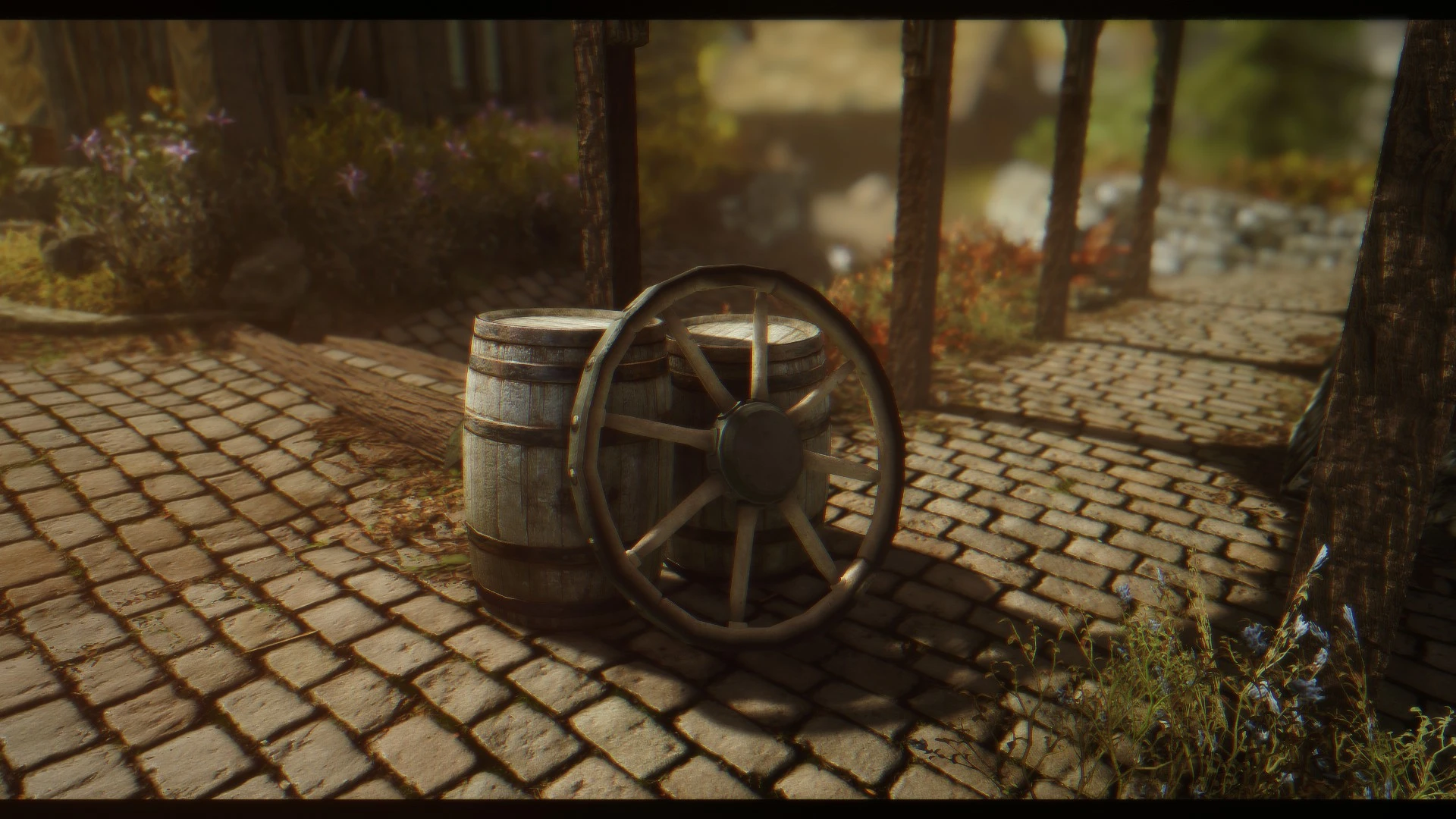
Preview
🔍 Analysis
- 👍 4.5% endorsement rate — high engagement, a strong quality signal
- 🏆 #2 of 20 Presets - ENB and ReShade mods in this game by downloads
📋 About This Mod
What is different to the original Rudy SE ENB Preset?
I simply used ReShade to change the look of the preset. For example there now is a Ambient Lighting shader, Gaussian Blur etc.
How performance heavy is this preset?
As there are not only the ENB settings but also ReShade it is more performance heavy as the original Rudy ENB. Personally I run this preset with a GTX 970 with about 45 FPS exterior (forest). Depending on how many graphical mods you use and which graphics card you have you will either get better FPS or less. Consider this as reference points:
GTX 970 / R9 390 or higher recommended
You don't have lots of graphical mods:
GTX 960 / R9 380 or higher recommended
Can I use this preset together with the original Rudy ENB?
No, you have to choose which version you like more.
Which mods are required?
You will need Climates of Tamriel and Enhanced Lights and FX (only Enhancer).
How do I install this preset?
1. Download ReShade from here. 2. Run the EXE-File and select your SkyrimSE.exe from your Skyrim Special Edition game folder (".../steamapps/common/skyrim special edition"). Select DirectX10+, click 'Yes', click 'Ok', wait for the download. When it says 'Done' you can close the window. 3. Download the ENB binaries v0. 310 from here. 4. Extract the d3d11.dll and d3dcompiler_46e.dll within the 'Wrapper' folder to your Skyrim Special Edition game folder (".../steamapps/common/skyrim special edition"). 5. Download the ENB preset and extract all files from the archive into your Skyrim Special Edition game folder (".../steamapps/common/skyrim special edition"). 6. Go ingame and open the ReShade menu with Shift+F2. Click 'Continue', select the '+' and type in 'rudy.ini' and confirm with Enter. Click on 'Continue' and on 'Finish'. 7. You are done, enjoy!
Rudy102 Boris Vorontsov Bethesda JawZ Marty McFly Tapioks MaxG3D Kingeric1992 Jjensson
A ReShade-enhanced version of the popular Rudy ENB preset for Skyrim Special Edition, designed to work with Climates of Tamriel and Enhanced Lights and FX. It adds ambient lighting and Gaussian blur effects but is more performance-intensive than the original. Requires manual installation of ReShade and ENB binaries.
✨ Key Features
📊 Pros & Cons
✅ Pros
- Community-trusted preset with 596 endorsements and over 13k downloads
- Adds visual depth with ambient lighting and blur that the original Rudy lacks
- Clear performance guidance for different GPU tiers
⚠️ Cons
- Performance hit is real—expect 45 FPS on a GTX 970 in forests, so weaker cards will struggle
- Requires both Climates of Tamriel and ELFX, locking you into those mods
- Old 2017 update means it may not play nice with newer Skyrim SE patches or ENB versions
For Skyrim SE players who love Rudy ENB but want extra punch from ReShade effects like ambient lighting and blur. If you've got a mid-range or better GPU and already use CoT and ELFX, this is a solid pick. Skip if you're on a low-end rig or prefer the lighter original Rudy.
💡 Beginner Tips
- Install ReShade first, then the ENB binaries, and make sure you select SkyrimSE.exe in the correct folder—Steam path is usually steamapps/common/skyrim special edition.
- Since this preset requires CoT and ELFX, install those mods first and let their scripts run before adding the preset to avoid conflicts.
- If you're using a mod manager, place the preset files manually in the Skyrim SE root folder, not in the Data folder—ENB presets go outside the usual mod structure.
📊 Mod Details
- Game
- Skyrim Mods
- Author
- Zeratem
- Version
- 1.0
- Downloads
- 13,212
- Endorsements
- 596
- Category
- Presets - ENB and ReShade
- Created
- 7/6/2017
- Updated
- 7/6/2017
🔧 How to Install Skyrim Mods
Download from Nexus.
📖 Full step-by-step install guide for Skyrim →
Visit the official mod page for specific installation instructions for this mod.
🎮 Need cheat codes or console commands? Check ur gaming wiki for Skyrim commands, item IDs, and more.
Keep browsing — more Skyrim mods await