VR Body
⚪ Last updated 2018⚠️ Install Order · 5 steps
Install in this order, then this mod last — most mods fail to load without their framework and dependencies in place.
Preview
🔍 Analysis
- 👍 1.8% endorsement rate — high engagement, a strong quality signal
- 🏆 #17 of 20 VR mods in this game by downloads
📋 About This Mod
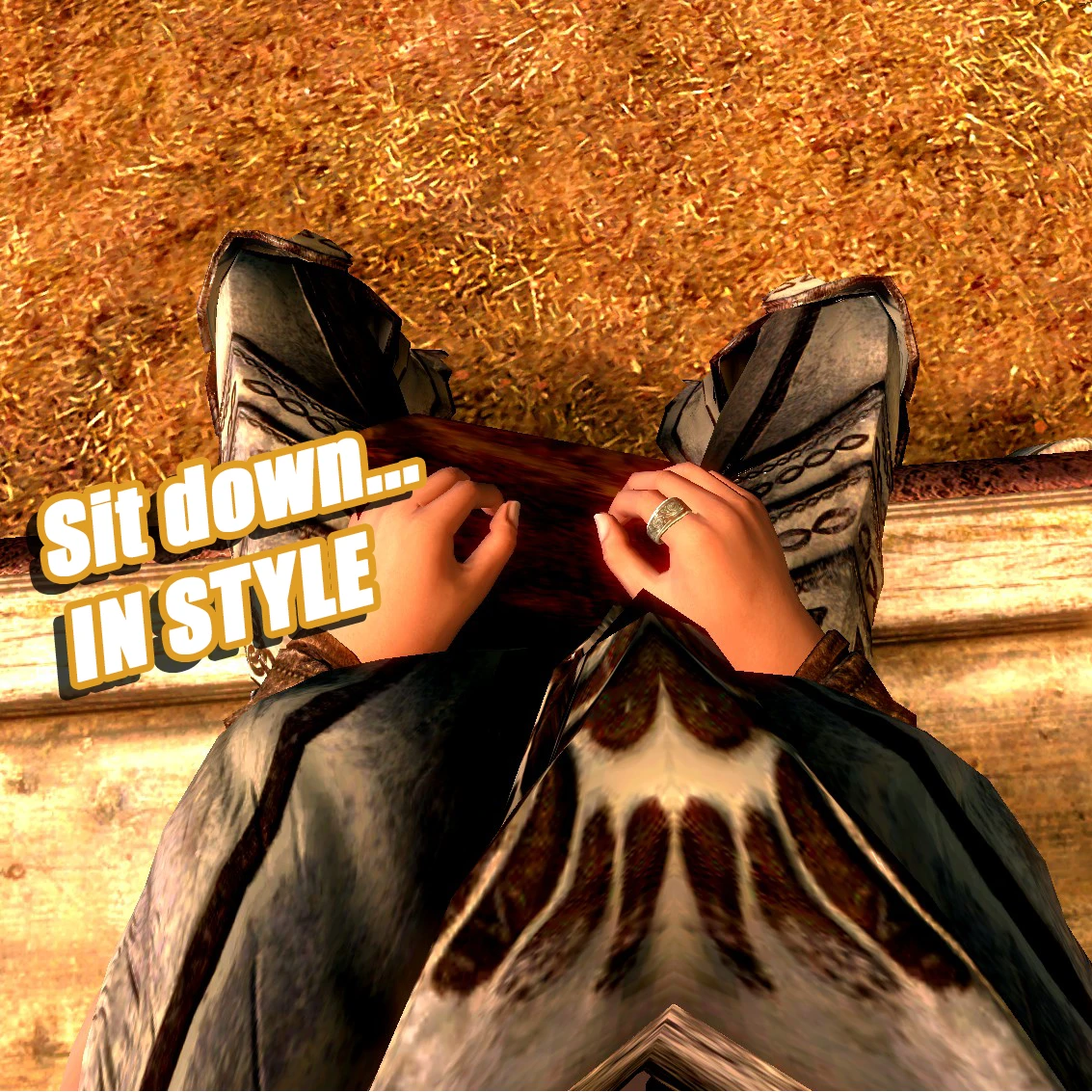
Visible body for Skyrim VR. Now with mod support.
VR Body - Version 2
Visible body for Skyrim VR.
Does not currently support inverse kinematics. Your arms will instead be completely straight.
Usual proviso:
Backup your save.
This version of VR Body comes with an SKSE plugin which messes with any armor in the player's inventory, which likely comes with its own set of issues. It has however been tested by the brave billytpilgrim, to reports that it at least works & doesn't break your game. Many thanks to them for testing this plugin so you don't have to.
Additionally, there are a few scripts that mess with races, & these scripts have to cooperate with the vanilla race scripts (such as vampirism), which may bring some more serious issues. Note that since V2 the number of race changes has been significantly reduced.
Compatibility
VR Body V2 now has a plugin that should allow almost any armor mod to work with it. Below are some armor mods that are confirmed working:
Immersive Armors;
Cloaks of Skyrim;
Bandolier Bags & Pouches (couple of armors make your body invisible - fixed with this patch by billytpilgrim);
Dragonbone Ebonsteel Armor;
Winter is Coming;
Luxurious Seduction Mashup;
Devious Devices;
An XPMSSE compatibility patch is available in the "Optional Files" section. Load this patch after XPMSSE.
CBP Physics works but does not show up in first person. You'll have to nicely ask CBP guy if you want this fixed, as they do not provide source code.
Not compatible with:
VR Armored Hands;
View Yourself VR works but can be glitchy;
Sacrosanct - Vampires of Skyrim;
Anything that adds new races will not appear in first person. They may also make your first person naked body invisible, however this can be fixed by loading the race mod before VR Body.
Installation
Requires SKSEVR. Install SKSEVR at http://skse.silverlock.org/.
Install SKSEVR;
Install VR Body;
Set bAlwaysShowHands=1 under in SkyrimVR.ini in "%USERPROFILE%\Documents\My Games\Skyrim VR". If SkyrimVR.ini is not there, create it manually.
If you're very short or very tall, you may end up inside your body or with a very long neck. To remedy this you will need to calibrate your height using either the height slider in Pause Menu -> Settings -> VR, or via fVRScale=xx.x under in SkyrimVR.ini.
Changing the height slider will move the floor position, while fVRScale will change the scale of the world, without changing the floor position. I recommend adjusting both the height slider & fVRScale until both your body is the correct size, & your chaperone touches th
📊 Mod Details
- Game
- Skyrim Mods
- Author
- Smiley96L
- Version
- 3.1
- Downloads
- 64,230
- Endorsements
- 1,125
- Category
- VR
- Created
- 7/9/2018
- Updated
- 9/7/2018
🔧 How to Install Skyrim Mods
Download from Nexus.
📖 Full step-by-step install guide for Skyrim →
Visit the official mod page for specific installation instructions for this mod.
🎮 Need cheat codes or console commands? Check ur gaming wiki for Skyrim commands, item IDs, and more.
Keep browsing — more Skyrim mods await