Teleportation Network
⚪ Last updated 2017⚠️ Install Order · 5 steps
Install in this order, then this mod last — most mods fail to load without their framework and dependencies in place.
Preview
🔍 Analysis
- 👍 6.6% endorsement rate — high engagement, a strong quality signal
- 🏆 #45 of 119 Gameplay mods in this game by downloads
📋 About This Mod
This mod also exists in other Skyrim versions:
- Standard version: http://www.nexusmods.com/skyrim/mods/43653/?
- Enderal: http://www.nexusmods.com/skyrim/mods/81074/?
Summary:
- Adds two spells
-- Summon Teleporter: Creates a teleportation node (up to 9). Each can be linked to each other to transport anything between them
(including NPC's, objects, and yourself).
-- Teleport: A Recall spell that allows the PC to warp to any of the created teleportation nodes.
Demonstrative Video: https://www.youtube.com/watch?v=8BiU6AUMK5U
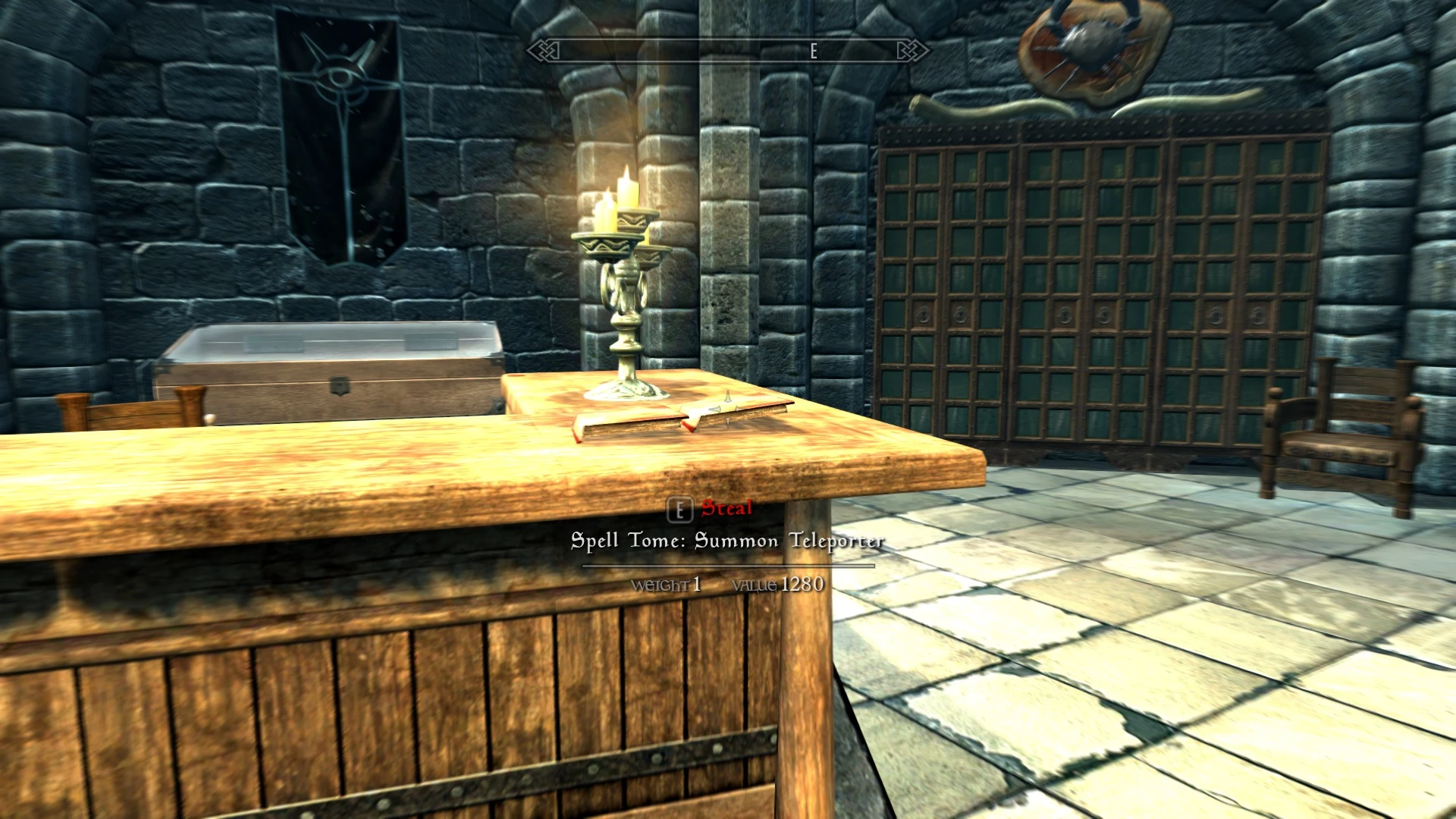
How to get the spells: All you need are two Spell Tomes. They are located in the College of Winterhold library on the front desk of Urag gro-Shub.
Note about the "Tractor Beam" spell in video: You can get it from this mod - http://www.nexusmods.com/skyrimspecialedition/mods/6619/
Detailed Instructions
How does it work?
The player can place a total of 9 teleporters (a.k.a. "teleportation
nodes") in the game world through the "Summon Teleporter" spell. Each
teleporter can be set to have another teleporter as a destination. And
when the PC or an NPC steps onto the teleporter, he will be transported
at that set destination.
The destination of a teleporter is dynamic and can be changed at any
time. Similarly, teleporters can be deleted and replaced to suit the
player's purpose.
In addition to being simple devices to transport characters from one
place to another, teleporters are also "nodes" in the teleportation
system. The player can teleport to any placed teleporters using the
"Teleport" spell.
Practical Use
There are many ways to make good use of these devices. For example, the
player can place 1 instance at home and 4 instances in at his favourite
stores that lead back to the one at his home. He can then place a few at
current quest givers and leave 1 slot open for on-the-fly teleportation
back to home (which can always be deleted later on).
If the player requires reinforcement to beat a boss, he can also place
one in the boss location, another in a city's barracks, and then drag
all the nearby guards in with the "Singularity" spell. Alternatively,
the player can also do things the other way around by teleporting the
boss to a barrack filled with sleeping guards.
If the player is on the verge of finishing the main quest, it's also a
good idea to leave a Teleporter in Sovngarde, since it's a beautiful
place for repeated sight-seeing (and which the game does not let the
player back into post-departure).
Known Issues
1. As with the Summoning Node interface, there is curre
Teleportation Network lets players place up to 9 teleporters anywhere in the game world, recall to them from any location, link teleporters together, and transport NPCs and enemies. A versatile fast-travel and creature-moving tool for open-world players.
✨ Key Features
📊 Pros & Cons
✅ Pros
- Solid community trust with 476 endorsements and over 7,000 downloads.
- Lets you set up a custom fast-travel network exactly where you want it.
- The NPC/enemy transport feature opens up creative gameplay possibilities beyond simple travel.
⚠️ Cons
- Last updated in 2017, so it may not be compatible with newer game versions or other mods.
- Limited to 9 teleporters, which might feel restrictive for large-scale builds.
- Potential conflicts with other mods that alter fast travel or NPC AI.
For players who want more control over fast travel and enjoy setting up their own teleport hubs. Also great for modders and roleplayers who want to move NPCs or enemies for storytelling or gameplay experiments. Skip if you prefer vanilla travel or don't need NPC manipulation.
💡 Beginner Tips
- Place teleporters at key locations like your base, cities, or resource spots to maximize convenience.
- Experiment with linking teleporters to create a network that suits your playstyle.
- Use the NPC transport feature to move enemies into traps or create custom encounters.
📊 Mod Details
- Game
- Skyrim Mods
- Author
- eu3fan
- Version
- 1.2
- Downloads
- 7,265
- Endorsements
- 476
- Category
- Gameplay
- Created
- 12/24/2016
- Updated
- 1/18/2017
🔧 How to Install Skyrim Mods
Download from Nexus.
📖 Full step-by-step install guide for Skyrim →
Visit the official mod page for specific installation instructions for this mod.
🎮 Need cheat codes or console commands? Check ur gaming wiki for Skyrim commands, item IDs, and more.
Keep browsing — more Skyrim mods await