Stackable Stones of Barenziah with Optional Quest Markers
⚪ Last updated 2022⚠️ Install Order · 5 steps
Install in this order, then this mod last — most mods fail to load without their framework and dependencies in place.
Preview
🔍 Analysis
- 👍 0.7% endorsement rate
- 🏆 #10 of 115 Bug Fixes mods in this game by downloads
📋 About This Mod
OVERVIEW
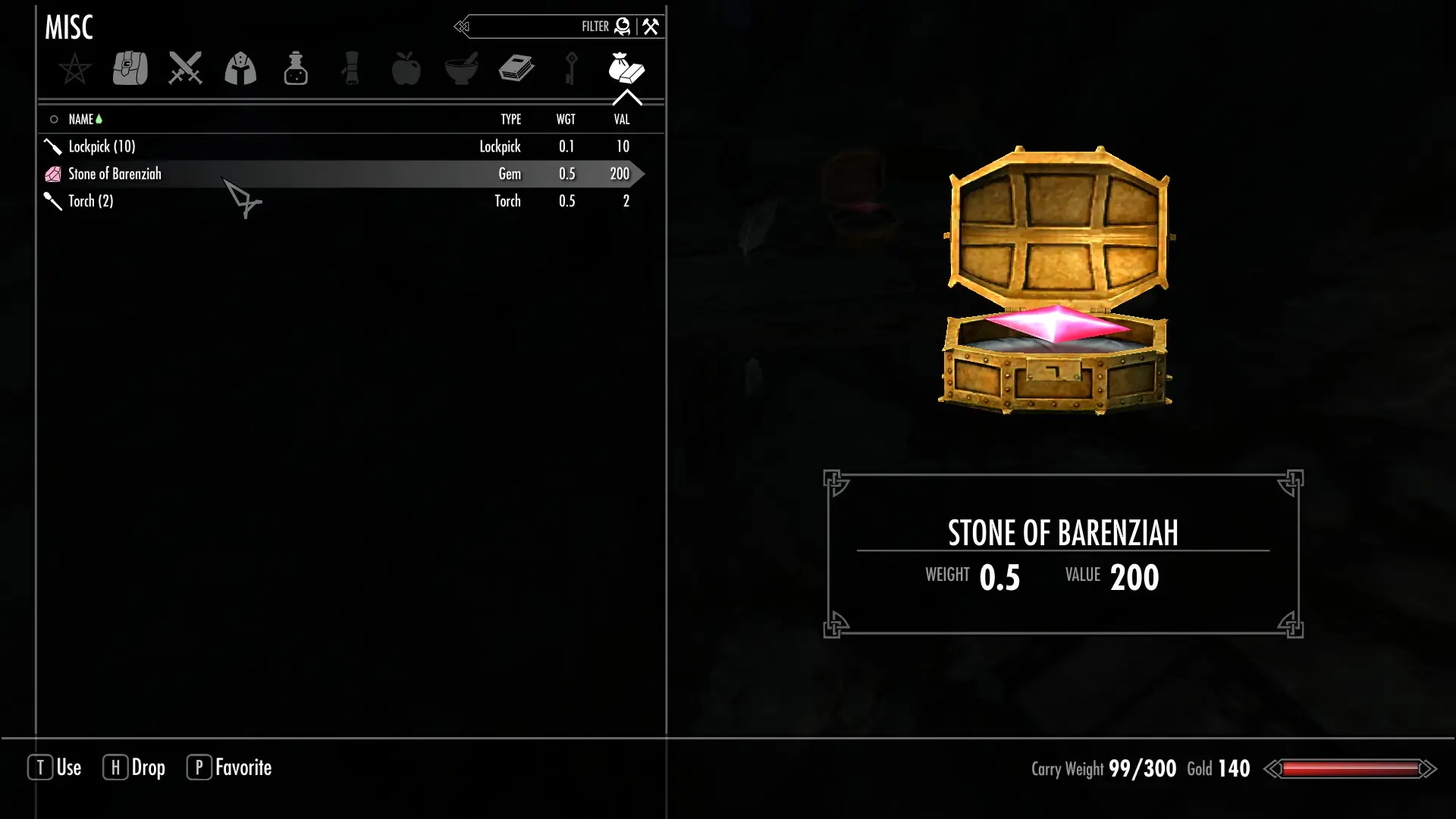
This mod overhauls the No Stone Unturned quest using SKSE functions to allow the Stone(s) of Barenziah to stack properly in your inventory. Because quest markers on the Stones of Barenziah are also fairly popular, and this mod won't be compatible with other mods that add quest markers, I took the liberty of adding them, too. They're optional, and can be enabled and disabled via an MCM menu or by setting the value of a global variable at the console.
Also available for Oldrim.
REQUIREMENTS
-
[]SKSE.
[
]SkyUI (for the Mod Configuration Menu).INSTALLATION
I do not recommend installing or updating this mod on an existing save, as it modifies start game enabled quest scripts. Only install or update before starting a new game. In particular, do not update from 1. 0 to 2. 0. 0 on an existing save. Converting the mod to ESP+FE required compacting form IDs. Updating will break the mod.
Recommended: install and uninstall with a mod manager.
To install manually, copy SSoB.esp and SSoB.bsa to your Skyrim/Data directory. To uninstall manually, remove those two files.
USAGE
To enable quest markers, use the MCM menu (called "SSoB," for "Stackable Stones of Barenziah"). You may also use the console ('`' - the backtick or tilde key, by default):
(to enable)
set SSoBGemMarkers to 1
(to disable)
set SSoBGemMarkers to 0
KNOWN ISSUES/INCOMPATIBILITIES
This mod is expected to be incompatible with any mod that modifies the No Stone Unturned quest, which includes other quest marker mods and droppable/sellable gem mods.
THE GORY DETAILS
Previously, if you collected multiple Stones prior to speaking with Vex, they would appear in your inventory as a "stack." If you had collected four Unusual Gems, you would open your inventory and see:
Unusual Gem (4)
After you spoke with Vex, however, the four gems would be renamed to Stone of Barenziah - and then any further stones you collected would NOT continue to stack, instead appearing on their own row in your inventory:
Stone of Barenziah (4)
Stone of Barenziah
Stone of Barenziah
Stone of Barenziah
I stumbled upon the reason for this obnoxious behavior as I was making a different mod, and decided to take a day to use SKSE to correct it.
The vanilla No Stone Unturned quest renamed the gems by forcing them into new aliases at the appropriate quest stage. It gets the job done, but the
Fixes the Stones of Barenziah so they stack in your inventory instead of cluttering your list, and adds optional quest markers to help you track them down. A must-have for Skyrim players hunting all 24 stones.
✨ Key Features
📊 Pros & Cons
✅ Pros
- Huge community trust with 6,381 endorsements and nearly a million downloads.
- Solves a real annoyance—no more scrolling through 24 separate stone entries.
- Quest markers are optional, so you can keep the challenge if you want.
⚠️ Cons
- Last updated in 2022—might not be patched for the latest Skyrim updates, though it's likely still fine.
- Quest markers might spoil the fun of discovering stones naturally for some players.
For Skyrim players who hate inventory clutter and want to finish the No Stone Unturned quest without a guide. Also great for completionists who want to track down every stone efficiently. Skip if you prefer a pure vanilla experience or enjoy the hunt without markers.
💡 Beginner Tips
- If you're using a mod manager like Vortex or MO2, just download and install—it's that simple.
- The quest markers are optional, so check the mod's files or FOMOD installer to choose whether you want them.
- Make sure to load this mod after any mods that change the Stones of Barenziah to avoid conflicts.
📊 Mod Details
- Game
- Skyrim Mods
- Author
- geekofalltrades
- Version
- 2.0.0
- Downloads
- 940,687
- Endorsements
- 6,381
- Category
- Bug Fixes
- Created
- 1/5/2019
- Updated
- 1/15/2022
🔧 How to Install Skyrim Mods
Download from Nexus.
📖 Full step-by-step install guide for Skyrim →
Visit the official mod page for specific installation instructions for this mod.
🎮 Need cheat codes or console commands? Check ur gaming wiki for Skyrim commands, item IDs, and more.
Keep browsing — more Skyrim mods await