ReAnimate - Broken Animation Fix
⚪ Last updated 2019⚠️ Install Order · 5 steps
Install in this order, then this mod last — most mods fail to load without their framework and dependencies in place.
Preview
🔍 Analysis
- 👍 3.4% endorsement rate — high engagement, a strong quality signal
- 🏆 #19 of 39 Utilities mods in this game by downloads
📋 About This Mod
As usual, SKSE FREE and compatible with EVERYTHING
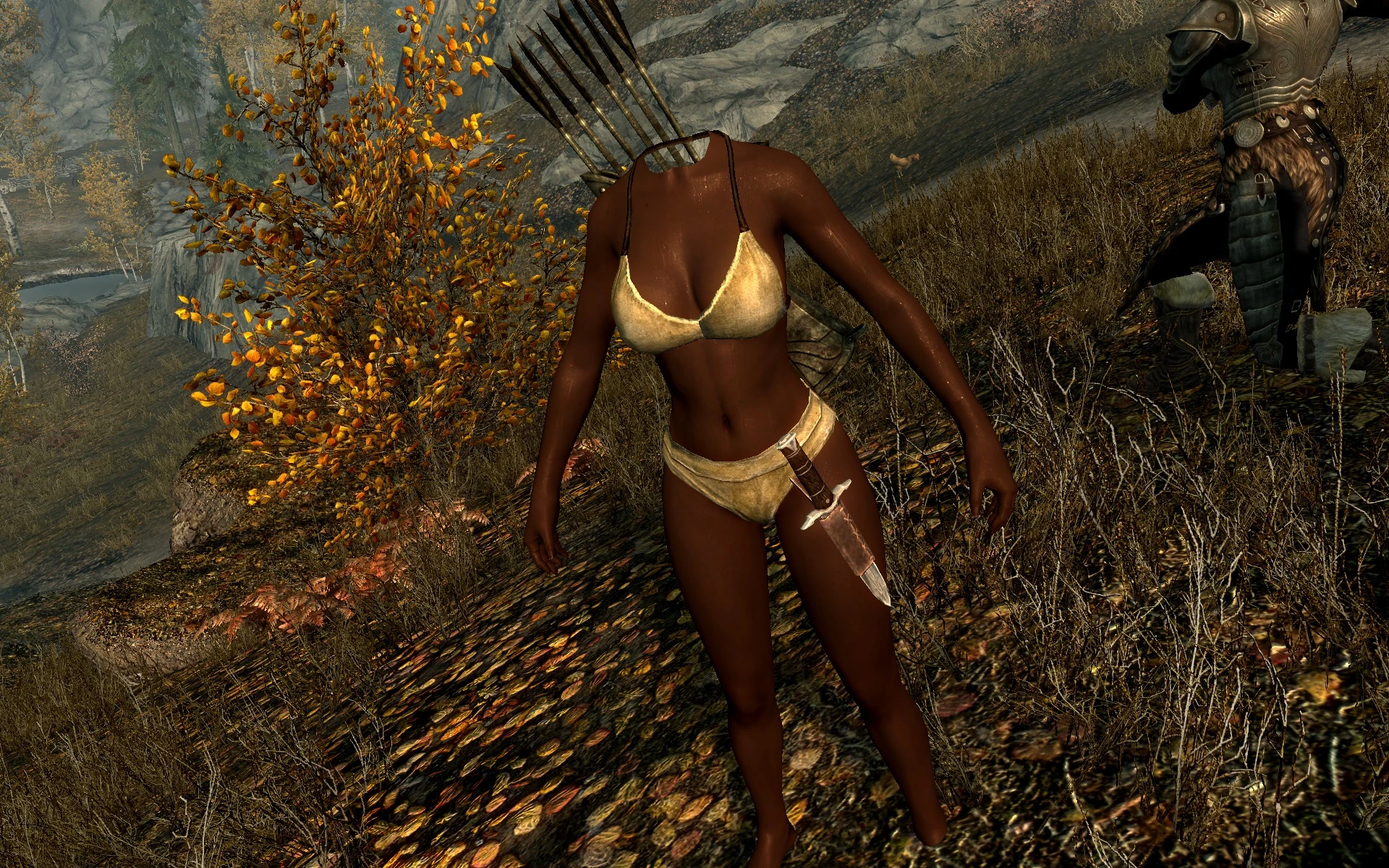
A picture is worth a thousand words:
Video demonstration:
CkDn1xmqVv4
If you uninstall some custom enemies mods like Skyrim Monster Mod, Skyrim Immersive Creatures, High-Level Enemies, you will get broken (stuck) animations, often described as T-pose (actors are moving with no animations, human creatures usually have no head).
- This is NOT a mesh or animation problem.
- This is NOT a script problem.
- No, you DON'T have to reinstall your game or update the Meshes folder.
This is purely a game engine issue.
This utility mod uses a script to reset the closest non-unique characters and ReAnimate them back to life. Script is triggered on cell change / game load and when the time is passing by.
Technically, every character is processed only once (actors processed in the past won't receive any attention even after you reload the cell), so there should be no unnecessary script delays.
This mod is designed as a temporary solution. The "broken" creatures should disappear after a while. You can try to uninstall the mod after 31 days.
IF YOU DON"T HAVE SUCH ISSUES, THERE IS NO POINT OF INSTALLING THIS THING!!
How to uninstall ReAnimate?
Enter the interior cell, save the game and uninstall.
I don't want to install your mod. Can I fix this manually?
1) You can try to wait for 31 days in the interior cell (no guarantees)
2) Such characters can be also manually fixed with a console when you meet them:
- Click on the "broken" character
- Type "disable"
- Close the console and wait for a second
- Open the console, type "enable"
Here is the idea behind the fix:
c-bZT3545hU
Please, note, this mod will greatly reduce the risk of experiencing the broken animation, but I won't give any promises that it will work in 100% of cases. You know, I don't run the check every second because of obvious reasons. So if you encounter the "broken" actor, please, use the console solution (this should happen very rarely).
ReAnimate is a utility mod that fixes broken or stuck animations, commonly known as the T-pose glitch. With 794 endorsements and over 23,000 downloads, it's a community-trusted solution for a frustrating issue. Last updated in April 2019, it remains relevant for players experiencing animation bugs.
✨ Key Features
📊 Pros & Cons
✅ Pros
- Community-approved fix with 794 endorsements and 23,576 downloads
- Directly addresses a common and annoying bug that breaks immersion
- Lightweight utility that does one job without bloat
⚠️ Cons
- Last updated in 2019, so it may not be compatible with the latest game versions
- No detailed description of how it works or which animations it covers
- Potential conflicts with other animation mods or mods that alter skeletons
For players who frequently encounter the T-pose glitch and want a quick fix without diving into complex mod setups. It's also for modders who need a reliable utility to keep their game stable. Skip if you're looking for new animations or visual overhauls—this is purely a bug fix.
💡 Beginner Tips
- If you're playing a Bethesda game, place this mod early in your load order to ensure it applies before other animation mods.
- Test the mod in a new save or after a cell reset to see the fix in action, as stuck animations may persist until the actor is reloaded.
- If you use a mod manager, install this mod manually to avoid any script or plugin conflicts.
📊 Mod Details
- Game
- Skyrim Mods
- Author
- flexcreator
- Version
- 1.7
- Downloads
- 23,576
- Endorsements
- 794
- Category
- Utilities
- Created
- 4/9/2019
- Updated
- 4/9/2019
🔧 How to Install Skyrim Mods
Download from Nexus.
📖 Full step-by-step install guide for Skyrim →
Visit the official mod page for specific installation instructions for this mod.
🎮 Need cheat codes or console commands? Check ur gaming wiki for Skyrim commands, item IDs, and more.
Keep browsing — more Skyrim mods await