QUI
⚪ Last updated 2022⚠️ Install Order · 5 steps
Install in this order, then this mod last — most mods fail to load without their framework and dependencies in place.
Preview
🔍 Analysis
- 👍 0.9% endorsement rate
- 🏆 #10 of 41 Utilities mods in this game by downloads
📋 About This Mod
This mod began as an attempt to create an AddItemMenu alternative for the Anniversary Update, but is growing to become a suite of UI tools, tweaks, and fixes. It is still in development an things are subject to change during the beta period. Everything in this was made by me for my own use, and as such I treat any suggestions or feature requests with caution.
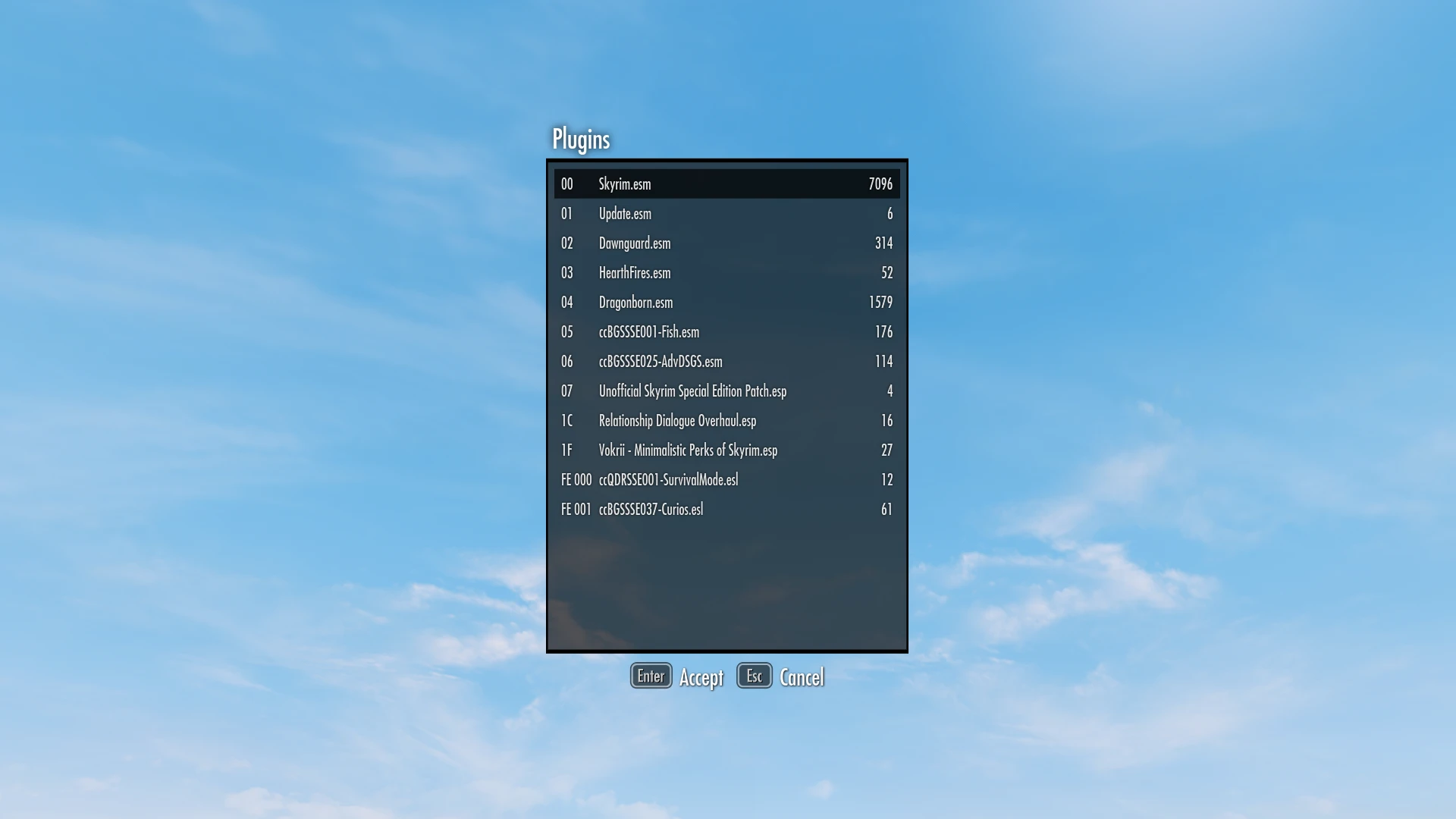
Plugin Explorer
-
[]Open with F11 (can be configured)
[
]Navigate a list of plugins in your load order and select from a variety of categories (Armor, Weapons, Ammo, etc).[]Transfer items to your inventory
Main Menu
-
[]Show/Hide specific elements of the Main Menu.
[]Don't like the Creation Club banner nagging you? Want to remove buttons from the list? All can be yours for the low price of free!
Journal Menu
-
[]Includes the Stay at the System Page fix (can be configured to default to another page instead)
Console Menu
-
[]Adds a Clear command to clear the console history
What does QUI mean?
- [
How do I configure settings?
-
[] The default settings file is in `Data/SKSE/Plugins/QUI.toml` and can be opened with any text editor.
[
]You can also create a `QUI_Custom.toml` file in the same location to save settings across updates.Why do I get a "did not have a view due to missing dependencies" error?
-
[]You didn't install SkyUI correctly (or at all)
Can you add a search function?
- [
Can you add (x) feature?
-
[]Maybe, if the stars align and I have the knowledge and free time.
Is it compatible with (x) mod?
- [
Sauce?
- Source
-
[]You didn't install SkyUI correctly (or at all)
-
[]Adds a Clear command to clear the console history
-
[]Includes the Stay at the System Page fix (can be configured to default to another page instead)
-
[]Show/Hide specific elements of the Main Menu.
QUI is a utility mod for Qud that bundles various UI tools, tweaks, and fixes, including an AddItemMenu alternative. It's a popular choice with nearly 8,000 endorsements and over 858,000 downloads, though the author notes it's not fully complete.
✨ Key Features
📊 Pros & Cons
✅ Pros
- Huge community trust (7,998 endorsements) and massive download count (858,921) — this is a go-to UI mod.
- Bundles multiple UI improvements into one package, so you don't need to hunt for separate mods.
- Includes an AddItemMenu alternative, which is a handy feature for players who want easier item spawning.
⚠️ Cons
- Author admits it's not fully 'complete' — expect some rough edges or missing features.
- Last updated in November 2022 — may be outdated if the game has had major patches since then.
For Qud players who want a one-stop UI overhaul with practical tools and fixes. If you're tired of the vanilla interface and want a community-tested alternative, this is a solid pick. Skip if you need a fully polished, actively maintained mod with detailed documentation.
💡 Beginner Tips
- Check the mod's forum or comments for any known issues or compatibility notes before installing.
- Since it's a UI mod, consider backing up your save files just in case, though it's likely safe.
- If you use other UI mods, test them together to ensure no conflicts.
📊 Mod Details
- Game
- Skyrim Mods
- Author
- Qudix
- Version
- 0.3.2
- Downloads
- 858,921
- Endorsements
- 7,998
- Category
- Utilities
- Created
- 3/23/2022
- Updated
- 11/9/2022
🧩 Commonly Used Together
Users add these mods to the same collections — a real compatibility signal, not an AI guess.
🔧 How to Install Skyrim Mods
Download from Nexus.
📖 Full step-by-step install guide for Skyrim →
Visit the official mod page for specific installation instructions for this mod.
🎮 Need cheat codes or console commands? Check ur gaming wiki for Skyrim commands, item IDs, and more.
Keep browsing — more Skyrim mods await