Leveled Walking Speed
🟡 Updated this year⚠️ Install Order · 6 steps
Install in this order, then this mod last — most mods fail to load without their framework and dependencies in place.
Preview
🔍 Analysis
- 👍 3.9% endorsement rate — high engagement, a strong quality signal
- 🏆 #136 of 137 Gameplay mods in this game by downloads
📋 About This Mod
Like many people, I have always been annoyed with how much slower the player walks compared to npc's, even at higher levels. Sure, I could just change the player speed through the console but I wanted to progressively get faster as I grew stronger and more experienced. Not to mention, I don't want to have to remember to adjust my speed every time I wanted to play.
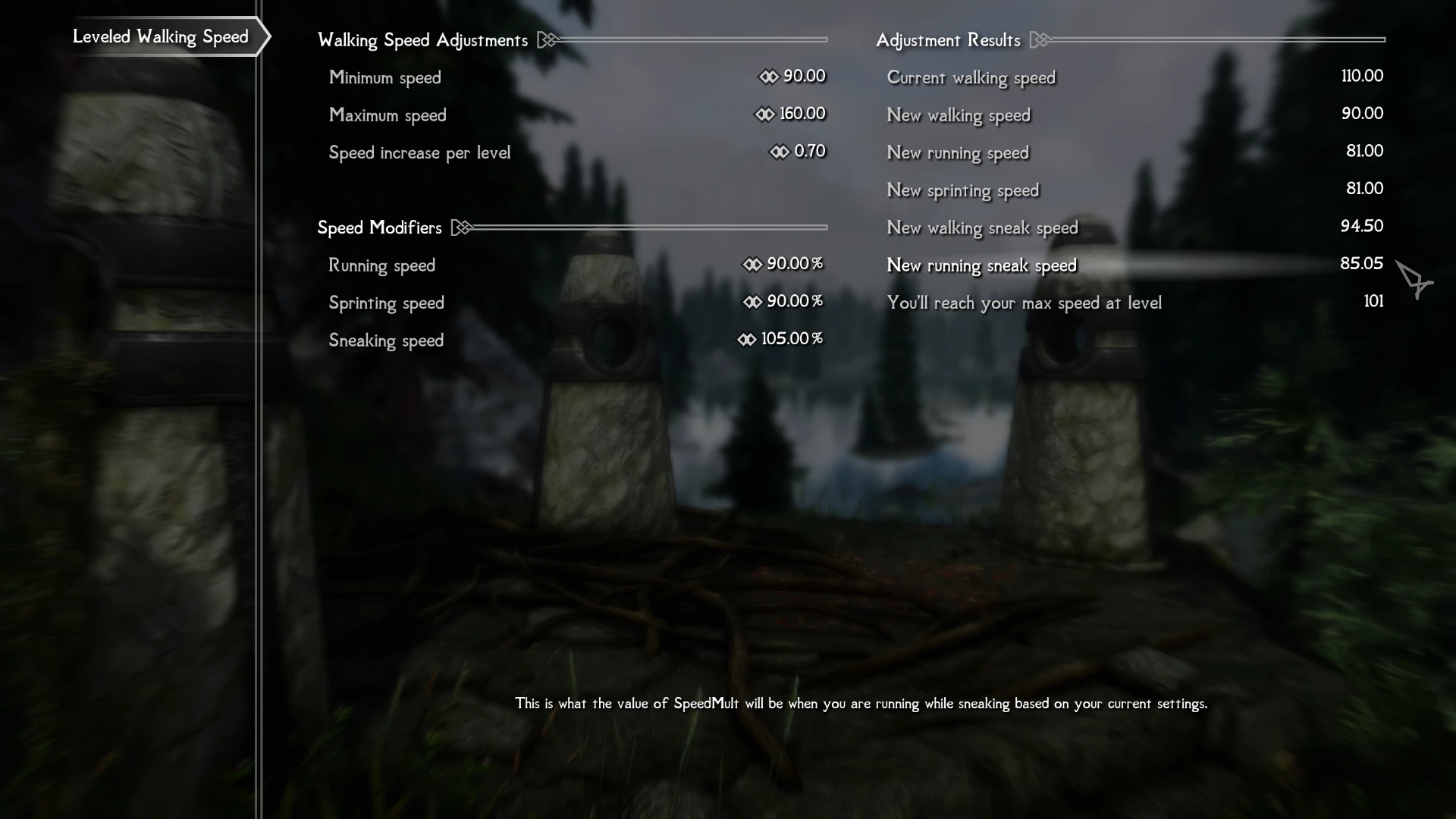
This mod started out as a simple script which increased the player speed with each level but now you can fully customize your speed through the MCM. Set a minimum speed which is what you will be at level 1. Set your maximum speed and how much you want to gain with each level. I know many people think the running, sprinting and sneaking speeds are too fast or too slow relative to the player's walking speed so I added the ability to adjust them as well.
This mod can be added to an existing play-through and the player's speed will be automatically adjusted to match your level. There should be no conflicts with other mods except those that change the value of SpeedMult.
Change log:
v2. 0 No longer directly changes the value of SpeedMult. Instead, the mod now uses magic effects to apply movement speed changes. This should prevent script errors which cause values to stack.
v1. 51 Fixed a bug where SpeedMult was not being set properly after loading a saved game causing modded values to stack. Fixed incorrect value displayed in MCM.
v1. 5 A few optimizations to improve responsiveness. Values are pre-calculated rather than calculated at the time of movement changes. Slight changes to MCM.
v1. 4 Cleaned up the MCM so all adjustments and number values are consistent to two decimal places. This is purely cosmetic and no functional changes have been made.
v1. 3 Rewrote the functions that tracks pressed keys and changes between running, sprinting and sneaking. Responds much quicker and accurately without seeing a delay in speed changes.
v1. 22 So the "improved" logic works but causes a delay in actually changing speeds. Need to rework it but, in the mean time, here is v1. 2 with the debugging message turned off.
v1. 21 BROKEN - DO NOT USE!! Disabled a debugging notification on that was unintentionally left on. Tweaked the logic of the function which tracks state changes. It was less accurate than intended.
v1. 2 Added options to adjust the player's running, sprinting and sneaking speeds relative to your walking speed.
v1. 1 Added an option to set your minimum (level 1) speed
v1. 0 Initial release
My other mods:
Something About Books (obsolete)
Leveled Walking Speed is a Skyrim mod that makes your character progressively faster as you level up, addressing the annoyance of slow player movement compared to NPCs. It features a fully customizable MCM menu for adjusting minimum/maximum speed, per-level gains, and separate controls for running, sprinting, and sneaking. The mod uses magic effects instead of directly altering SpeedMult to prevent stacking issues, and it's safe to add to existing playthroughs.
✨ Key Features
📊 Pros & Cons
✅ Pros
- Community-approved with 310 endorsements and nearly 8k downloads
- MCM gives you full control—tweak min/max speed and per-level gains to your liking
- The magic effect approach in v2.0 is a smart fix that prevents the stacking bugs from earlier versions
⚠️ Cons
- Last updated in January 2026—might be outdated if you're on a newer Skyrim version
- Conflicts with any mod that alters SpeedMult, so you'll need to check your load order
- Requires SkyUI for the MCM, so if you don't have that, you're out of luck
For Skyrim players who hate being slower than NPCs and want a natural progression feel without console commands. Perfect for roleplayers who want speed to reflect their character's growth. Skip if you're fine with default movement or don't use MCM mods.
💡 Beginner Tips
- Make sure you have SkyUI installed, as the MCM menu is essential for configuring this mod.
- If you're using other mods that change movement speed, load this one after them to avoid conflicts.
- Test the speed settings on a new character first to find your preferred balance before committing to a playthrough.
📊 Mod Details
- Game
- Skyrim Mods
- Author
- UncleGregy
- Version
- 2.0
- Downloads
- 7,885
- Endorsements
- 310
- Category
- Gameplay
- Created
- 2/28/2021
- Updated
- 1/11/2026
🔧 How to Install Skyrim Mods
Download from Nexus.
📖 Full step-by-step install guide for Skyrim →
Visit the official mod page for specific installation instructions for this mod.
🎮 Need cheat codes or console commands? Check ur gaming wiki for Skyrim commands, item IDs, and more.
Keep browsing — more Skyrim mods await