Guide - How to rollback your Skyrim - Manifest not available fix
⚪ Last updated 2021⚠️ Install Order · 5 steps
Install in this order, then this mod last — most mods fail to load without their framework and dependencies in place.
Preview
🔍 Analysis
- 👍 4.6% endorsement rate — high engagement, a strong quality signal
- 🏆 #12 of 50 Utilities mods in this game by downloads
📋 About This Mod
This guide explain how to revert to an older version of Skyrim after a stealthy update in spite of the locking system put in place by Steam last update. It will permit you to play until a new SKSE version is released. It is useful if you
I leave this mod active only for your general knowledge and because this method works for most Steam games.
Please use Unofficial Skyrim Special Edition Downgrade Patcher instead.
How to repair your skyrim after updateUnbreak your preferred skse mods
Purposes:
Unbreak your preferred skse mods
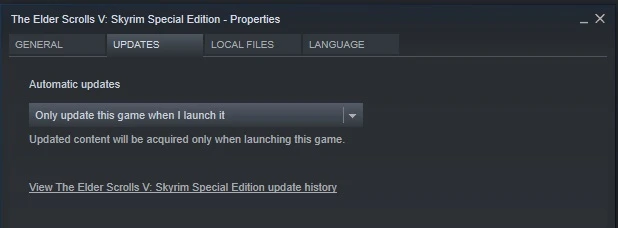
Each times Bethesda update our favorites games, they break compatibility with SKSE and a lot of its plugins. The best way to avoid that is to block automatic update from Steam (as explained below). Problem, if the game is already updated, you are screwed.
Most of the update contains only fixes or features to improve the Creation Club...
So most of us doesn't care about them as most of the bug fixes are already covered by the mods which can be found here.
If you are a CC users and you use mod from here, you can try this method, it is easy to undo, if you face problem you simply need to rerun the update.
How?
We will need to restore an older Skyrim version directly from Steam server. For that we will use SteamDB to get Skyrim's AppID and DepotID then use Depot Downloader command to download the needed version.
I will explain every steps below, you can download a PDF which contains the needed command line directly from the download section for each skyrim version.
After following this guide and to avoid to redo all the steps, if you can, do a backup of your entire Skyrim SSE Folder ;)
Important Note:
Don't use the numbers from the screenshot, it was for Skyrim 1. 5. 39.
Main files from download section contain command to rollback to 1. 5. 97 / Skse 2. 0. 20 so pre-made files
Old files are for previous version (check skse version to choose which one you need), previous version of Depot downloader use batch file "depotdownloader.bat" instead of an exe like last version, so you must change it (simply replace .bat by .exe in command line).
📊 Mod Details
- Game
- Skyrim Mods
- Author
- Sthaagg Memnochs
- Version
- 1.5.97
- Downloads
- 3,486
- Endorsements
- 160
- Category
- Utilities
- Created
- 2/16/2020
- Updated
- 11/1/2021
🔧 How to Install Skyrim Mods
Download from Nexus.
📖 Full step-by-step install guide for Skyrim →
Visit the official mod page for specific installation instructions for this mod.
🎮 Need cheat codes or console commands? Check ur gaming wiki for Skyrim commands, item IDs, and more.
Keep browsing — more Skyrim mods await