Dynamic Display Settings
⚪ Last updated 2017⚠️ Install Order · 5 steps
Install in this order, then this mod last — most mods fail to load without their framework and dependencies in place.
Preview
🔍 Analysis
- 👍 0.6% endorsement rate
- 🏆 #6 of 39 Visuals and Graphics mods in this game by downloads
📋 About This Mod
Dynamic Display Settings
This is a very work-in-progress WIP project and as such comes with no guarantees or warranty regarding safety or function. Please make sure to read this description before deciding to use it and do not run it on that super important save you have no backups for or expect the mod to be uninstallable without problems either immediately or down the road.
Have you found it hard to set up your visual settings so they work under all circumstances, dark, bright, day or night? Or maybe you made a perfect Reshade preset that made cities look stunning only to find the settings made the dark and atmospheric dungeons look anything but, well, dark and atmospheric. If so this mod is (hopefully) for you!
Dynamic Display Settings (DDS) attempts to make this easier by making it possible to have display settings adjust automatically to your preference taking both in game location and time into consideration! This functionality is divided into two main modules:Interiors module Interiors are detected through attached keywords which then is used to generate a unique identifier. Changing the locations visual settings will then also affect all other interiors sharing the same keywords.
Exterior module All exterior areas are treated as the same location and share the same settings. However this does not mean they're always stuck with the same ones. By detecting time of day - dawn, day, dusk and night the mod will apply the relate custom appearance. If you're dissatisfied with the time slots these are divided to or use mods that alter the daycycle you can also specify when they start and begin yourself.
Currently, the following variables can be managed automagically
Contrast Brightness Saturation Depth of Field for both interior and exteriors (static) Remember to set the default DoF to minimum in the game display menu or you'll end up with double effects! Bloom Radius Bloom Scale Bloom Threshold Red tint Green tint Blue tint For details about the engine bloom please see this link. As noted by the default bloom threshold value 0. 6 it's fairly low so if you want less glowing and shiny everything increasing this should do the trick. Depending on preference values up to 0. 85-0. 95 here are perfectly viable, drastically reducing the effect to only truly bright sou
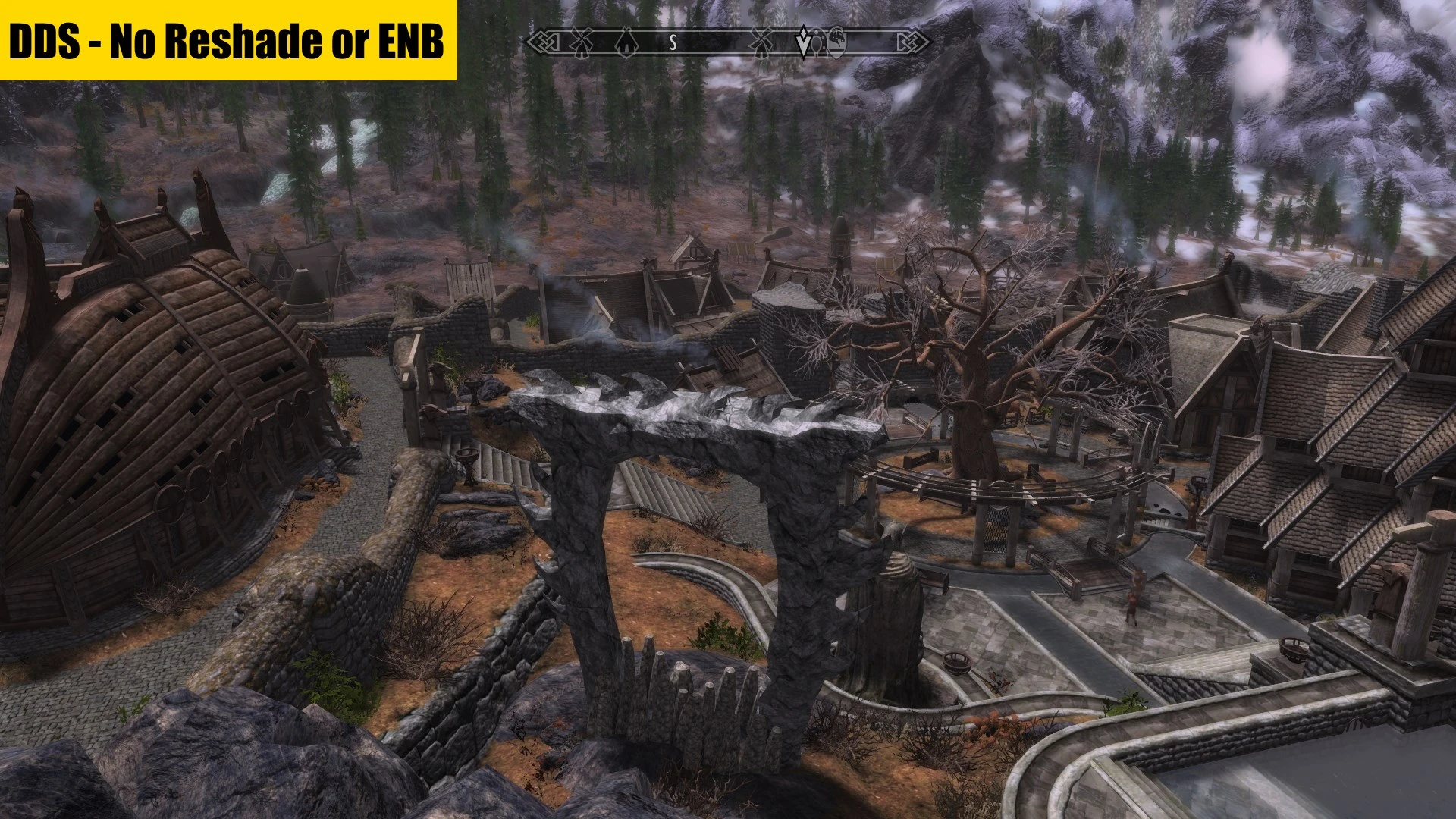
Dynamic Display Settings automatically adjusts visual settings based on location and time of day using built-in game engine functions, offering near zero performance loss. A lightweight alternative to ENB for players seeking dynamic visuals without heavy performance impact.
✨ Key Features
📊 Pros & Cons
✅ Pros
- Lightweight performance impact (near zero loss) compared to ENB
- Community-trusted with 518 endorsements and over 83k downloads
- Uses game engine functions, so no external dependencies
⚠️ Cons
- Last updated in 2017, so may not be compatible with newer game versions
- Limited to visual settings adjustment, not a full ENB replacement
- Potential conflicts with other visual mods that alter display settings
For players who want dynamic visual adjustments without the performance hit of ENB. Ideal for those on lower-end systems or who prefer a lightweight solution. Skip if you need advanced post-processing effects or full ENB features.
💡 Beginner Tips
- Check if your game version is compatible, as the mod hasn't been updated since 2017.
- Test in different locations and times of day to see the adjustments in action.
- If you use other visual mods, load this one last to avoid conflicts.
📊 Mod Details
- Game
- Skyrim Mods
- Author
- LazyGirl
- Version
- 0.2.12
- Downloads
- 83,533
- Endorsements
- 518
- Category
- Visuals and Graphics
- Created
- 7/24/2017
- Updated
- 10/21/2017
🔧 How to Install Skyrim Mods
Download from Nexus.
📖 Full step-by-step install guide for Skyrim →
Visit the official mod page for specific installation instructions for this mod.
🎮 Need cheat codes or console commands? Check ur gaming wiki for Skyrim commands, item IDs, and more.
Keep browsing — more Skyrim mods await