Dylbill's Positioner SSE
⚪ Last updated 2020⚠️ Install Order · 5 steps
Install in this order, then this mod last — most mods fail to load without their framework and dependencies in place.
Preview
🔍 Analysis
- 👍 4.2% endorsement rate — high engagement, a strong quality signal
- 🏆 #37 of 39 Utilities mods in this game by downloads
📋 About This Mod
Limitless FO4 style positioner.
Check Out My Other Mods
Intro
While I know there are other positioner mods out there, none of them were exactly what I wanted, so I made this one, with the goal of it being more like the positioner in Fallout 4.
Description
This mod will allow you to position, duplicate, or scale any object in your game. No limits. Anything you can click on with the console menu, you can position with this mod. Note that if positioning or duplicating landscape objects, they will NOT be navmeshed. So you can walk on them, but other NPC's won't be able to.
Like in FO4, the object will stay relative to your position. So when you move, so does the object. You can move it back and forth and up and down relative to your position. You can scale it up and down, or rotate it at any angle. You can also, when placing, choose to make the object static or dynamic. Static objects can't be moved or bumped.
When positioning an object, most of your controls are disabled, except for movement and looking around, so you can use hotkeys that are used by the vanilla game for positioning without conflict. Also, by default actor AI processing is toggled when positioning.
I also added a feature that allows you to change the motion type for all objects in your current cell to static or dynamic. I would recommend turning all objects to static before positioning large items. This is because while positioning an item it will still affect items that are dynamic, making them fly around. If they are static, the object your are positioning will go through them.
Note that the mod checks your crosshair reference first when hitting the position key, and then your console reference. So to use a console reference, make sure your crosshair isn't hovering over anything.
Video Tutorial:
p_187MyIMYk
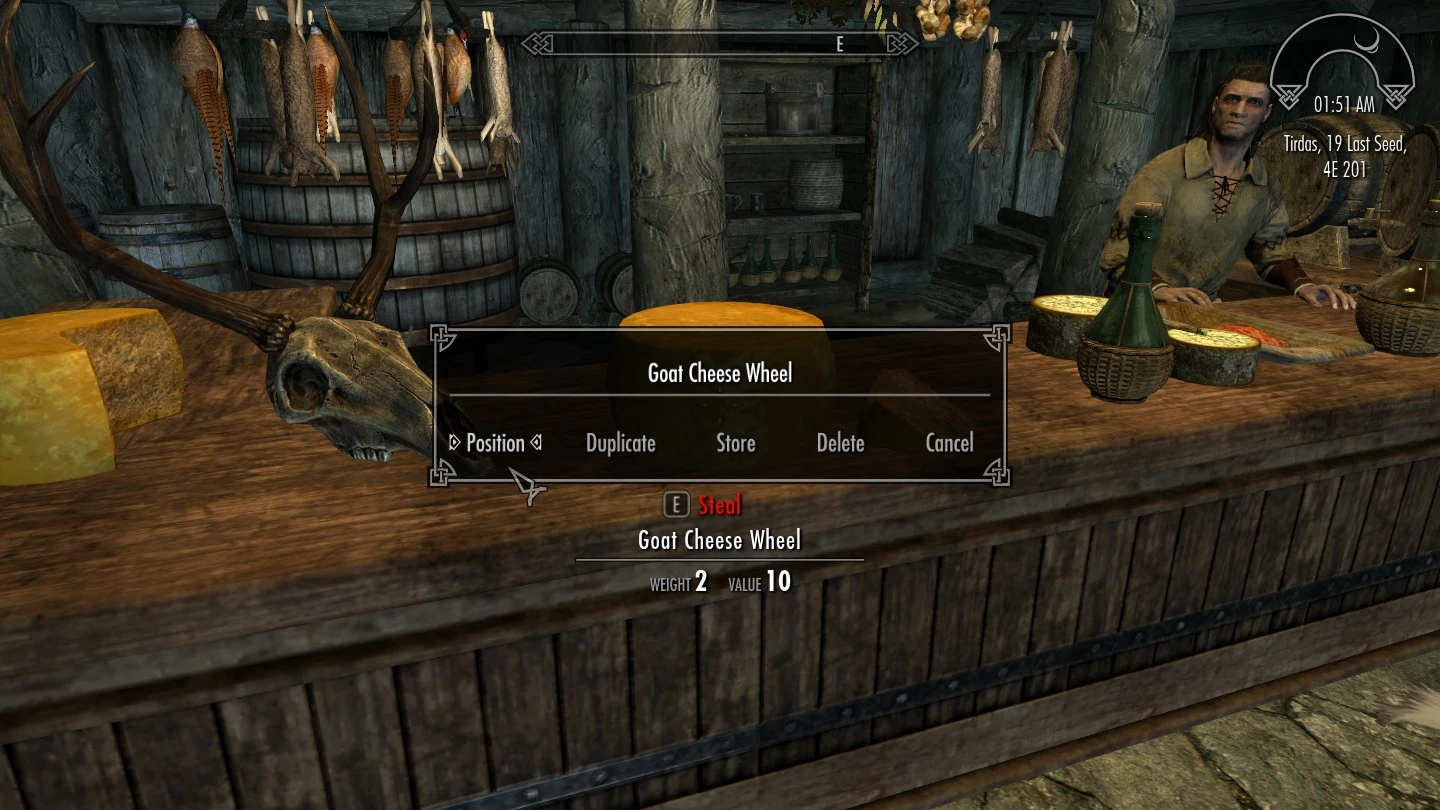
Choose a reference by either hovering your crosshair over an item, or click on an item after opening the console menu. Choose to position, duplicate, Store or delete.
To move the object, either move your character around, or hold the up / down / left / right / forward / back keys. To rotate, hold the rotate modifier key and press and hold the same keys. To scale, hold the scale modifier key and press and hold the up / down keys.
When you're satisfied with the position, press the activate key, or the position hotkey again to place the item.
While moving the object. Press both the left and right keys at the same time to snap the object to the center of your screen.
📊 Mod Details
- Game
- Skyrim Mods
- Author
- Dylbill
- Version
- 1.2
- Downloads
- 19,363
- Endorsements
- 805
- Category
- Utilities
- Created
- 3/24/2020
- Updated
- 3/26/2020
🔧 How to Install Skyrim Mods
Download from Nexus.
📖 Full step-by-step install guide for Skyrim →
Visit the official mod page for specific installation instructions for this mod.
🎮 Need cheat codes or console commands? Check ur gaming wiki for Skyrim commands, item IDs, and more.
Keep browsing — more Skyrim mods await