Better Console
⚪ Last updated 2017⚠️ Install Order · 5 steps
Install in this order, then this mod last — most mods fail to load without their framework and dependencies in place.
Preview
🔍 Analysis
- 👍 5.3% endorsement rate — high engagement, a strong quality signal
- 🏆 #6 of 127 User Interface mods in this game by downloads
📋 About This Mod
For anyone using SKSE64 this mod is now included in Linthar's More Informative Console.
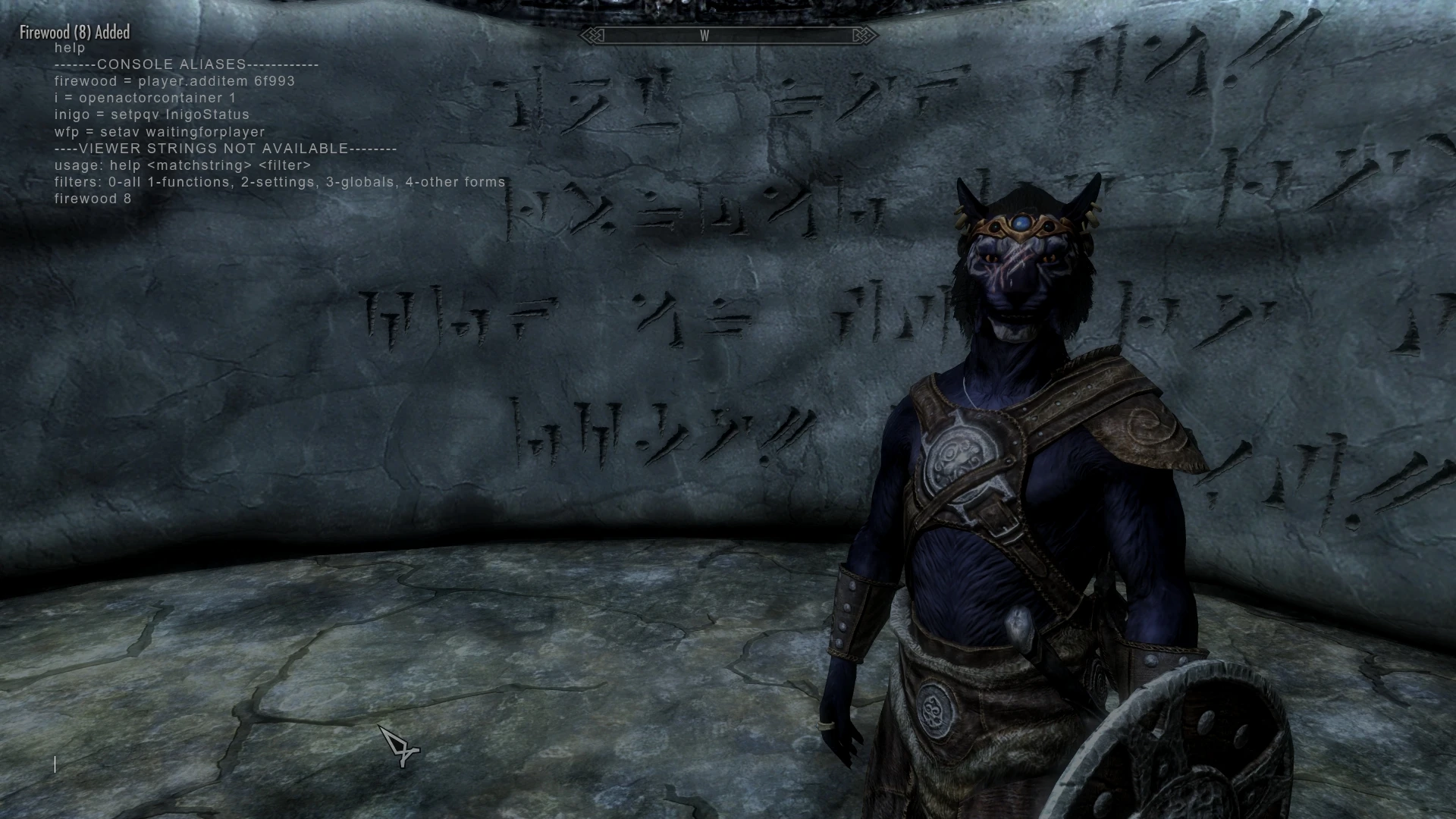
Better Console expands the console to full screen, increases the size of the viewable history, adds new key options, allows you to set your own aliases for commands you frequently use, and doesn't add repeats of the same command to the command history, adds commands to clear the console and to search the viewable history.
THE NEW COMMANDS
clear - clears the visible console history
?TERM - search up through the history for TERM
/TERM - starting at the top, search down through the history for TERM
? - repeat the last search up
/ - repeate the last search down
THE NEW KEYS
PgUp - scrolls up one screenful (just like the original)
PgDn - scrolls down one screenful (just like the original)
Shift + PgUp - scrolls up 5 screenfuls
Shift + PgDn - scrolls down 5 screenfuls
Home - scrolls to the top of the history list
End - scrolls to the bottom of the history list
Shift + Home - scroll up to the next line matching the current search
Shift + End - scroll down to the next line matching the current search
ALIASES CONFIGURATION OPTIONS
To set your own options simply rename the console_example.cfg file included here to console.cfg and edit it with any text editor. (It's named console_example.cfg and you need to rename it to console.cfg so that your mod manager won't overwrite any changes you might make.)
Aliases can be set in the console.cfg file and the one provided comes with two examples. When you type a command into the console the first word of that command will be compared to the list of aliases. If there's a match that word will be replaced by the result of that alias. For example the example file has the alias "firewood=player.additem 6f993" so if you enter the console command "firewood 8" you will add 8 pieces of firewood to your inventory.
You can type the word "help" by itself to see the list of aliases. If you want the old behavior of help you can add a space before or after the word help or add any of the other options help expects.
Better Console enhances the in-game console for Skyrim, making it full screen with a larger history, customizable key options, and user-defined aliases for frequent commands. It avoids duplicate command entries. This utility is for players who frequently use console commands and want a more efficient interface.
✨ Key Features
📊 Pros & Cons
✅ Pros
- Community favorite with 1,938 endorsements and 36,699 downloads
- Full-screen console makes command input way easier to read
- Custom aliases save serious time if you spam the same commands
⚠️ Cons
- Last updated in 2017, so it might not be compatible with the latest Skyrim versions or mods
- Could conflict with other UI mods that alter the console or interface
- No active updates means potential bugs may never get fixed
For Skyrim players who live in the console and want a bigger, more customizable command line. If you're a modder or power user who types commands constantly, this is a must-have. Skip if you rarely touch the console or prefer a vanilla experience.
💡 Beginner Tips
- Make sure to place the files in your Skyrim Data folder or use a mod manager like Vortex or Mod Organizer 2.
- If you're using Skyrim Special Edition, check if a compatible version exists or use the mod with the original Skyrim.
- Set up aliases for your most-used commands like 'tgm' or 'tcl' to speed up testing.
📊 Mod Details
- Game
- Skyrim Mods
- Author
- CDCooley
- Version
- 2.0
- Downloads
- 36,699
- Endorsements
- 1,938
- Category
- User Interface
- Created
- 12/5/2016
- Updated
- 4/27/2017
🧩 Commonly Used Together
Users add these mods to the same collections — a real compatibility signal, not an AI guess.
🔧 How to Install Skyrim Mods
Download from Nexus.
📖 Full step-by-step install guide for Skyrim →
Visit the official mod page for specific installation instructions for this mod.
🎮 Need cheat codes or console commands? Check ur gaming wiki for Skyrim commands, item IDs, and more.
Keep browsing — more Skyrim mods await