Alternate Conversation Camera
⚪ Last updated 2022⚠️ Install Order · 5 steps
Install in this order, then this mod last — most mods fail to load without their framework and dependencies in place.
Preview
🔍 Analysis
- 👍 0.8% endorsement rate
- 🏆 #33 of 179 Immersion mods in this game by downloads
📋 About This Mod
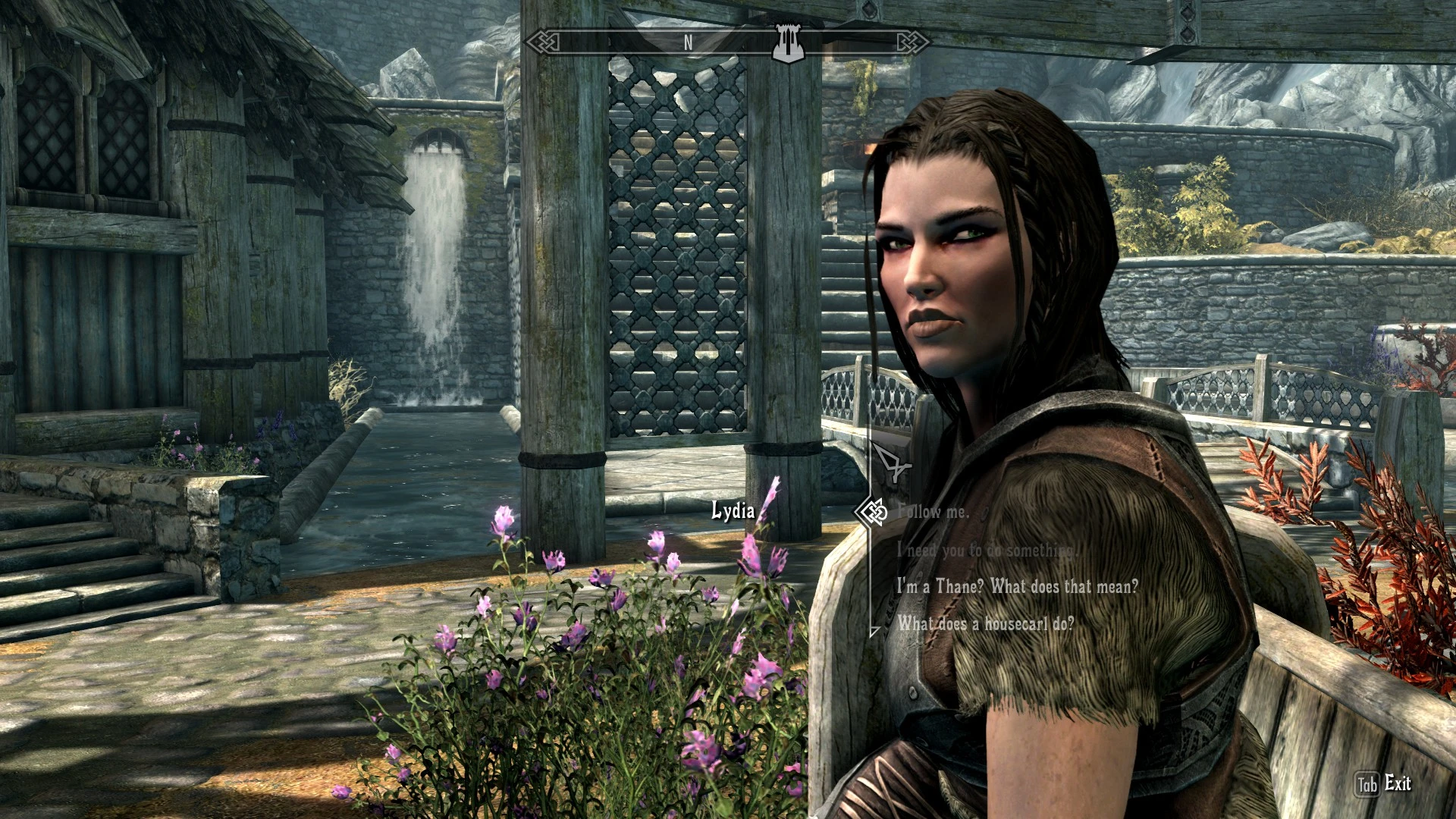
Makes conversation with NPCs more immersive by zooming in to their faces. Fully supports both 1st and 3rd person camera, also supports on sitting and lock-on states. Includes "Witcher 3" camera style. Configurable with INI file.
Features:
- Adjustable and dynamic zoom based on the distance between player and npc
- Adjustable pov
- Adjustable camera speed
- Auto lock-on the npc
- Adjustable third person camera position
- Built-in conversation headtracking
- Dynamic letterboxing when in conversation
- Auto switch between player and npc pov
- Auto freeze all npcs when in conversation
Please check the INI file first, before you are going to use the mod.
Have fun and enjoy. :D
Requirements:
- Skyrim SE or AE
- SKSE64
Installation:
- Either use mod manager or manually copy the file
Uninstallation:
- Either use mod manager or manually delete the file
File structure:
- Data
- SKSE
- Plugins
AlternateConversationCamera.dll
AlternateConversationCamera.ini
Credits:
- User_48928348, for source code and open permission
- towawot for towConversation, although this one is just a remake version :D :D
- himika
- SKSE team
Source code is available on Github along with build instructions
https://github.com/NasiRawon/AlternateConversationCamera
Alternate Conversation Camera overhauls the dialogue camera system in Skyrim, offering a more immersive and dynamic perspective during conversations. With over 24,000 endorsements and 3.2 million downloads, it's a highly popular immersion mod that changes how players experience NPC interactions.
✨ Key Features
📊 Pros & Cons
✅ Pros
- Community favorite with 24k endorsements and 3.2M downloads—clearly a must-have for immersion lovers.
- Simple concept, huge impact: changes how you see conversations, making them feel more natural.
- Still updated as of 2022, so it's likely compatible with most current setups.
⚠️ Cons
- No detailed feature list or install instructions provided, so you'll need to figure out specifics on your own.
- Last updated in 2022—might have issues with the latest Skyrim version or other mods.
- Purely cosmetic/immersion change; if you're looking for gameplay tweaks, this isn't it.
For Skyrim players who want a more cinematic and immersive dialogue experience without overhauling the whole game. Perfect for roleplayers and those who enjoy watching conversations unfold naturally. Skip if you prefer the default camera or want gameplay changes.
💡 Beginner Tips
- Since it's a simple mod, just drop the files into your Data folder or use a mod manager like Vortex or MO2.
- Check if your other mods alter the dialogue camera—conflicts can cause weird behavior.
- If you use a controller, test the camera behavior in a conversation to see if it feels right.
📊 Mod Details
- Game
- Skyrim Mods
- Author
- NasiGorengCumi
- Version
- 2.4.5-AE
- Downloads
- 3,163,455
- Endorsements
- 24,643
- Category
- Immersion
- Created
- 11/13/2018
- Updated
- 9/23/2022
🔗 Required By 3 Mods
These mods list this mod as a dependency.
🧩 Commonly Used Together
Users add these mods to the same collections — a real compatibility signal, not an AI guess.
🔧 How to Install Skyrim Mods
Download from Nexus.
📖 Full step-by-step install guide for Skyrim →
Visit the official mod page for specific installation instructions for this mod.
🎮 Need cheat codes or console commands? Check ur gaming wiki for Skyrim commands, item IDs, and more.
Keep browsing — more Skyrim mods await