Two-Handed Weapons Sheath at the Hip
⚪ Last updated 2014⚠️ Install Order · 3 steps
Install in this order, then this mod last — most mods fail to load without their framework and dependencies in place.
Preview
🔍 Analysis
- 👍 3.6% endorsement rate — high engagement, a strong quality signal
- 🏆 #271 of 289 Models and Textures mods in this game by downloads
📋 About This Mod
XP32 Maximum Skeleton -XPMS by xp32 is required for this to work properly.
Description
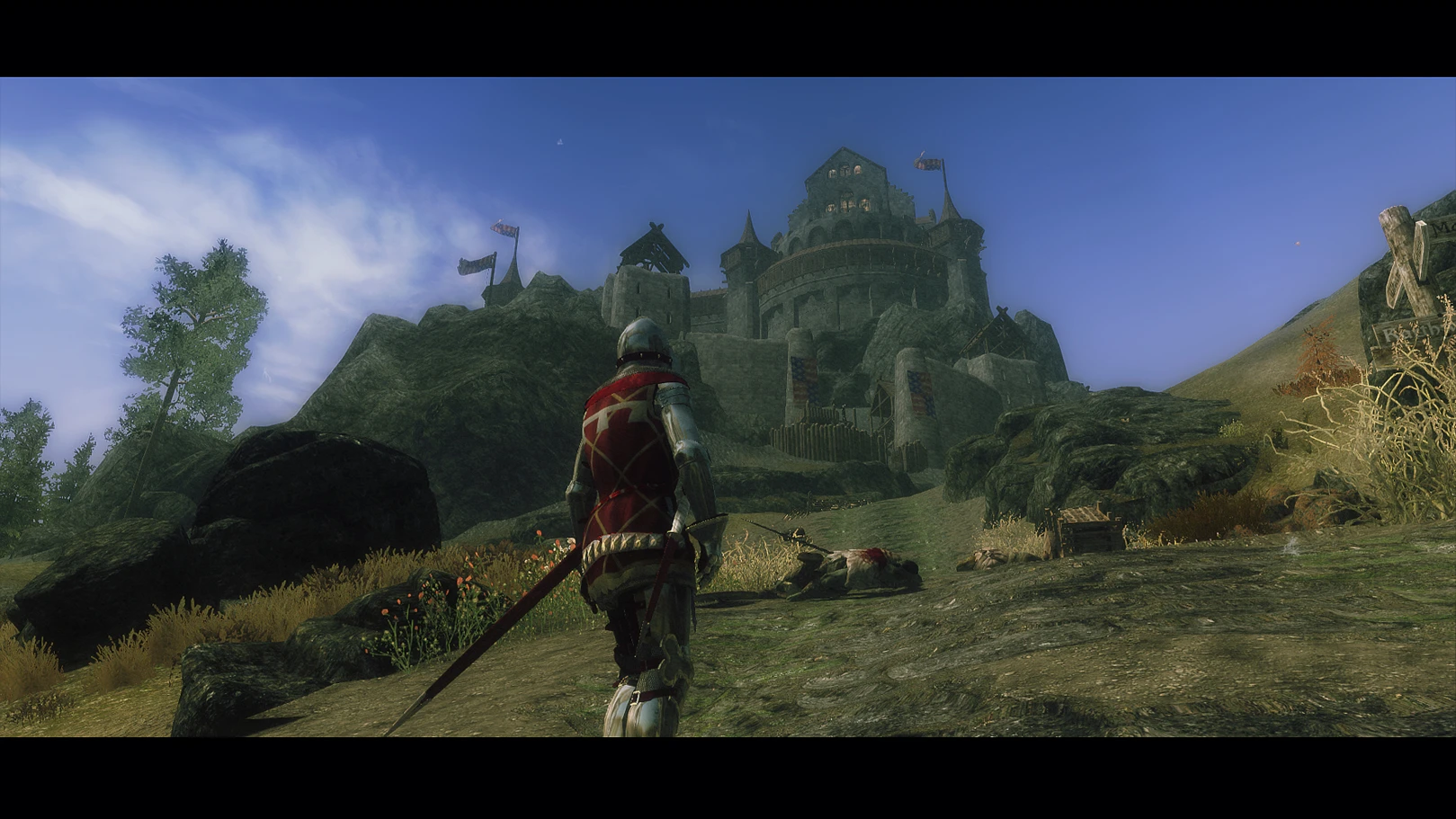
I am a fan of using 2H swords above the other close-combat weapons in Skyrim, but seeing them stored on the back was so immersion breaking for me, being someone who is aiming for a more historically accurate experience. So, I made this mod to suit my purposes.
With this mod, melee weapons sheath on the left hip, except the primary dagger. The primary dagger will now sheath on the right hip. This is a more historically accurate sheath position for a Medieval Knight - longsword on the left and dagger on the right. The bow will still sheath on your back, and the arrow quiver will hang from your belt at your back.
It's not a perfect fix, and I had to compromise. The only way I managed to get the 2H sword to sheath at the hip was by editing the sheath position on the skeleton. That means that 2H axes and 2H warhammers will also sheath at the hip for you... and everyone else in the game. If this is unacceptable for you, that's understandable, but for some people it might be worthwhile.
If you have a better solution, let me know, I'd like to use it too!
My Other Mods Knights of the Garter
This small mod changes the sheath position for greatswords in Skyrim, making them rest at the hip instead of the back. It's a simple cosmetic tweak for players who prefer a more grounded look. With 506 endorsements and 13,904 downloads, it has a dedicated following despite its age.
✨ Key Features
📊 Pros & Cons
✅ Pros
- Community-approved with 506 endorsements and 13,904 downloads.
- Adds a subtle realism touch that many players appreciate.
- Simple, focused mod that does exactly what it says.
⚠️ Cons
- Last updated in 2014 — may be incompatible with newer Skyrim versions or mods.
- Only affects greatswords; other weapon types remain unchanged.
For Skyrim players who want a more grounded look for their greatswords, especially those who find back-sheathing unrealistic. Skip if you prefer the default back sheath or want more comprehensive weapon animations.
💡 Beginner Tips
- Since this mod is from 2014, test it with your current Skyrim version and other weapon mods to ensure no conflicts.
- Use a mod manager like Vortex or Mod Organizer 2 to easily toggle the mod on and off if issues arise.
- Check the mod's posts section on Nexus for user reports about compatibility with popular mods like Immersive Weapons.
📊 Mod Details
- Game
- Skyrim LE Mods
- Author
- jomalley12211
- Version
- 1.0
- Downloads
- 13,904
- Endorsements
- 506
- Category
- Models and Textures
- Created
- 10/14/2014
- Updated
- 10/13/2014
🔧 How to Install Skyrim LE Mods
Download from Nexus.
📖 Full step-by-step install guide for Skyrim LE →
Visit the official mod page for specific installation instructions for this mod.
🎮 Need cheat codes or console commands? Check ur gaming wiki for Skyrim LE commands, item IDs, and more.
Keep browsing — more Skyrim LE mods await