Blacksmith Storage Chests - Automatic Storage for Smithing Supplies
⚪ Last updated 2023⚠️ Install Order · 3 steps
Install in this order, then this mod last — most mods fail to load without their framework and dependencies in place.
Preview
🔍 Analysis
- 👍 6.4% endorsement rate — high engagement, a strong quality signal
- 🏆 #5 of 67 Miscellaneous mods in this game by downloads
📋 About This Mod
Special Edition Version | My Mods | Patreon | Donate
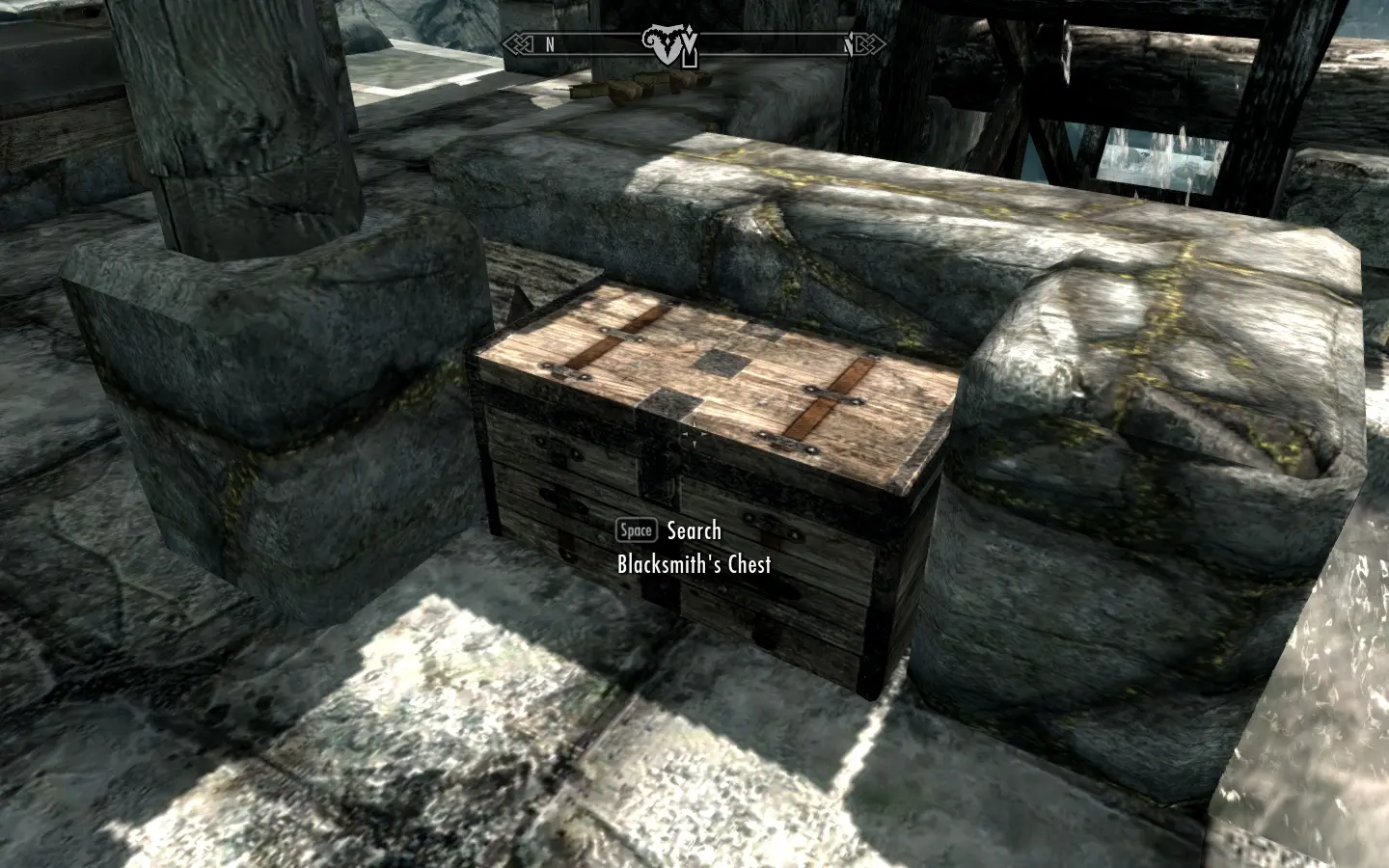
This mod adds non-respawning storage chests to the blacksmiths in the five major cities, plus Riverwood, the Skyforge, Fort Dawnguard, the three Hearthfire home sites, Raven Rock, and Severin Manor.
The chests feature optional auto-sorting to make storing your smithing supplies quick and easy. You can also choose to have the chests share the same inventory so that what you store in one chest will be available in another. Both the auto-sorting and the shared inventory are optional features that can be turned on or off at any time.
W
HATT
HISM
ODD
OESTalk to the blacksmith in the respective city to purchase a chest for 1000 gold. While the dialogue indicates that you are renting the chest from the blacksmith, it is simply a one-time purchase. Once purchased, the chest is considered owned by the player for the purposes of the game. Note that certain locations, such as the Skyforge and Fort Dawnguard, are tied in with quests and have special requirements for accessing their respective chests; these are noted in the Additional Information section below.
I've also created a version that combines Blacksmith Storage Chests with Carpenter Chests for Hearthfire. You do not need to use the Carpenter Chests file if using the combined version. However, if you are updating from one to the other, you should remove all the items you have stored in the Carpenter Chests before updating or you will lose those items.
REQUIREMENTS
The Complete versions require Dawnguard, Hearthfire, and Dragonborn
The Dragonborn version requires Dragonborn.
The Vanilla version does not require any of the DLCs.
Do not use different main-file versions together; they will conflict.
There are patches available for Dawnguard and Hearthfire, which can be combined with either the Vanilla file or the Dragonborn file.
If updating from any of the 1. 2 versions to either of the Complete versions, you can safely update by simply downloading and replacing the old files with the new files. You will not lose any of the items you currently have stored in your blacksmith chests.
If you were previously using Carpenter Chests and are updating to the combined version, you should remove all the items you have stored in the Carpenter Chests before updating otherwise you will lose those items.
If you are updating from the vanilla 1. 2 version to any of the 2. 0 versions, you can safely update by simply downloading and replacing the old files with the new files. You will not lose any of the i
Adds non-respawning storage chests to blacksmiths in major cities and other locations, with optional auto-sorting for smithing supplies. A quality-of-life mod for Skyrim players who want organized storage without losing items.
✨ Key Features
📊 Pros & Cons
✅ Pros
- Community favorite with 3,205 endorsements and nearly 50k downloads—clearly fills a need.
- Non-respawning chests mean your stored items are safe from the dreaded cell reset.
- Auto-sorting option keeps your smithing materials organized without extra effort.
⚠️ Cons
- Description is cut off—no details on how auto-sorting works or if it requires configuration.
- Last updated in 2023—may not be compatible with the latest Skyrim updates or mods.
- Only adds chests to specific locations; if you use a player home mod, you might not get coverage there.
For Skyrim players who hoard smithing materials and hate losing them to respawning containers. Also great for those who want a tidy crafting area without using a full overhaul mod. Skip if you prefer immersive storage or use a mod that already adds similar chests.
💡 Beginner Tips
- If you use a mod manager like Vortex or MO2, install this mod through it to keep your load order clean.
- Check that the chests don't conflict with other mods that alter the same blacksmith locations—load order might matter.
- If you enable auto-sorting, test it with a few items first to see if it sorts the way you expect.
📊 Mod Details
- Game
- Skyrim LE Mods
- Author
- kryptopyr
- Version
- 2.1
- Downloads
- 49,798
- Endorsements
- 3,205
- Category
- Miscellaneous
- Created
- 6/1/2012
- Updated
- 7/4/2023
🔧 How to Install Skyrim LE Mods
Download from Nexus.
📖 Full step-by-step install guide for Skyrim LE →
Visit the official mod page for specific installation instructions for this mod.
🎮 Need cheat codes or console commands? Check ur gaming wiki for Skyrim LE commands, item IDs, and more.
Keep browsing — more Skyrim LE mods await