Final Fantasy XII The Zodiac Age Vortex support
🟢 Updated this monthPreview
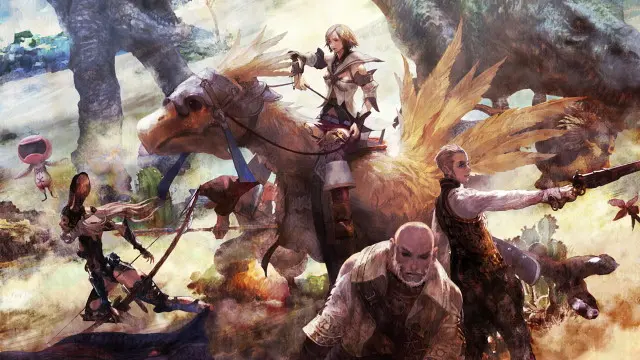
🔍 Analysis
- 👍 4.3% endorsement rate — high engagement, a strong quality signal
- ✅ Updated 94 days after the latest game patch — actively maintained
- 🏆 #50 of 722 Vortex Extensions mods in this game by downloads
📋 About This Mod
This extension adds Final Fantasy XII: The Zodiac Age support to the Vortex mod manager.
Vortex support for Final Fantasy XII: The Zodiac Age
Simple as that. Extension adds support for FF12. It's still an early version, but it should work just fine. Extension searches for ff12data directory and auto-installs it. Of course FOMOD installer is supported if you need it.
Changes in version 0. 8. 8
-
[]Removed support for legacy direct VBF archive patching. The extension supports now only External File Loader (this will prevent unintentional VBF changes after purging or accidental EFL uninstallation).
[
]All mods are now a single type, which will prevent issues with conflict detection and mods being always marked as redundant, despite of load order.[]EFL nag screen will be less annoying now (added only as a notification)
If for some reason you still need the VBF patching method, you can always install an older extension version manually (it will also conveniently prevent automatic updates)
Big changes in version 0. 8. 0
-
[] Added support for FF12 External File Loader, which allows to load unpacked files from folders instead of VBF archive. This means no more patching huge 30GB file and filesize tables.
[] Added support for FF12 LUA Loader.
[] Added support for new mod types: modules and LUA scripts.
[] Added support for old, Vortex incompatible mods with multiple choices/versions. This feature is experimental and might fail in some cases, but all old mods tested so far worked just fine.
[] Disabled VBF tools auto updates (since new, better method is available, I'm not planning any updates to these; support for VBF patching will be removed from the extension in future versions).
All previously installed mods are compatible with the FF12 External File Loader.
If you want to get back to vanilla game, either disable all mods or simply purge them all (this should save you redownloading 30GB file again).
Vortex support for Final Fantasy XII: The Zodiac Age
Before installation, make sure that 64bit Visual C++ Runtime is installed. You can download the newest one here:
https://support.microsoft.com/en-us/help/2977003/the-latest-supported-visual-c-downloads
or directly here:
https://aka.ms/vs/17/release/vc_redist.x64.exe
Installation
Automatic install.
Since Vortex 1. 1. 0 the easiest method is just to go to "games" then select "Final Fantasy XII" and click "manage". This extension will be downloaded automatically. From now on it will also update automatically.
-
[] Added support for FF12 External File Loader, which allows to load unpacked files from folders instead of VBF archive. This means no more patching huge 30GB file and filesize tables.
📊 Mod Details
- Game
- Site Mods
- Author
- ffgriever
- Version
- 0.9.1
- Downloads
- 118,110
- Endorsements
- 5,101
- Category
- Vortex Extensions
- Created
- 10/21/2019
- Updated
- 9/21/2026
- Tags
- Game Extension
🔧 How to Install Modding Tools Mods
Install via a mod manager (Vortex or Mod Organizer 2). Most mods drop into the game folder.
📖 Full step-by-step install guide for Modding Tools →
Visit the official mod page for specific installation instructions for this mod.
🎮 Need cheat codes or console commands? Check ur gaming wiki for Modding Tools commands, item IDs, and more.
Keep browsing — more Modding Tools mods await