(ParisSimmer) - Life's Too Hard
🟠 Updated over a year agoPreview
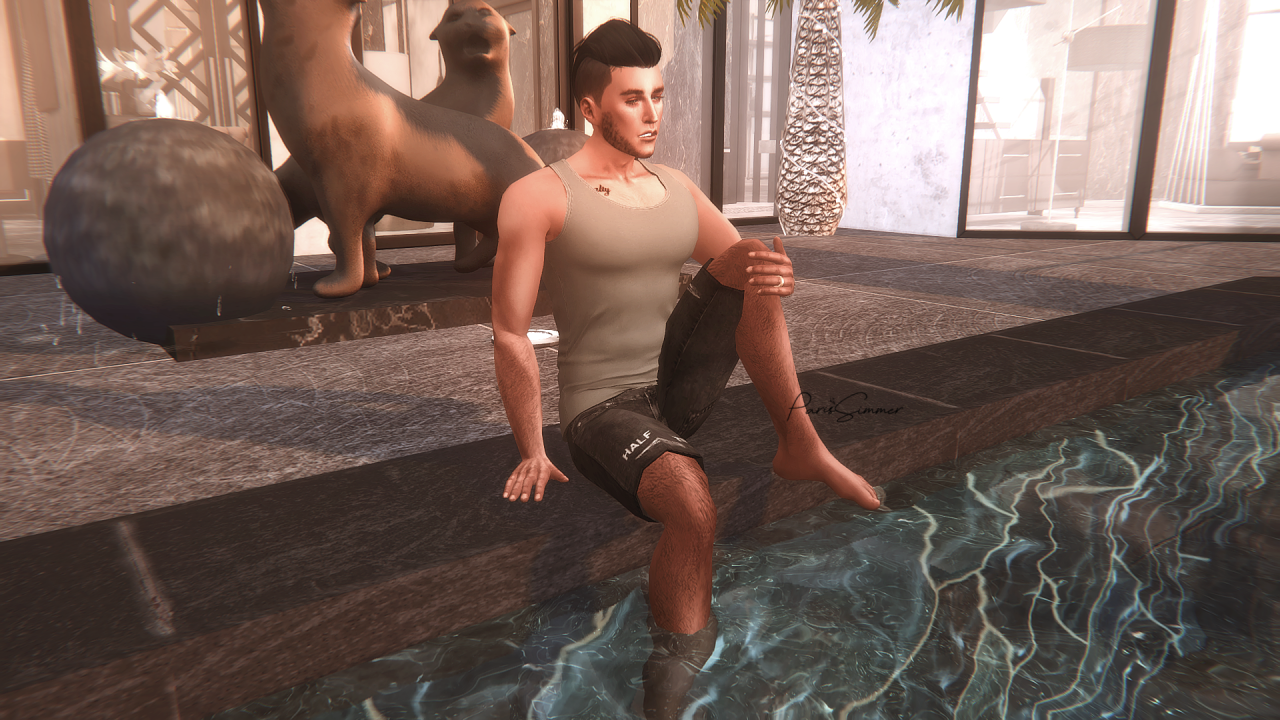
🔍 Analysis
- 👍 0.0% endorsement rate
- 🏆 #74 of 573 Poses and Animations mods in this game by downloads
📋 About This Mod
🤖 AI-enhanced — based on mod data
This mod adds 4 poses for The Sims 4, created by ParisSimmer. It has no endorsements but over 3,500 downloads, suggesting some community interest. The description is minimal, offering no details on pose names, usage, or compatibility, so it's best for players who want simple, additional pose options without extra features.
✨ Key Features
Adds 4 poses to the game.
Created by ParisSimmer.
Updated on April 1, 2025.
📊 Pros & Cons
✅ Pros
- Simple and straightforward—just 4 poses, no bloat.
- Over 3,500 downloads show it's been tried by the community.
- Recent update (April 2025) suggests it's still maintained.
⚠️ Cons
- No endorsements yet, so quality is unverified.
- Description is bare-bones—no pose names or previews.
- Compatibility with other pose packs or game versions is unknown.
🎯 Is This For You?
This is for Simmers who want a quick, no-fuss pose pack for screenshots or storytelling. If you're a pose collector looking for something specific, you might want to check the in-game preview first.
This is for Simmers who want a quick, no-fuss pose pack for screenshots or storytelling. If you're a pose collector looking for something specific, you might want to check the in-game preview first.
📦 Install:Easy· Under 1 minute
💡 Beginner Tips
- Place the .package files in your Mods folder, and make sure 'Script Mods' is enabled in game settings.
- Use the 'pose player' mod to easily trigger these poses on your Sims.
- Test in a new save to avoid conflicts with other pose mods.
📊 Mod Details
- Game
- Sims 4 Mods
- Author
- ParisSimmer
- Version
- Life is Too Hard Re-Edited (ParisSimmer).zip
- Downloads
- 3,507
- Endorsements
- 0
- Category
- Poses and Animations
- Created
- 2/20/2023
- Updated
- 4/1/2025
🔧 How to Install Sims 4 Mods
Drop .package files into Mods folder.
📖 Full step-by-step install guide for Sims 4 →
Visit the official mod page for specific installation instructions for this mod.
🎮 Need cheat codes or console commands? Check ur gaming wiki for Sims 4 commands, item IDs, and more.
Keep browsing — more Sims 4 mods await