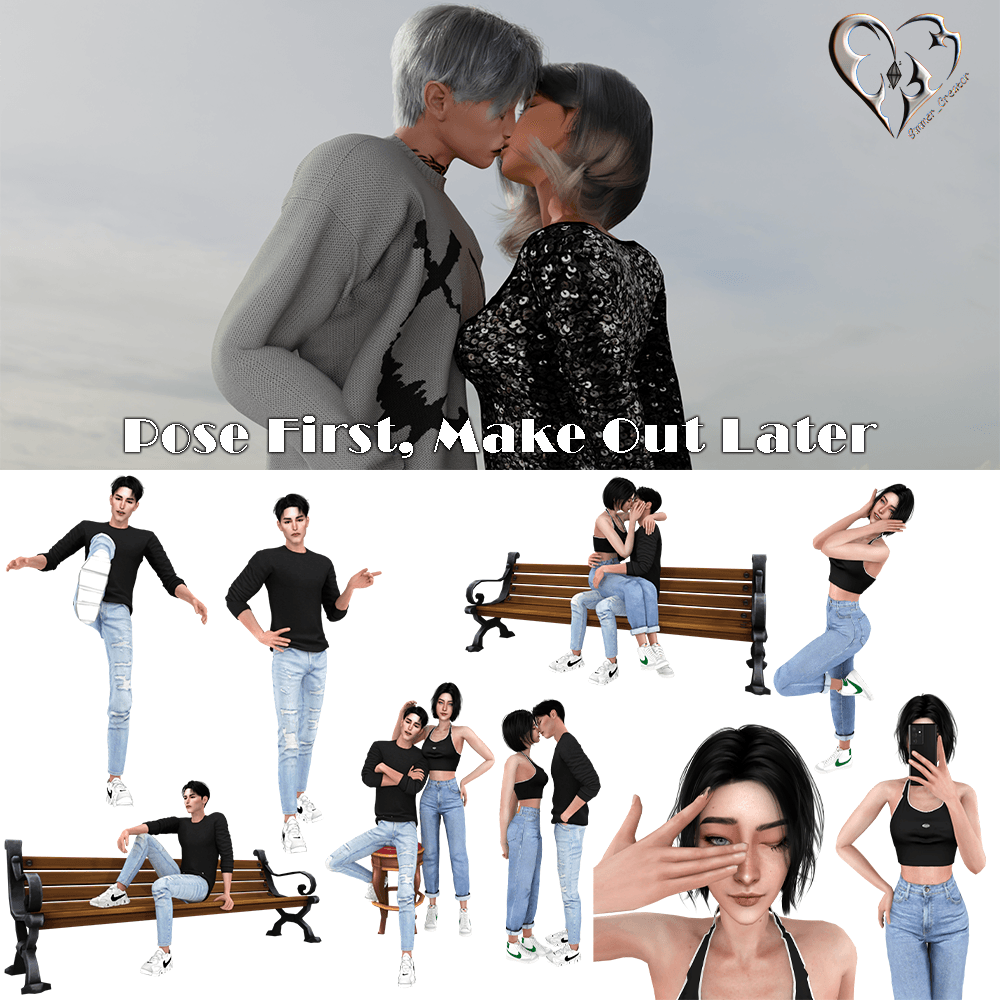
Pose First, Make Out Later
🟡 Updated this yearPreview
🔍 Analysis
- 👍 0.0% endorsement rate
- 🏆 #3 of 573 Poses and Animations mods in this game by downloads
📋 About This Mod
🤖 AI-enhanced — based on mod data
Pose First, Make Out Later adds 9 new poses for The Sims 4, created by Simmer_creator. Despite zero endorsements, it has over 8,000 downloads, indicating community interest. The mod is updated as of August 2026, making it recent. It's a simple pose pack for players seeking more romantic animation options.
✨ Key Features
Adds 9 new poses to the game.
Created by Simmer_creator.
Updated as of August 2026.
📊 Pros & Cons
✅ Pros
- 8,219 downloads show it's getting used despite no endorsements.
- 9 poses is a decent amount for a single pack.
- Fresh update means it's likely compatible with current game versions.
⚠️ Cons
- Zero endorsements might mean the poses aren't top-tier quality.
- No preview images or detailed description, so you're flying blind.
- Compatibility with other pose mods or animation overrides is unknown.
🎯 Is This For You?
Sims 4 players who want more romantic pose options for screenshots or storytelling. If you're into pose packs for couple scenes, this might be worth a shot, but don't expect groundbreaking quality.
Sims 4 players who want more romantic pose options for screenshots or storytelling. If you're into pose packs for couple scenes, this might be worth a shot, but don't expect groundbreaking quality.
📦 Install:Easy· Under 1 minute
💡 Beginner Tips
- Place the .package files in your Mods folder and enable script mods in game settings.
- Use the Pose Player mod to trigger these poses in-game.
- Test in a new save to avoid conflicts with other pose packs.
📊 Mod Details
- Game
- Sims 4 Mods
- Author
- Simmer_creator
- Version
- (SC) - Pose First, Make Out Later.zip
- Downloads
- 8,219
- Endorsements
- 0
- Category
- Poses and Animations
- Created
- 7/25/2024
- Updated
- 8/4/2026
🔧 How to Install Sims 4 Mods
Drop .package files into Mods folder.
📖 Full step-by-step install guide for Sims 4 →
Visit the official mod page for specific installation instructions for this mod.
🎮 Need cheat codes or console commands? Check ur gaming wiki for Sims 4 commands, item IDs, and more.
Keep browsing — more Sims 4 mods await