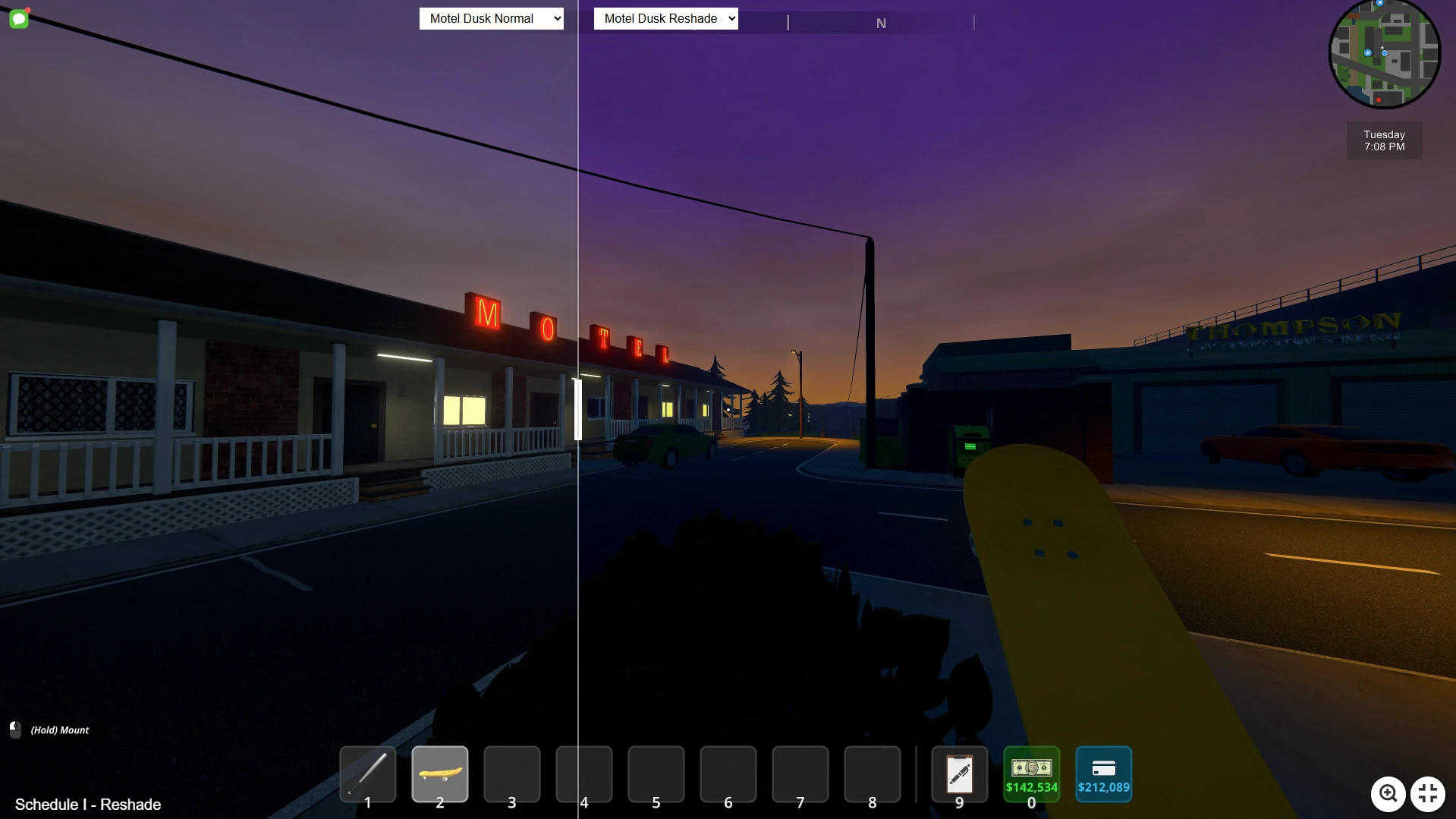
Vibrant Realism ReShade Preset for Schedule 1
🟠 Updated over a year agoPreview
🔍 Analysis
- 👍 1.2% endorsement rate — high engagement, a strong quality signal
- 🏆 #19 of 77 Visuals mods in this game by downloads
📋 About This Mod
Transform your Schedule 1 experience with Vibrant Realism, a custom ReShade preset designed to bring out the best in your game’s visuals. This preset enhances the game’s natural beauty by boosting color vibrancy, improving clarity, and
Vibrant Realism – ReShade Preset for Schedule 1 is a carefully crafted visual enhancement designed to deliver a stunning balance of vibrant colors and realistic details to your game. This preset leverages ReShade’s powerful shader effects to transform the visuals while maintaining an immersive, lifelike atmosphere. Whether you're exploring scenic landscapes, fighting intense battles, or simply enjoying the environment, this preset enhances every detail with sharpness, clarity, and stunning color accuracy.
Performance Impact:This preset is designed to offer stunning visuals with minimal impact on performance. The shader effects used are optimized for balance, ensuring that your frame rate remains smooth even in the most demanding scenes. For users with lower-end systems, you may want to adjust specific settings like Clarity and Ambient Light to ensure optimal performance.
Installation Instructions:
-
[]Download the preset file and extract it.
[
]Move the preset file into your game’s main folder where ReShade is installed (usually the same folder as your game executable).[]Launch the game, and open the ReShade menu by pressing the Home key.
[]From the drop-down menu at the top, select “BM Vibrant Realism”.
[]Ensure all shaders listed (LumaSharpen, Clarity, Tonemap, Colourfulness, AmbientLight) are enabled in the ReShade settings.
[]Adjust shader values if desired (though the preset is balanced by default).
- Enjoy a visually rich and realistic experience in Schedule 1!
Additional Notes:
Customization: Feel free to tweak any of the settings in the ReShade menu to suit your personal preferences. You can adjust brightness, saturation, and sharpness for an even more customized experience.
Shader Compatibility: This preset works with the default graphics settings of Schedule 1, but you can combine it with other graphical mods as long as they don’t conflict with ReShade’s shaders.
Comparisons available here
📊 Mod Details
- Game
- Schedule1 Mods
- Author
- brxdleymoore
- Version
- 1.1
- Downloads
- 4,533
- Endorsements
- 56
- Category
- Visuals
- Created
- 4/7/2025
- Updated
- 5/4/2025
🔧 How to Install Schedule I Mods
Download from Nexus Mods.
📖 Full step-by-step install guide for Schedule I →
Visit the official mod page for specific installation instructions for this mod.
🎮 Need cheat codes or console commands? Check ur gaming wiki for Schedule I commands, item IDs, and more.
Keep browsing — more Schedule I mods await