POI Compass Markers
🟠 Updated over a year agoPreview
🔍 Analysis
- 👍 0.9% endorsement rate
- 🏆 #12 of 120 User Interface mods in this game by downloads
📋 About This Mod
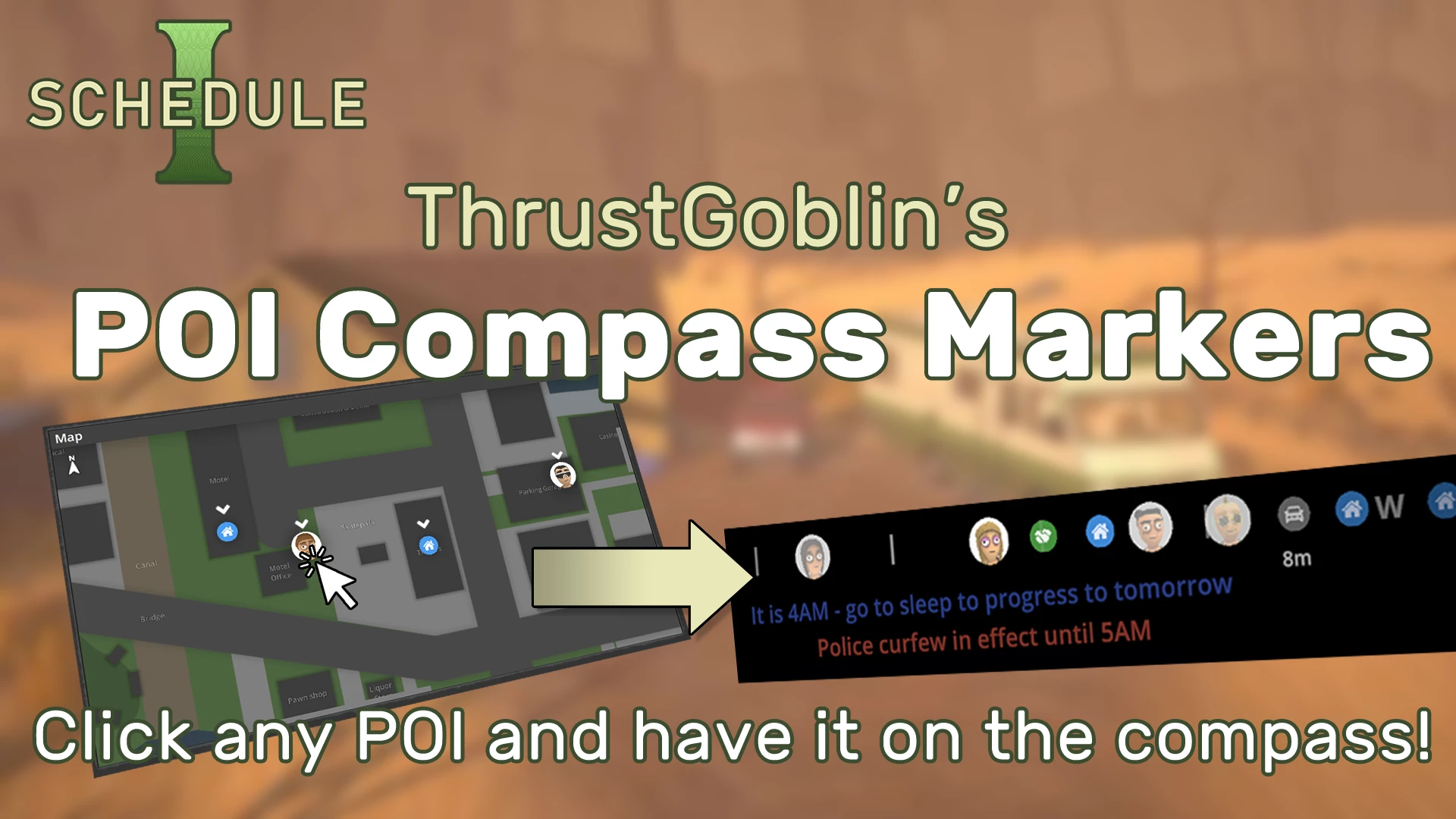
Click on any POI on the map, and it will be marked (or cleared) on the compass. Always know where your car, properties, dealers, and potential buyers are!
Marked POIs will be saved, and re-appear when you reload your game, so you don't have to mark them again.
NOTE: Works with regular and Beta versions. Doesn't work with "alternate".
Installation:
-
[]Install MelonLoader
[
]Unzip to Steam/steamapps/common/Schedule I/About My Mods
My goal is to add quality features that serve to augment, and respect the developer's intent, and preserve immersion. UI is carefully designed to match existing style, as much as possible. New features are added with game design, and balance in mind, rather than just being quickly cobbled on.
If you find any bugs, please log them. I can't guarantee I'll fix all of them, but if they're bad enough I will try. Since these mods are aimed at the standard IL2CPP release, some bugs/features may not be easily done!
Hope you enjoy!
POI Compass Markers is a UI mod for 7 Days to Die that lets you toggle map Points of Interest on the compass with a click. It shows properties, cars, dealers, and potential buyers at all times, offering 259 endorsements and frequent updates.
✨ Key Features
📊 Pros & Cons
✅ Pros
- Community-approved with 259 endorsements and over 29k downloads.
- Actively maintained—last updated April 2025.
- Solves the real problem of missing POI markers on the compass.
⚠️ Cons
- UI mods can conflict with other compass or HUD overhauls.
- May require testing with other UI mods to avoid overlap.
- Potential performance impact if many POIs are toggled on simultaneously.
For 7 Days to Die players who want to keep track of important locations like their base, vehicles, and traders without opening the map constantly. If you're tired of missing your car or forgetting where the nearest dealer is, this mod is for you. Skip if you prefer a minimal HUD or don't use the compass much.
💡 Beginner Tips
- Make sure EAC is disabled when using mods in 7 Days to Die.
- Place the mod folder in the 'Mods' directory of your game installation.
- Test with other UI mods to ensure no overlapping elements.
📊 Mod Details
- Game
- Schedule1 Mods
- Author
- ThrustGoblin
- Version
- 1.0.3
- Downloads
- 29,333
- Endorsements
- 259
- Category
- User Interface
- Created
- 4/8/2025
- Updated
- 4/8/2025
🧩 Commonly Used Together
Users add these mods to the same collections — a real compatibility signal, not an AI guess.
🔧 How to Install Schedule I Mods
Download from Nexus Mods.
📖 Full step-by-step install guide for Schedule I →
Visit the official mod page for specific installation instructions for this mod.
🎮 Need cheat codes or console commands? Check ur gaming wiki for Schedule I commands, item IDs, and more.
Keep browsing — more Schedule I mods await