Ultimate SFX 2.0
⚪ Last updated 2024Preview
🔍 Analysis
- 👍 5.2% endorsement rate — high engagement, a strong quality signal
- 🏆 #6 of 49 Audio mods in this game by downloads
📋 About This Mod
This Mod includes:
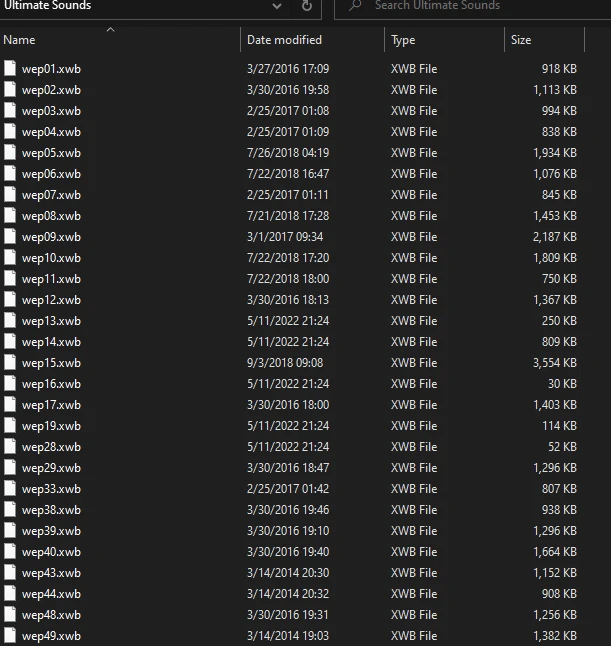
- Almost all weapons (Collection from various mods)
- Explosives (RPG, Flashes, Frags, Mine thrower) (My Mod)
- P. R. L 412 (2 Versions, rename the v2 and delete the other) (My Mod)
- Enemies (Not My Mod)
Fixed every weapon that seemed unrealistic from the old version!
Ultimate SFX 2.0 is an audio overhaul mod that replaces weapon and explosion sounds with a collection from various mods, plus custom explosive and P.R.L 412 sounds. It fixes weapon audio and offers two versions of the P.R.L 412. With 120 endorsements and recent updates, it's a solid choice for players seeking varied sound effects.
✨ Key Features
📊 Pros & Cons
✅ Pros
- Covers nearly every weapon, so you get a consistent audio overhaul without hunting for multiple mods.
- The custom explosive sounds are a nice touch—RPGs and frags feel punchier.
- Recent update (June 2024) means it's likely compatible with current game versions.
⚠️ Cons
- P.R.L 412 requires manual file renaming and deletion, which is a bit fiddly.
- Enemy sounds are not original, so they might not match the quality of the custom ones.
- Since it's a collection from various mods, you might hear inconsistent audio styles across weapons.
This is for players who want a broad weapon sound overhaul without installing multiple separate mods. It's also for those who want improved explosive audio and don't mind a little manual setup for the P.R.L 412.
💡 Beginner Tips
- When installing the P.R.L 412 sounds, rename the v2 file to the correct name and delete the other to avoid conflicts.
- If you're using other sound mods, load this one last to ensure its sounds take priority.
- Test in a firing range or early mission to hear the differences and adjust volume settings if needed.
📊 Mod Details
- Game
- Resident Evil 4 Mods
- Author
- Player7z
- Version
- 2.0
- Downloads
- 2,310
- Endorsements
- 120
- Category
- Audio
- Created
- 5/12/2022
- Updated
- 6/27/2024
🔧 How to Install RE4 Mods
Use Fluffy Mod Manager. Drop mods into /Mods/ folder.
📖 Full step-by-step install guide for RE4 →
Visit the official mod page for specific installation instructions for this mod.
🎮 Need cheat codes or console commands? Check ur gaming wiki for RE4 commands, item IDs, and more.
Keep browsing — more RE4 mods await