Simple Realistic Reshade for RDR2 (Vulkan Edition)
⚪ Last updated 2020⚠️ Install Order · 1 step
Install in this order, then this mod last — most mods fail to load without their framework and dependencies in place.
Preview
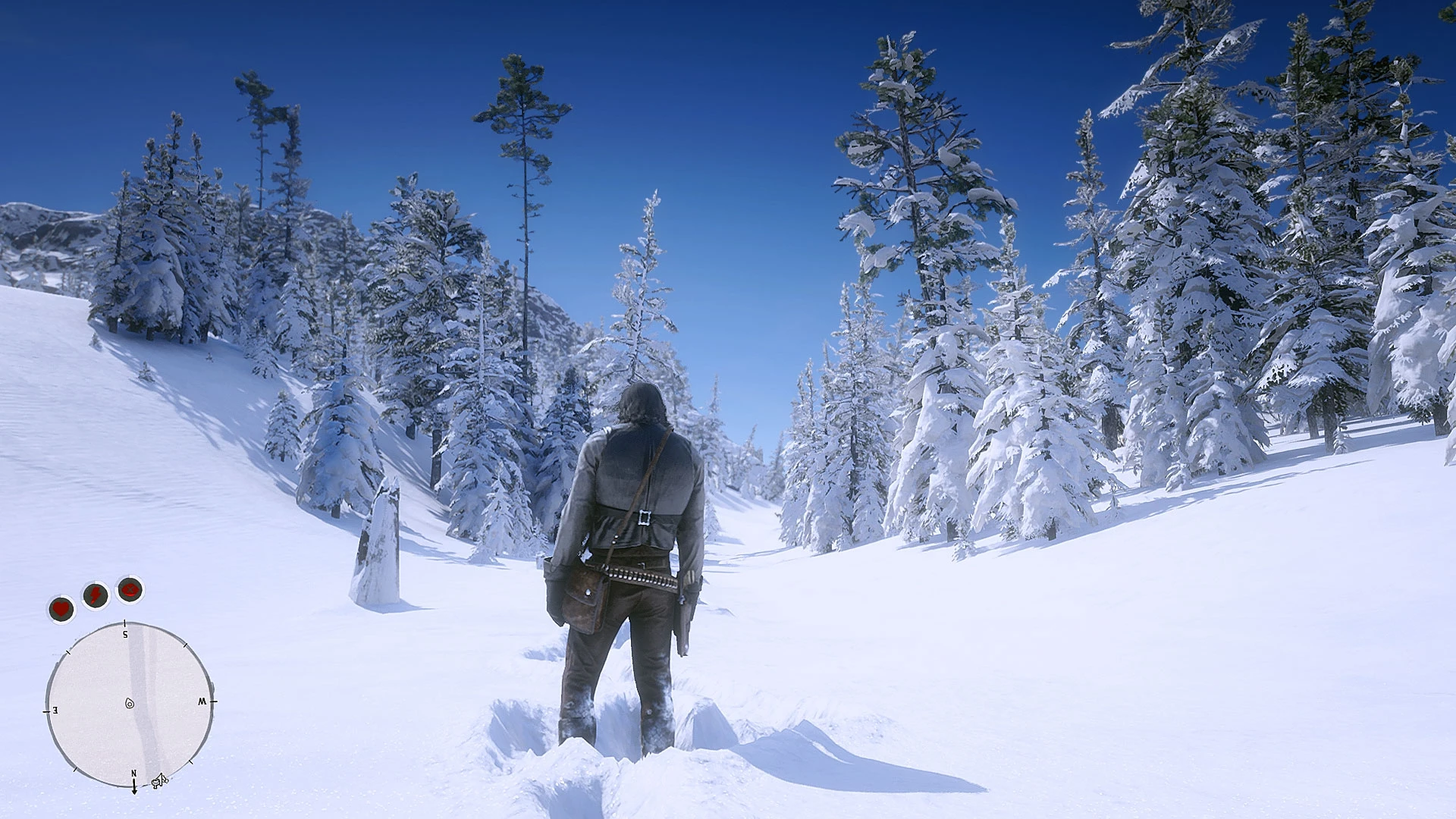
🔍 Analysis
- 👍 3.5% endorsement rate — high engagement, a strong quality signal
- 🏆 #39 of 45 Visuals mods in this game by downloads
📋 About This Mod
CREDITS:
R (for created this beautiful game)
Timothy Lottes (EPIC)
Reshade Team (Crosire, CeeJay, Marty McFly, Thalixte, Ganossa/Hawk, Bacondither, Ioxa, Otis, Jose Negrete, et al. ~ https://reshade.me)
What is this?
A simple Reshade preset and shaders pack for RDR2 VULKAN edition
This preset would give you beyond ultra mimic even with low-medium in-game graphic settings .
It's NOT using heavy or complex shaders (e.g AO, HDR, Ambient Light, etc); just simple shaders and JUST MIMIC!
UPDATE 12/19/2019 (V1. 7. 5. 1L)
- as Official Reshade installer and binary file get updated from V4. 5. 0 to V4. 5. 1 (the default path for Reshade Vulkan Global folder and registry path are changed in Reshade V4. 5. 1); I should update the instruction how to install. Now the steps even easier and shorter with Reshade V4. 5. 1 (Thanks to Crosire for update).
- Update Readme file (with new instruction how to install) inside the zipped file
- Stripped out some unnecessary effects
Note:
> DO NOT use this mod during play online
> Vulkan API Support, based on new Reshade 4. 5. 1 (Special thanks to Crosire and Thalixte for this!)
> Vulkan API with Reshade 4. 5. 1 tested on Epic Games Launcher and latest RDR2 updates (1. 0. 1232. 13)
> This Vulkan Edition don’t have 3D Stereoscopic mode
> for DirectX 12 API and a lite edition; you may check my previous page: https://www.nexusmods.com/reddeadredemption2/mods/96
How to install (Read it carefully!)
[] Make sure you are running RDR2 with Vulkan API. And also make sure that your are NOT running RDR2, R Launcher, R social club with Admin right. It may lead Reshade Vulkan globally settings to the wrong path inside your Windows Registry!! (Credit to Meegja and Thalixte for this info)
[] Clean-up or move your previous Reshade (dxgi.dll, reshade.ini, reshade-shaders folder, also my previous version of Reshade preset and shaders pack) from your game folder before install this mod.
[] Download and install Reshade 4. 5. 1 (or newer) from Reshade Official Page (https://Reshade.me)
[]In Reshade installer Welcome windows DO NOT select any-game, just straight choose and click on "Enable/Disable Reshade Vulkan globally (affects all Vulkan games)"
[]After that, put a check mark on ""Enable Reshade Vulkan globally (affects all Vulkan games)"(this is very important or RDR2 won't run with those Launcher (Epic, Steam, etc.). Check out this screenshot below:
[]After Enable Reshade Vulkan global, close Reshade Installer by click on X icon at the top right corner.
[]Open Windows Explorer. Go to Folder Option and then unhide System F
A Reshade shader pack for Red Dead Redemption 2's Vulkan API, aiming to deliver 'beyond ultra' visuals even on low-medium in-game settings. With 243 endorsements and 7,023 downloads, it's a modestly popular visual enhancement for players who want a quick graphical boost without heavy performance costs.
✨ Key Features
📊 Pros & Cons
✅ Pros
- Community-tested with 243 endorsements and over 7k downloads.
- Targets Vulkan API, which many players use for better performance.
- Promises a significant visual upgrade without needing high in-game settings.
⚠️ Cons
- Last updated in February 2020, so it may not be compatible with the latest game patches or Reshade versions.
- Only supports Vulkan API, so DirectX 12 users are out of luck.
- Potential conflicts with other Reshade presets or graphics mods if not installed carefully.
For RDR2 players who use Vulkan and want a quick visual boost without sacrificing performance. If you're on DirectX 12 or prefer a more comprehensive graphics overhaul, this might not be for you.
💡 Beginner Tips
- Make sure you're running RDR2 with Vulkan API in the graphics settings before installing.
- If you already have Reshade installed, back up your current shaders folder to avoid overwriting.
- Test the preset in different lighting conditions (day/night) to adjust intensity if needed.
📊 Mod Details
- Game
- RDR2 Mods
- Author
- Chris Rubino
- Version
- 1.7.5.4
- Downloads
- 7,023
- Endorsements
- 243
- Category
- Visuals
- Created
- 12/15/2019
- Updated
- 2/25/2020
🔧 How to Install RDR2 Mods
Install Script Hook RDR2 first. Most mods go in game directory.
📖 Full step-by-step install guide for RDR2 →
Visit the official mod page for specific installation instructions for this mod.
🎮 Need cheat codes or console commands? Check ur gaming wiki for RDR2 commands, item IDs, and more.
Keep browsing — more RDR2 mods await