Realistic Navigation
🟠 Updated over a year ago⚠️ Install Order · 1 step
Install in this order, then this mod last — most mods fail to load without their framework and dependencies in place.
Preview
🔍 Analysis
- 👍 2.0% endorsement rate — high engagement, a strong quality signal
- 🏆 #32 of 37 User Interface mods in this game by downloads
📋 About This Mod
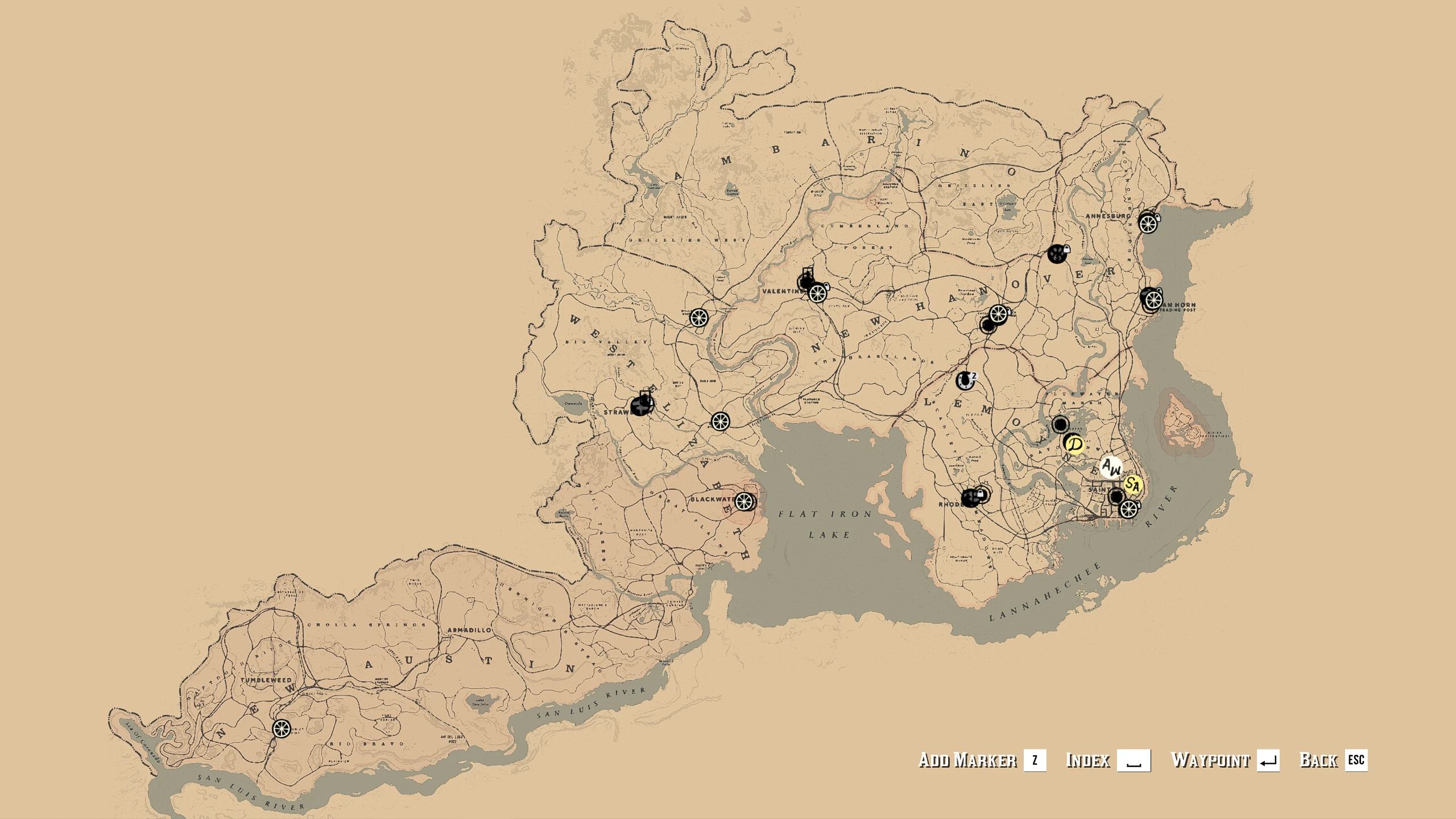
-Main map camera is zoomed out and will be always in the middle of the map when you open it.
-Minimap is replaced by compass (for more hardcore experience download Disable Compass version).
-Removed all human and animal blips from the map (stationary blips like missions and buildings remain untouched).
-GPS disabled.
-Fog of war disabled
-Radar only displays mission objectives when you get close to them
-Functional 3d compass (to equip press x or hold enter cover + melee, to zoom on compass hold attack)
For horse steering to work correctly when focusing on the compass, camera steering must be turned off in the settings.
You need to remove Disable Enemy Radar mod if you want to use this mod. Requires Lennys Mod Loader and Script Hook RDR2. For installation extract inside main RDR2 folder. For installation of the controller version overwrite the files in one of the other three versions.
Version 1. 1 - minor objectives are now visible on the map
- increased zoom out distance after zooming in
- missions and shops will not appear locked on the map when being wanted
Version 1. 2 - stationary objectives will now appear on compass when close to them
Version 1. 3 - removed hitching posts from radar
- zoom in now works on the controller version (map can not be opened from the pause menu, you need to use the map shortcut)
-controller version provides bigger movement range of the map if using a mouse when zoomed out
Version 1. 4 -added functional 3d compass
Realistic Navigation removes all position info from the game UI, forcing players to navigate by landmarks and memory. A niche immersion mod for Skyrim players who want a tougher, more realistic exploration experience. 140 endorsements and recent updates suggest a small but active following.
✨ Key Features
📊 Pros & Cons
✅ Pros
- Tight community (140 endorsements) that digs the hardcore vibe
- Fresh update (Sept 2024) means it's still being maintained
- Exactly what it says: no hand-holding, pure navigation skill
⚠️ Cons
- Can be brutal if you're not familiar with the map—getting lost is real
- No config options mentioned, so you're stuck with full realism
- Might clash with other UI mods that add map markers or quest arrows
For Skyrim veterans who've memorized every road and want a fresh challenge. Also for roleplayers who want to feel like a real adventurer without a magical compass. Skip if you rely on quest markers or get frustrated easily.
💡 Beginner Tips
- Before installing, learn the main roads and landmarks—you'll need them.
- Use the in-game map sparingly; it might still show your position? Test it out.
- Pair with a survival mod for the full immersion experience.
📊 Mod Details
- Game
- RDR2 Mods
- Author
- alfabravozapa
- Version
- 1.4
- Downloads
- 6,843
- Endorsements
- 140
- Category
- User Interface
- Created
- 9/19/2021
- Updated
- 9/29/2024
🔧 How to Install RDR2 Mods
Install Script Hook RDR2 first. Most mods go in game directory.
📖 Full step-by-step install guide for RDR2 →
Visit the official mod page for specific installation instructions for this mod.
🎮 Need cheat codes or console commands? Check ur gaming wiki for RDR2 commands, item IDs, and more.
Keep browsing — more RDR2 mods await