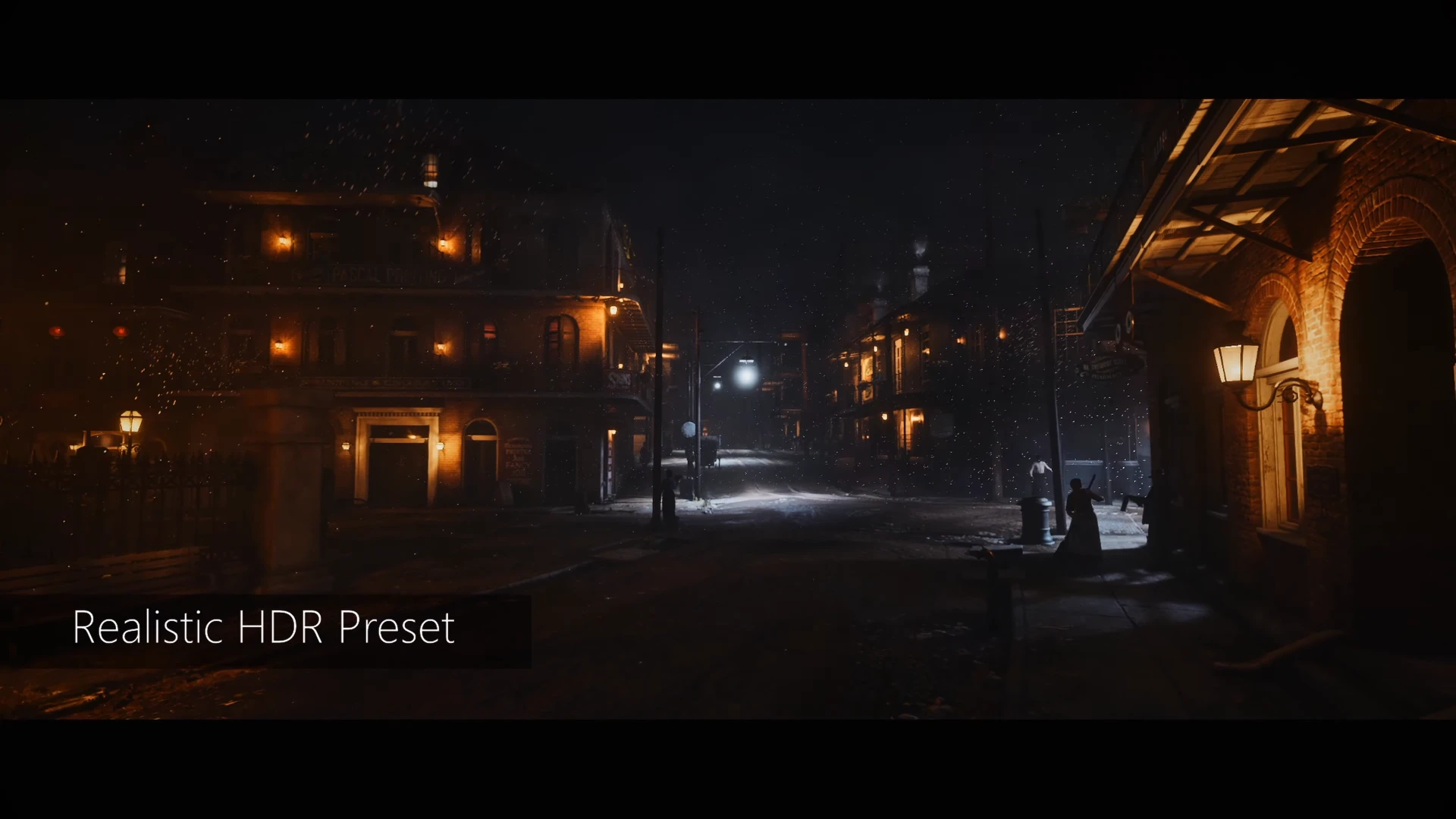
Realistic HDR Reshade Preset
⚪ Last updated 2020⚠️ Install Order · 1 step
Install in this order, then this mod last — most mods fail to load without their framework and dependencies in place.
Preview
🔍 Analysis
- 👍 2.7% endorsement rate — high engagement, a strong quality signal
- 🏆 #23 of 45 Visuals mods in this game by downloads
📋 About This Mod
Installation:
1. Download and install Reshade by just following the installation progress here -> reshade.me <- (Make sure to select all the effects during installation).
2. Download the Realistic HDR Reshade Preset.
3. Open the zip file and drag the preset over to the Steam\steamapps\common\Red Dead Redemption 2 folder. (You know it's the right place when there is also the reshade-shaders folder in there).
4. Start Red Dead Redemption 2 and in the top left corner it should tell you which button to press to open the Reshade menu (it's usually the Home key but you might have to change that in the settings menu). You will be presented with a tutorial that you can skip if you wish to do so and after you are done with that click the drop down menu near the top (or just switch through the different Presets with the arrows) and select the RDR2RealisticHDRPreset.
Before:
After:
Before:
After:
Before:
Realistic HDR Reshade Preset is a visual enhancement mod for the PC version of the game, designed to fix the washed-out look by adding color, darker shadows, and sharpening. It has 467 endorsements and 17,487 downloads, last updated in September 2020.
✨ Key Features
📊 Pros & Cons
✅ Pros
- Community-approved with 467 endorsements and over 17k downloads
- Simple visual tweak that addresses a common complaint about washed-out graphics
- Lightweight preset that doesn't require heavy performance cost
⚠️ Cons
- Last updated in 2020, so may not be compatible with newer game patches
- Requires ReShade to be installed separately, which adds an extra step
- Compatibility with other visual mods or ENB presets is unknown
For PC players who find the game's default colors washed out and want a quick, simple visual boost without overhauling the graphics. Skip if you're happy with the vanilla look or prefer more comprehensive visual overhauls.
💡 Beginner Tips
- Make sure you have ReShade installed and set up before adding this preset.
- After installing, tweak the preset's intensity in-game using the ReShade overlay to match your preference.
- If you're using other visual mods, test this preset last to avoid conflicts.
📊 Mod Details
- Game
- RDR2 Mods
- Author
- Buu
- Version
- 1.0
- Downloads
- 17,487
- Endorsements
- 467
- Category
- Visuals
- Created
- 9/25/2020
- Updated
- 9/25/2020
🔧 How to Install RDR2 Mods
Install Script Hook RDR2 first. Most mods go in game directory.
📖 Full step-by-step install guide for RDR2 →
Visit the official mod page for specific installation instructions for this mod.
🎮 Need cheat codes or console commands? Check ur gaming wiki for RDR2 commands, item IDs, and more.
Keep browsing — more RDR2 mods await