RDR2 Visual Overhaul
⚪ Last updated 2024⚠️ Install Order · 2 steps
Install in this order, then this mod last — most mods fail to load without their framework and dependencies in place.
Preview
🔍 Analysis
- 👍 2.5% endorsement rate — high engagement, a strong quality signal
- 🏆 #17 of 45 Visuals mods in this game by downloads
📋 About This Mod
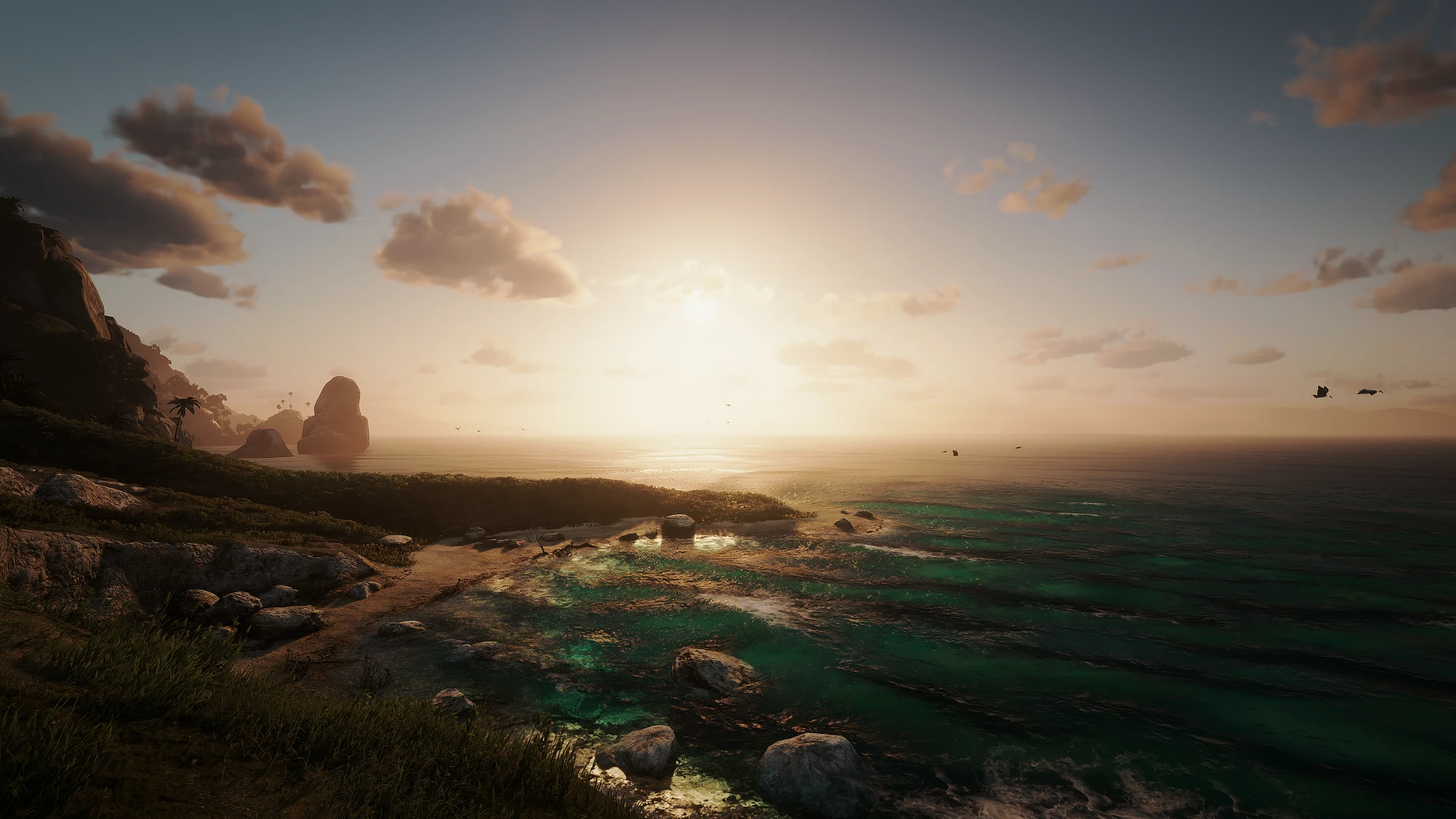
After the DLSS update, and the release of 'Visual Redemption' by Razed (NaturalVision Evolved creator for GTA5), I figured I would take the time to come back to this beautiful game and apply what I learned from my Cyberpunk ReShade E3 Visual Overhaul. It is much less of an "overhaul" than that one, but decided to keep the name anyway. I just took the same 3 shaders from it and essentially reshaped them around this game, and I'm pretty happy with the results. Nothing overkill, no crazy sharpening (use NVIDIA Control Panel sharpening instead), no dramatic change to the look of the game at all, just simply amplifies everything to make the game "pop" more.
Please don't forget to endorse if you enjoy it :)
Installation:
- Extract the .ini file from this download into your RDR2 game directory- Download the latest ReShade
- During ReShade install, select either DX12 or Vulkan (whichever you use)
- When asked to select effects, choose the "rdr2_visual_overhaul.ini" file from the bottom Browse... menu, all needed shaders should then download automatically (Only 3 shaders are used, AmbientLight, lightroom, & BloomingHDR)
- Launch RDR2 and go through ReShade tutorial, make sure the preset is selected from the drop down menu
- Make sure "Performance Mode" is checked at the bottom on the ReShade menu as well
RDR2 Visual Overhaul is a ReShade preset by noxide that enhances Red Dead Redemption 2's visuals using three shaders (AmbientLight, lightroom, BloomingHDR) to make the game 'pop' without dramatic changes. It requires ReShade installation and is compatible with DX12 or Vulkan. With 752 endorsements and 30,286 downloads, it's a popular choice for players seeking subtle visual improvements.
✨ Key Features
📊 Pros & Cons
✅ Pros
- Community-approved with 752 endorsements and 30k downloads
- Subtle enhancement that keeps the game's original look intact
- Lightweight preset using only 3 shaders, so minimal performance hit
⚠️ Cons
- Requires manual ReShade installation, which can be tricky for newcomers
- No sharpening included, so you'll need NVIDIA Control Panel for that
- Potential conflicts with other ReShade presets or mods that alter graphics settings
For RDR2 players who want a subtle visual boost without changing the game's core aesthetic. If you're into heavy reshades or full overhauls, this might be too tame. Perfect for those who appreciate a 'pop' in colors and lighting while keeping performance in mind.
💡 Beginner Tips
- Make sure to select the correct API (DX12 or Vulkan) during ReShade installation to match your game settings.
- After installing, check the 'Performance Mode' box in the ReShade menu to reduce overhead.
- If you want sharper visuals, use NVIDIA Control Panel sharpening instead of adding extra shaders.
📊 Mod Details
- Game
- RDR2 Mods
- Author
- noxide
- Version
- 1.5
- Downloads
- 30,286
- Endorsements
- 752
- Category
- Visuals
- Created
- 6/6/2021
- Updated
- 4/2/2024
🔧 How to Install RDR2 Mods
Install Script Hook RDR2 first. Most mods go in game directory.
📖 Full step-by-step install guide for RDR2 →
Visit the official mod page for specific installation instructions for this mod.
🎮 Need cheat codes or console commands? Check ur gaming wiki for RDR2 commands, item IDs, and more.
Keep browsing — more RDR2 mods await