Absolute Correction for RDR2
⚪ Last updated 2020⚠️ Install Order · 1 step
Install in this order, then this mod last — most mods fail to load without their framework and dependencies in place.
Preview
🔍 Analysis
- 👍 3.7% endorsement rate — high engagement, a strong quality signal
- 🏆 #33 of 45 Visuals mods in this game by downloads
📋 About This Mod
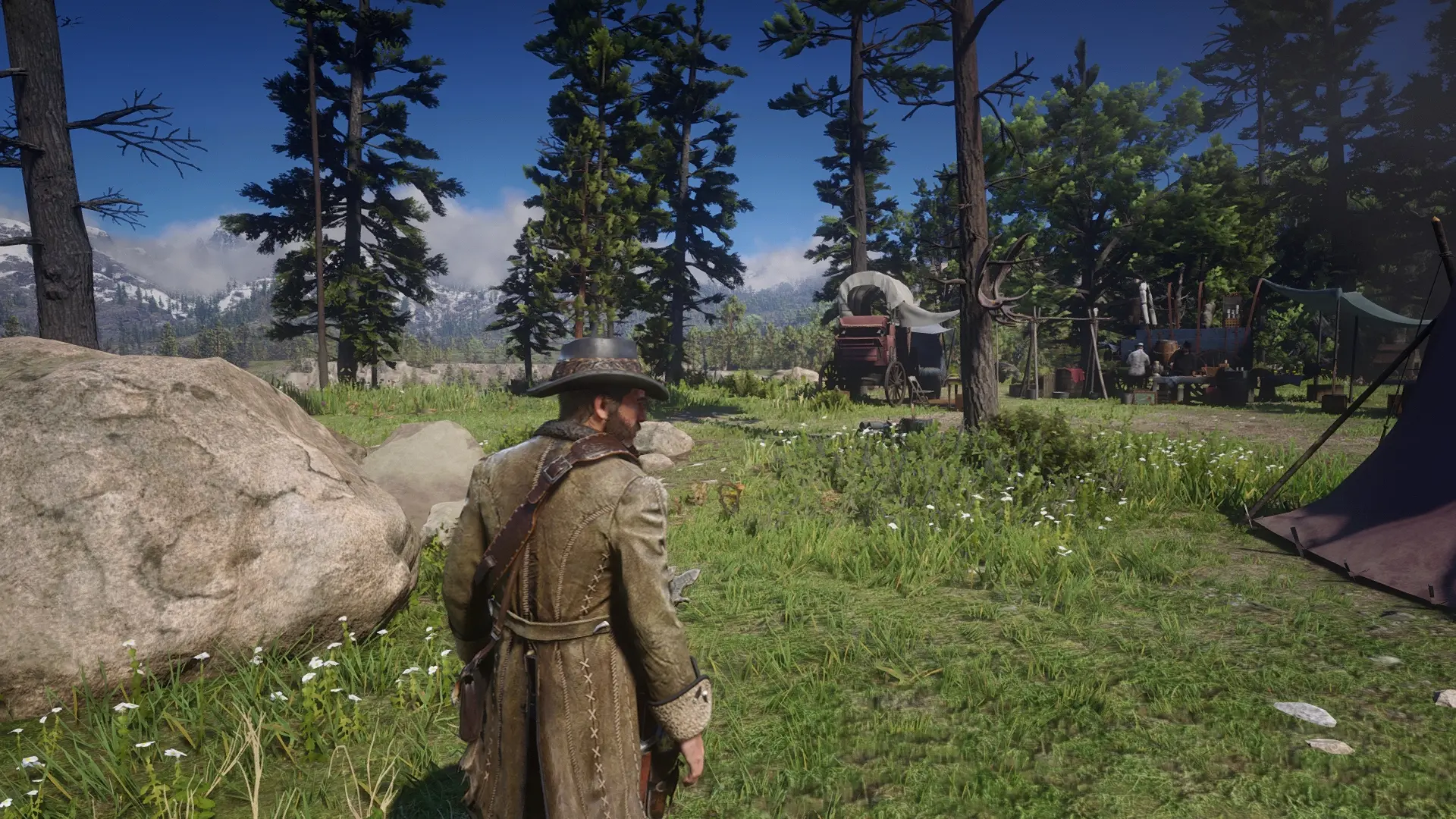
Vanilla RDR2 on PC sure is beautiful, but it suffers from blurriness and washed out colors, especially if compared to console versions. Because of my disappointment, I made this subtle ReShade preset.
What this ReShade preset does:
-Remove exaggerated greenish/grayish color filter present in the PC version, making the color profile closer to those found in console versions
-Make colors slightly more vibrant
-Increase overall image clarity and contrast just by a little bit, to prevent "washed out' look
-Increase sharpening (vanilla is a blurry mess, please read "Recommended settings" section at the bottom of this page for further improvements)
-Slightly reduce vignetting
What this ReShade preset does NOT:
-Significantly change original color balance
-Significantly change original contrast
-Change colors to be more "fantasy-like"
-Crush darks, I.e., change black point
-Change the overall atmosphere of the game
-Make your eyes hurt after some time
-Use a bunch of unnecessary effects like ambient bloom to pollute the image and then call it "realistic"
-Destroy your performance
Installation:
-First, make sure your monitor is calibrated at lagom.nl/lcd-test/ (It will take less than 10 minutes)
-Download this preset, extract it with 7-Zip, and place the .ini file at your RDR2.exe folder
-Download latest ReShade version from reshade.me and install it to RDR2, selecting Vulkan API when prompted and then enabling ReShade for all Vulkan games (if you run the game on Vulkan) or selecting DX12 (if you run the game on DX12)
-You'll need to download only standard effects and SweetFX. When prompted which effects from SweetFX to download, you only really need to check "Lift Gamma Gain", "Vibrance", "Tonemap", "Vignette", "Curves" and "LumaSharpen"
-Go to "Edit ReShade Settings", change "Preset" to "Absolute Correction.ini" and check "Performance Mode" and "Skip Tutorial" boxes
-Close the installer and open RDR2.
If you installed ReShade for Vulkan by enabling it globally and want to uninstall it, you need to redownload/open the ReShade installer again and uncheck the box.
This preset is not recommended for HDR mode.
Recommended settings:
-Default game gamma/brightness
-TAA Medium (High looks even more blurry and costs a couple FPS more. Pointless)
-TAA Sharpness at around 30/80 of the bar
-FXAA On (looks like TAA in this game was intended to be used together with FXAA, check city lamps at night, or the moon for example)
-If you have NVidia GPU, you can disable LumaSharpen in the ReShade options menu and activate Image Sharpening via NVidia Geforce Overlay instead, as it looks
A subtle visual enhancement mod for Red Dead Redemption 2, adjusting color, contrast, and sharpening. With 341 endorsements and 9,269 downloads, it's a modestly popular choice for players seeking a refined look without overhauling the game's visuals.
✨ Key Features
📊 Pros & Cons
✅ Pros
- Community-trusted with 341 endorsements and 9,269 downloads
- Subtle tweaks that preserve the game's original aesthetic
- Lightweight visual correction—no heavy performance hit
⚠️ Cons
- Last updated in 2020, so may not be compatible with the latest game patches
- Only tweaks color, contrast, and sharpening—no other visual overhauls
- Potential conflicts with other visual mods that alter similar settings
For RDR2 players who want a slightly more vibrant and crisp image without drastic changes. If you're after a full visual overhaul or gameplay tweaks, this isn't for you—it's purely a subtle polish.
💡 Beginner Tips
- Place the files in the game's root directory, not in the 'lml' folder unless you use a mod manager
- If you use other visual mods, install this one last to avoid overwriting your preferred settings
- Test in different lighting conditions (day/night) to see if the sharpening suits your taste
📊 Mod Details
- Game
- RDR2 Mods
- Author
- mikeywander
- Version
- 1.2
- Downloads
- 9,269
- Endorsements
- 341
- Category
- Visuals
- Created
- 3/4/2020
- Updated
- 11/1/2020
🔧 How to Install RDR2 Mods
Install Script Hook RDR2 first. Most mods go in game directory.
📖 Full step-by-step install guide for RDR2 →
Visit the official mod page for specific installation instructions for this mod.
🎮 Need cheat codes or console commands? Check ur gaming wiki for RDR2 commands, item IDs, and more.
Keep browsing — more RDR2 mods await