Custom Goal Songs (Italiano)
🟡 Updated this yearPreview
🔍 Analysis
- 👍 0.0% endorsement rate
📋 About This Mod
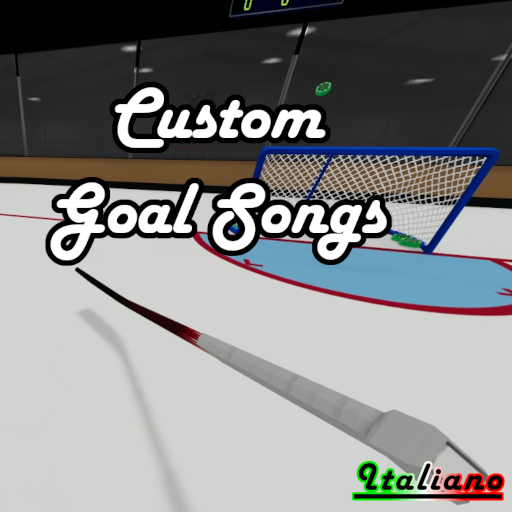
Custom Goal Songs UPDATED V2.2: Updated Mod Menu: -Songs play/stop when the label is clicked -Added Help section with a bit of information/setup -Arena Effects can be tested without rebooting -Added Reload Files button -Shows how many songs are detected, too long or failed to load Added Songs Options: Blue/Red Team Play with X seconds left in period (1-300) -60 second warnings, ect. -Added new global setting 'Timed volume' dropdown Fade out over last X seconds (0-10) -Fade out more or less at the end per track General improvements: -Adjusted all global settings volume to half the amount -Removed "CustomMusic" folder requirement, reads anything from puck install path --May help with install issues by removing folder creation -Improved song playback coroutines -Fixed issue with reverb carrying over to the next track -Mod disables properly x2 IMPORTANT! Audio file need to be 30 seconds or less! Files and folders should not contain spaces or special characters! A client sided framework for playing custom music/sound when a goal is scored. Drop the audio files in the folders listed below after enabling the mod. Create a folder in your puck install directory for your files or drop files directly into your Puck folder. ...\Steam\steamapps\common\Puck\(YOUR_FOLDER_HERE)\(YOUR_SONGS_HERE.WAV) ...\Steam\steamapps\common\Puck\(YOUR_SONGS_HERE.WAV) Music menu located in the mods menu near the refresh button after activation Set delay time before playing Set options of when music plays: Wins, Losses, Goals and Intermissions Set volume for Goal, Intermissions and Timed events Play audio (with goal volume) and verify files Toggle Arena Effects All files are loaded when Puck is first launched and can be reloaded with a button press in the menu.
Custom Goal Songs UPDATED V2. 2: Updated Mod Menu: -Songs play/stop when the label is clicked -Added Help section with a bit of information/setup -Arena Effects can be tested without rebooting -Added Reload Files button -Shows how many songs are detected, too long or failed to load Added Songs Options: Blue/Red Team Play with X seconds left in period (1-300) -60 second warnings, ect. -Added new global setting 'Timed volume' dropdown Fade out over last X seconds (0-10) -Fade out more or less at the end per track General improvements: -Adjusted all global settings volume to half the amount -Removed "CustomMusic" folder requirement, reads anything from puck install path --May help with install issues by removing folder creation -Improved song playback coroutines -Fixed issue with reverb carrying over to the next track -Mod disables properly x2 IMPORTANT! Audio file need to be 30 seconds or less! Files and folders should not contain spaces or special characters! A client sided framework for playing custom music/sound when a goal is scored. Drop the audio files in the folders listed below after enabling the mod. Create a folder in your puck install directory for your files or drop files directly into your Puck folder. ...\Steam\steamapps\common\Puck\(YOUR_FOLDER_HERE)\(YOUR_SONGS_HERE. WAV) ...\Steam\steamapps\common\Puck\(YOUR_SONGS_HERE. WAV) Music menu located in the mods menu near the refresh button after activation Set delay time before playing Set options of when music plays: Wins, Losses, Goals and Intermissions Set volume for Goal, Intermissions and Timed events Play audio (with goal volume) and verify files Toggle Arena Effects All files are loaded when Puck is first launched and can be reloaded with a button press in the menu.
📊 Mod Details
- Game
- Puck Mods
- Author
- 76561198049905026
- Version
- N/A
- Downloads
- 2,811
- Endorsements
- 0
- Category
- B1153, Client-sided, Mod, Custom, Goal, Songs, Audio
- Created
- 9/6/2025
- Updated
- 5/28/2026
🔧 How to Install Puck Mods
Subscribe on Steam Workshop. Mods auto-download and install. Launch the game to activate.
📖 Full step-by-step install guide for Puck →
Visit the official mod page for specific installation instructions for this mod.
🎮 Need cheat codes or console commands? Check ur gaming wiki for Puck commands, item IDs, and more.
Keep browsing — more Puck mods await