Inventory Expansion
🟡 Updated this year⚠️ Install Order · 1 step
Install in this order, then this mod last — most mods fail to load without their framework and dependencies in place.
Preview
🔍 Analysis
- 👍 0.0% endorsement rate
- ✅ Updated 255 days after the latest game patch — actively maintained
- 🏆 #6 of 25 UE4SS, Utilities, Gameplay, User Interface mods in this game by downloads
📋 About This Mod
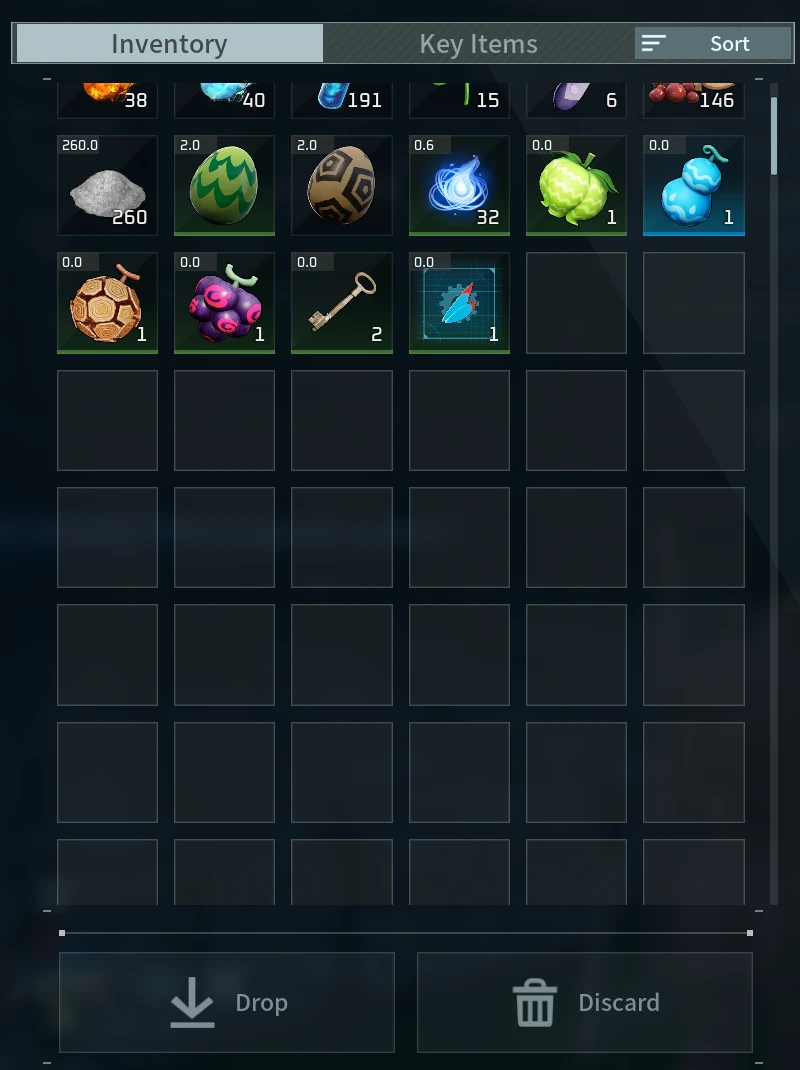
What it does Inventory Expansion adds 100 slots to the player's normal inventory by default. The amount can be changed in the config from 0 through 5000. All slots remain part of Palworld's normal inventory and use the existing scrollable inventory list. It works offline on windows. Don't know about servers, use at your own risk. Heard people using proton/wine have issues with this mod. Requirements Palworld on Steam UE4SS Experimental (Palworld) Installation Subscribe to UE4SS Experimental and Inventory Expansion. Launch Palworld and open Mod Management. Enable UE4SS Experimental and Inventory Expansion. Restart Palworld. It won't work on servers unless the server installs the mod. Configuration Close Palworld, then edit: \Mods\NativeMods\UE4SS\Mods\InventoryExpansion\config\config.ini Default configuration: Enabled=true Enabled=true AdditionalSlots=100 AdditionalSlots supports values from 0 through 5000. Restart Palworld after changing it. If you are trying to remove the mod, ensure the extra slots are not used, set the extra slots to 0, then load and save your game and visibly verify it worked first. Compatibility Do not combine this with another mod that changes player inventory capacity. Works with No Inventory Or Storage Lag. Made and tested on Palworld for Windows through Steam. PC Game Pass, Linux or Proton, and dedicated servers have not been tested. Save data and uninstall warning Palworld saves the expanded inventory capacity. Simply disabling or unsubscribing from the mod will not safely reduce the inventory size. Back up your save first. Move every item out of the extra slots, set AdditionalSlots=0, load your world, make sure the game saves, then exit Palworld. After that, disable or unsubscribe from Inventory Expansion. Online and co-op saves may behave differently. Use extra caution and keep a backup. Nexus Mods Inventory Expansion on Nexus Mods
📊 Mod Details
- Game
- Palworld Mods
- Author
- 76561198107252487
- Version
- N/A
- Downloads
- 2,617
- Endorsements
- 0
- Category
- UE4SS, Utilities, Gameplay, User Interface
- Created
- 8/5/2026
- Updated
- 8/5/2026
🔧 How to Install Palworld Mods
Subscribe on Steam Workshop. Mods auto-download and install. Launch the game to activate.
📖 Full step-by-step install guide for Palworld →
Visit the official mod page for specific installation instructions for this mod.
🎮 Need cheat codes or console commands? Check ur gaming wiki for Palworld commands, item IDs, and more.
Keep browsing — more Palworld mods await